EasyManua.ls Logo

Samsung SDC3D809 - User Manual

Samsung SDC3D809
180 pages
Print Icon
To Next Page IconTo Next Page
Loading...
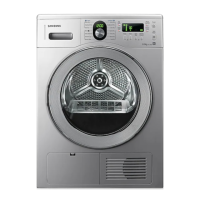
Condensing Dryer
user manual
imagine the possibilities
Thank you for purchasing this Samsung product.
To receive more complete service,
please register your product at
www.samsung.com/register
SDC18809
SDC3D809
SDC3C801
SDC39801
This manual is made with 100% recycled paper.
SDC18809-02805C-05_EN.indd 1SDC18809-02805C-05_EN.indd 1 2013-03-29  11:00:352013-03-29  11:00:35

Questions and Answers

  • M
    Mark DaviesAug 14, 2025
    Why is my Samsung SDC3D809 Dryer not heating up?
    • D
      Daniel SandersAug 14, 2025
      If your Samsung Dryer isn't heating, check your home's circuit breaker and fuses. Make sure you've selected a heat setting other than Cool Air. Inspect the filter case and condenser, cleaning them if needed. Also, the dryer might be in the cool-down phase of its cycle.
  • K
    Kathy JonesAug 17, 2025
    Why is my Samsung SDC3D809 Dryer so noisy?
    • J
      jacksonrachelAug 17, 2025
      If your Samsung Dryer is making noise, check the load for items like coins, loose buttons, or nails and remove them. Ensure the dryer is level as per the installation instructions. A humming sound can be normal due to air moving through the drum and fan.
  • M
    Michael BrownAug 21, 2025
    How to troubleshoot a Samsung Dryer that doesn’t run?
    • J
      Jill OrtegaAug 21, 2025
      If your Samsung Dryer isn't running, make sure the door is fully latched. Also, check that the power cord is properly plugged into a working electrical outlet. Inspect your home's circuit breaker and fuses. If the door was opened during a cycle, press the Start/Pause button again. Ensure the condensed water tank is empty and the filter case is clean.
  • C
    Catherine JamesAug 25, 2025
    What to do if Samsung Dryer shuts off before load is dry?
    • M
      Margaret WatersAug 25, 2025
      If your Samsung Dryer shuts off before the load is dry, it could be due to the load size. Try adding more items or a few towels if the load is too small, then restart the cycle. If the load is too large, remove some items before restarting.
  • K
    Kevin BergerAug 28, 2025
    How to prevent lint on clothes when using Samsung Dryer?
    • H
      hjonesAug 28, 2025
      If you notice lint on your clothes after drying in your Samsung Dryer, ensure you clean the lint filter before each load. For loads producing a lot of lint, clean the filter case during the cycle. Separate lint-producing fabrics from lint-trapping ones. Divide larger loads into smaller ones. Check pockets thoroughly before drying.
  • D
    David KingAug 31, 2025
    Why does my Samsung SDC3D809 Dryer dry unevenly?
    • J
      John BergAug 31, 2025
      If your Samsung Dryer is drying unevenly, remember that seams, pockets, and other heavy areas might not dry completely with the rest of the load; this is normal. Use the Extra Dry setting if desired. Avoid drying one heavy item with a lightweight load. Sort heavy and lightweight items for better results.
  • W
    washingtondawnSep 4, 2025
    Why does my Samsung SDC3D809 Dryer have an odour?
    • M
      mary30Sep 4, 2025
      If your Samsung Dryer has an odor, it might be due to household odors from painting, varnishing, or strong cleaners entering with the room air. Ventilate the room completely before using the dryer to prevent this.
  • W
    Wyatt LaneSep 6, 2025
    Why are garments still wrinkled after Wrinkle prevent on Samsung SDC3D809 Dryer?
    • J
      James PorterSep 7, 2025
      If garments are still wrinkled after using the Wrinkle Prevent setting on your Samsung Dryer, try using small loads of 1 to 4 items. Load fewer garments and ensure they are of similar types.
  • Z
    zsanchezSep 10, 2025
    Why do odours remain in clothing after Refresh cycle on Samsung SDC3D809?
    • C
      Christian RichardsonSep 10, 2025
      If odors remain in clothing after using the Refresh cycle on your Samsung Dryer, the fabrics likely contain strong odors and should be washed instead.

Summary

Safety Information and Warnings

Risk of Fire Warning

Emphasizes qualified technician installation and adherence to local codes.

Important Safety Symbols

Explains warning symbols (warning, caution) and general safety precautions.

Severe Warning Signs for Installation

Covers electrical safety, grounding, and handling of power cords during installation.

Severe Warning Signs for Using

Details critical safety rules for operating the dryer, including child safety.

Caution Signs for Using

Lists precautions for using the dryer, such as not placing objects on it or touching hot parts.

Severe Warning Signs for Cleaning

Highlights critical safety warnings related to cleaning the appliance.

Installing Your Dryer

Tools Needed for Installation

Lists essential tools and requirements for proper dryer installation.

Check Before Installing

Important checks and precautions before starting the installation process.

Electrical Requirements

Outlines voltage, frequency, and grounding requirements for safe operation.

Grounding Instructions

Explains the importance and methods of proper grounding for electrical safety.

Connecting the Drain Hose

Step-by-step guide on how to connect the drain hose for external water disposal.

Operating Instructions and Tips

Overview of the Control Panel

Explains the dryer's control panel layout, display, and buttons.

Troubleshooting Common Issues

Check Dryer Operation Issues

Addresses common problems like not running, not heating, or not drying.

Information Codes Explained

Explains error codes displayed on the dryer and their corresponding solutions.

Appendix and Specifications

Samsung SDC3D809 Specifications

General IconGeneral
BrandSamsung
ModelSDC3D809
CategoryDryer
LanguageEnglish

Related product manuals