In Shooting mode, press [
1
].
Use the navigation buttons to scroll to an
2
option or menu.
To move left or right, press [ ▪ ] or [ ].
To move up or down, press [ ▪
] or [ ].
Press [
3
] to confirm the highlighted option or
menu.
Press [ ▪ ] again to go back to the previous
menu.
Selecting optionsCharging the battery
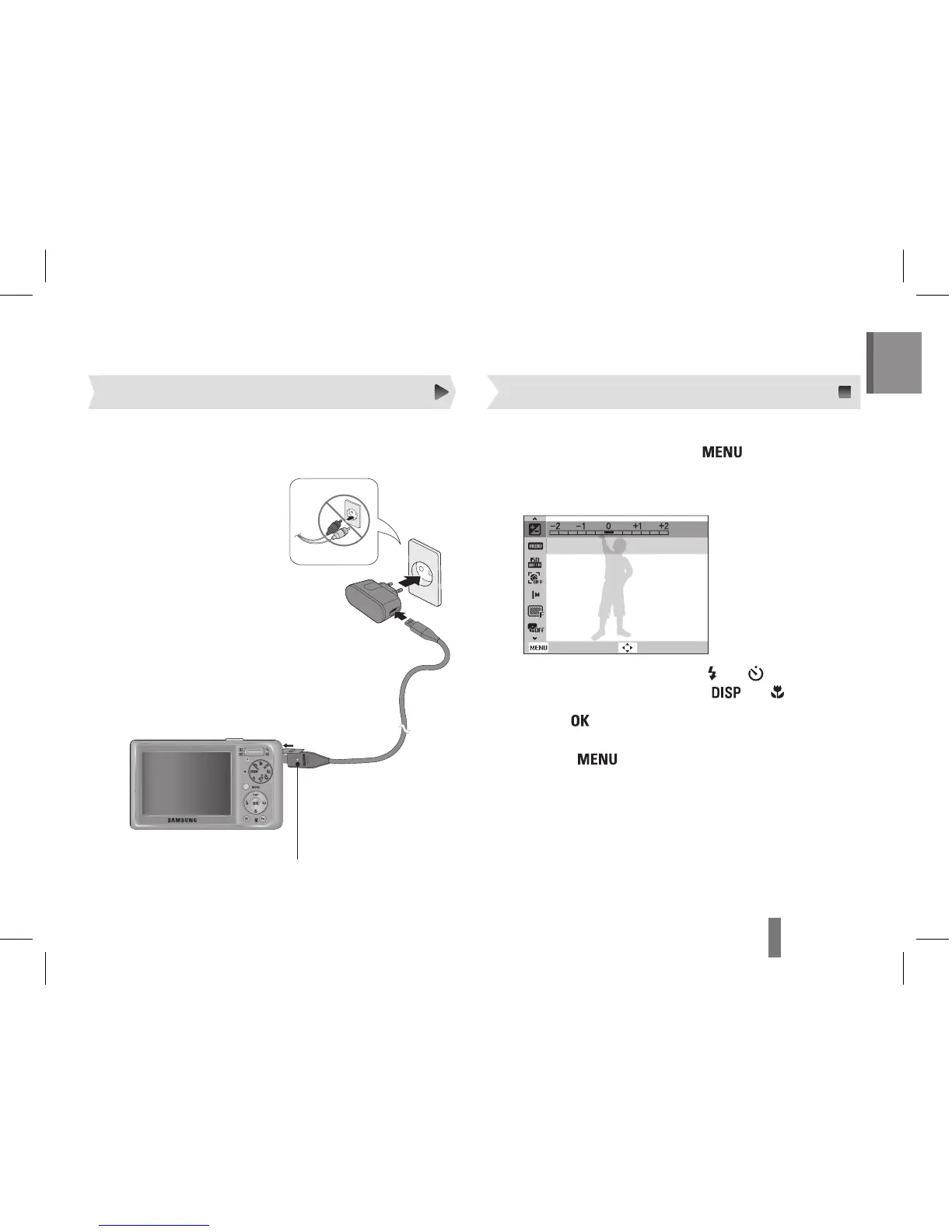
Indicator light
Red ▪ : Charging
Green ▪ : Fully charged
Before using the camera for the first time, you must
charge the battery.



 To Next Page