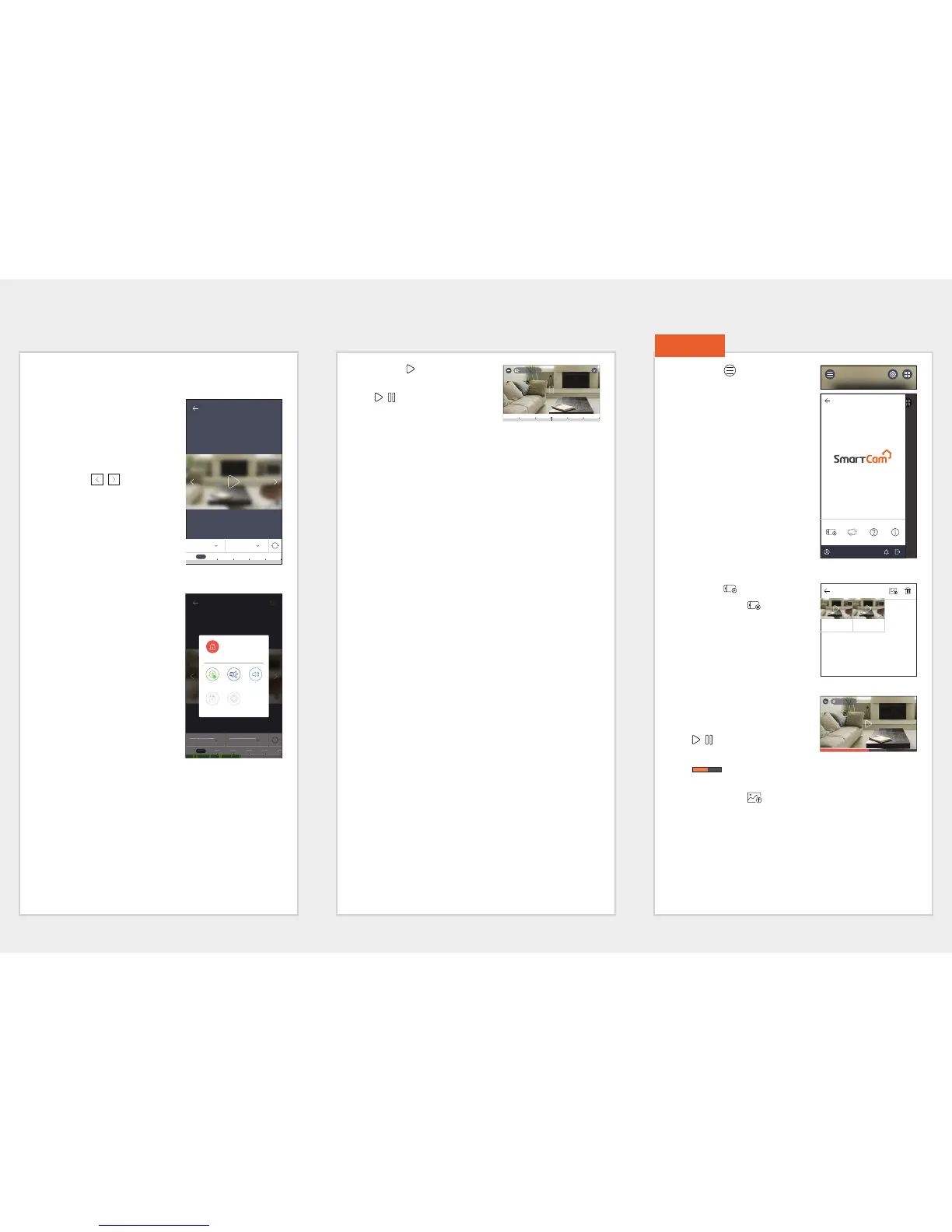
SD playback
You can see videos that have been recorded to the SD card.
1. If you swipe the screen from
bottom to top, the SD playback
screen is shown.
2. If you press a date, dates at
which video search is possible
are shown on the calendar.
Press the [
, ] on either
end of the calendar's year/
month indicator to move to the
previous/next month.
3.
Select a date to search.
A time zone that contains videos
is displayed on the timeline.
4. Press the <All> button to select
the event type you want to
search.
M
Playback method is the same as
for SD event playback.
Supported event types may differ
depending on the model.
5. Push the [ ] icon.
Video data is replayed.
•
/ : Play back or pause the
video.
• Playing the video : The section
in the specific period is played by dragging the time bar.
M
Smoothness of playback may depend on the wireless network
speed, the smartphone performance, or the Internet service
provider's policy.
Playback of a recorded video cannot be requested by two persons at
the same time.
Depending on the network environment, the playback function may
not be supported.
1. Push the [ ] icon on the main
screen.
2. Move to the menu screen.
Phone Record Files
1. Push the [ ] icon.
2. If you push the [ ] icon on
the Live video, a list of saved
recorded videos is displayed.
3. Push a video you want to play
back.
Video data is replayed.
•
/ : Play back or pause the
video.
•
: The section in the specific period is played by
dragging the time bar.
4. If you push the [ ] icon, you can save videos in the
WisenetSmartCam+ Gallery folder of your smartphone.
M
If you download a file, you can play it back using a general video
player.However, since video playback may not be smooth depending
on the codecs supported by the video player, install video players
that support the H.264 and G.711 codecs.
8. Menu
Hanwha135
Phone Record Files
mv Argus
CAM 01
2017-02-20 11:07:09
mv Argus
CAM 01
2017-02-20 11:06:17
00:00 00:14
mv Argus CAM 01
2017-01-23 20:39:05
2017-02-22 All
04:20 04:30 04:40 04:50 05:04:10
2017-02-22 All
04:20 04:30 04:40 04:50 05:04:10












 To Next Page