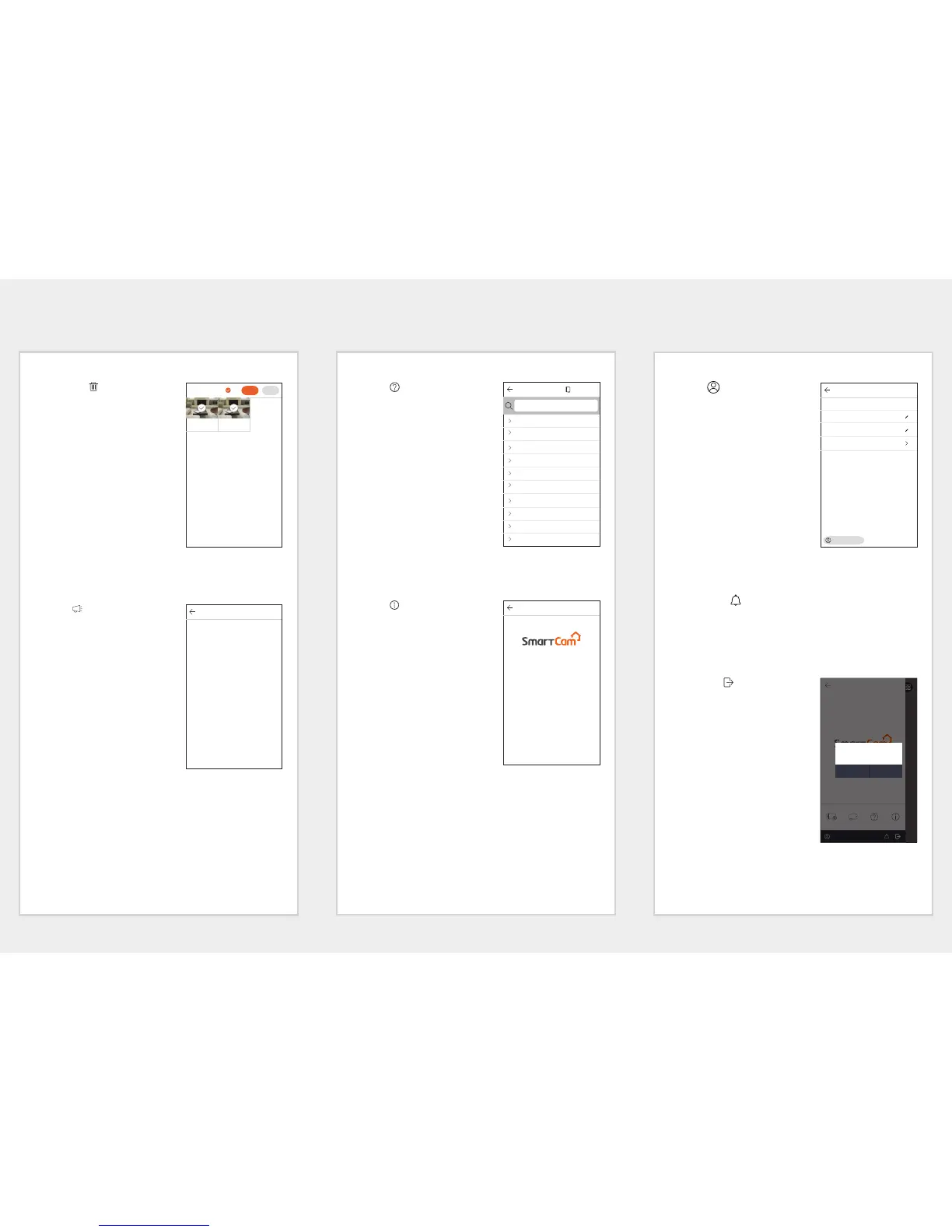
Saved Video Deletion
1. Push the [ ] icon.
2. Press <All>.
3. Press <Delete>.
4. Press the <OK> button, and
delete saved videos.
M
Videos that are stored on the SD
card are not deleted.
Notice
Push the [ ] icon.
You can find notices on SmartCam.
Help
Push the [ ] icon.
You can find Q&A and the user
manual on SmartCam.
Software information
Push the [ ] icon.
You can check the information of the
current software version.
Information
Push the [ ] icon.
You can modify your account
information or cancel your
membership.
Alarm Setup
If you push the [ ] icon, you can turn off the smartphone push
alarm.
Logout
1. Push the [ ] icon.
2. Press <OK>.
M
If you move using Go Back, you are
not logged out and the App is
terminated.
Account
User ID Hanwha135
Name
Hanwha kim
e-Mail test133@hanwha.com
Change password
Cancel membership
About
Version :
v.1.04
Created Date :
2017. 03. 18
Copyright :
Hanwha Techwin
Software License :
This software uses FFmpeg
under LGPL v2.1
Notice
Help
What are the recommended operating systems and
mobile devices?
Are there any precautions I should take when installing
the mobile app?
I can't log in.
I have forgotten my user ID or password.
I'd like to change my password or email address.
Can I make multiple accounts with a single email
address?
How many cameras can I use with a single account?
I can't retrieve the camera serial number.
I can't retrieve the router.
Do the router setting affect camera registration?
Search
User manual
CancelDelete
All
mv Argus
CAM 01
2017-02-20 11:07:09
mv Argus
CAM 01
2017-02-20 11:06:17
Hanwha135Hanwha13




 To Previous Page