EasyManua.ls Logo

Samsung SND-6011R - User Manual

Samsung SND-6011R
140 pages
Print Icon
To Next Page IconTo Next Page
Loading...
NETWORK CAMERA
User Manual
SND-6011R/SNO-6011R

Table of Contents

Questions and Answers

  • S
    Samuel FlemingJul 29, 2025
    What to do if I cannot connect to Samsung SND-6011R using a tab browser of Internet Explorer 7.0?
    • J
      Joyce ManningJul 29, 2025
      To resolve the issue of not being able to connect to the Samsung Security Camera system using a tab browser of Internet Explorer 7.0, avoid using a new window or tab. Instead, select “File ? New session.” This is because an error may occur when connecting with a new window or tab since the cookie data are shared.
  • A
    Adrian PerkinsAug 3, 2025
    What to do if Samsung SND-6011R Security Camera is not detected in the IP installer program?
    • P
      Penny JacksonAug 3, 2025
      If the Samsung Security Camera connected to the network is not detected by the IP installer program, try turning off the firewall settings on your PC and then search for the camera again.
  • S
    stephen23Aug 7, 2025
    Why does Samsung Security Camera viewer get disconnected during monitoring?
    • R
      Ryan JimenezAug 7, 2025
      If your Samsung Security Camera viewer gets disconnected during monitoring, it might be due to changes in the camera or network configurations. Check all network connections to ensure stability. Also, if the camera is connected over a PPPoE network, poor network conditions could cause disconnections.
  • B
    Bradley AllenAug 12, 2025
    What to do if Samsung SND-6011R Security Camera cannot record into the Micro SD memory card?
    • J
      Jason SalazarAug 12, 2025
      If you cannot record into the Micro SD memory card with your Samsung Security Camera, check if the memory card is defective.
  • C
    Connie Adams DVMAug 15, 2025
    Why do Samsung SND-6011R Security Camera images overlap?
    • K
      Karen MooreAug 15, 2025
      If images from your Samsung Security Camera overlap, it might be because two or more cameras are set to a single multicast address instead of different addresses. If a single address is used for multiple cameras, the images may overlap.
  • C
    Christina RyanAug 20, 2025
    What to do if Samsung SND-6011R Security Camera does not operate properly with Micro SD memory card inserted?
    • R
      Rachel FryeAug 20, 2025
      If your Samsung Security Camera has a Micro SD memory card inserted but is not operating properly, first ensure the memory card is inserted in the correct direction. Also, if the memory card was formatted by other devices, it might not be compatible. You can format the memory card again in the camera's ? ? menu.
  • J
    Jordan GreenAug 25, 2025
    Why is Samsung SND-6011R not sending notification e-mails when motion detection is enabled?
    • J
      Jamie KimAug 25, 2025
      If the of is enabled on your Samsung Security Camera, but you are not receiving notification e-mails when an analysis event occurs, verify the following settings: First, check the settings. Second, ensure that is set to . Third, confirm that the option in the menu is checked.

Summary

Important Safety Instructions

Warnings and Cautions

Critical safety warnings and precautions for device usage and maintenance.

Graphical Symbols Explanation

Explains the meaning of common graphical symbols used in the manual.

OVERVIEW

Product Features

Details on the camera's features, capabilities, and specifications.

Recommended PC Specifications

Minimum and recommended PC requirements for using the camera software.

Recommended Memory Card Specifications

Guidelines for selecting compatible and performant memory cards.

What’s Included

List of items included in the product package.

At a Glance

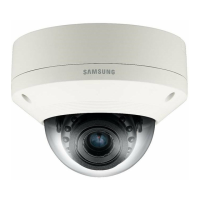
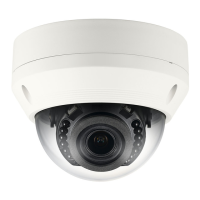
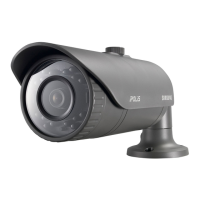
Visual identification of the camera's appearance and parts for both models.

INSTALLATION & CONNECTION

Camera Installation

Step-by-step guide for installing the camera for both SND and SNO models.

Micro SD Card Management

Instructions on how to insert, remove, and manage the Micro SD card.

Connecting with Other Devices

Illustrates how to connect the camera with other devices like monitors and PoE.

NETWORK CONNECTION AND SETUP

Local Area Network Connection

Steps to connect the camera to a local network via a PC.

Modem Connections

Guides for connecting the camera to DHCP or PPPoE modems for internet access.

Broadband Router Connection

Configuration for connecting the camera via a broadband router.

IP Address Configuration

Procedures for setting up static or dynamic IP addresses for the camera.

Remote Access Setup

Guide to configuring port forwarding and DDNS for remote camera access.

WEB VIEWER

Accessing the Web Viewer

Methods to access the camera's web interface via IP address or URL.

Live Screen Usage

Explanation of the live video screen interface and its controls.

Recorded Video Playback

How to search and play back recorded video content.

SETUP SCREEN

Video and Camera Settings

Configuration options for video profiles, codecs, and camera parameters.

Network and Security Settings

Configuring IP, SSL, 802.1x, QoS, SNMP, and UPnP/Bonjour settings.

Event Handling and Storage

Setting up events like alarms, motion detection, and configuring Micro SD storage.

System and User Management

Configuring system information, user accounts, upgrades, and logs.

APPENDIX

Specifications and Overview

Detailed technical specifications and physical overview of the camera models.

Troubleshooting

Common problems and their solutions for camera operation.

Samsung SND-6011R Specifications

General IconGeneral
BrandSamsung
ModelSND-6011R
CategorySecurity Camera
LanguageEnglish

Related product manuals