EasyManua.ls Logo

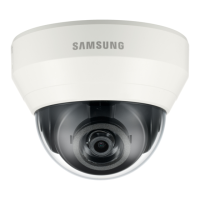
Samsung SND-5084R - User Manual

Samsung SND-5084R
172 pages
Print Icon
To Next Page IconTo Next Page
Loading...
NETWORK CAMERA
User Manual
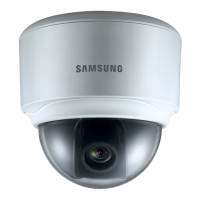
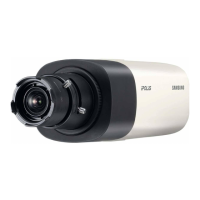
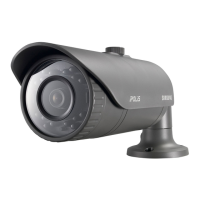
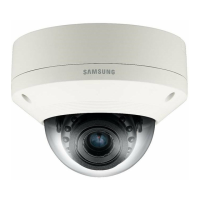
SND-5084R/SNO-5084R/
SNV-5084R

Table of Contents

Questions and Answers

  • A
    April ThompsonAug 15, 2025
    Why is my Samsung SND-5084R micro SD memory card inserted but the camera does not operate properly?
    • J
      Joseph RayAug 15, 2025
      If the micro SD memory card is inserted but the camera does not operate properly, check if the memory card is inserted in the proper direction. Also, memory cards formatted by other devices may not work; format the memory card again in the camera's ? ? menu.
  • W
    wooddonnaAug 18, 2025
    Why does my Samsung SND-5084R have no image?
    • M
      melissagarciaAug 18, 2025
      If no image appears, and the transmission method is set to multicast, check whether there is a router that supports multicast in the LAN the camera is connected to.
  • I
    Isaiah LucasAug 21, 2025
    Why can't I access my Samsung SND-5084R from a web browser?
    • D
      David JohnsonAug 21, 2025
      If you are unable to access the camera from a web browser, verify the camera’s network settings are correct, all network cables are properly connected, the camera can acquire dynamic IP addresses without issue if using DHCP, and that port forwarding is correctly configured on your broadband router, if applicable.
  • M
    Michael HortonAug 25, 2025
    What to do if my Samsung SND-5084R is not detected in the IP installer program?
    • Q
      qreidAug 26, 2025
      If the camera is not detected in the IP installer program, try turning off the firewall settings on your PC and then search for the camera again.
  • J
    Jennifer McgeeAug 28, 2025
    What to do if my Samsung Security Camera viewer got disconnected during monitoring?
    • D
      david90Aug 28, 2025
      If the viewer gets disconnected during monitoring, check all network connections. This can occur if connected viewers become disconnected upon any change to camera or network configurations. Also, if the camera is connected over a PPPoE network, it’s possible for the viewer to disconnect under poor network conditions.
  • M
    mathewmoyerAug 31, 2025
    What to do if my Samsung Security Camera images overlap?
    • V
      Victoria KnappAug 31, 2025
      If the images overlap, check whether two or more cameras are set to a single multicast address instead of different addresses. If a single address is used for multiple cameras, the images may overlap.
  • K
    Kevin TaylorSep 3, 2025
    What to do if no signal is found at the Alarm Output port of my Samsung SND-5084R?
    • C
      Christina PerezSep 4, 2025
      If no signal is found at the Alarm Output port even when an intelligent video analysis event is generated, check the alarm output port settings.
  • J
    Jeffrey LambertSep 7, 2025
    Why I cannot connect to my Samsung SND-5084R Security Camera system using a tab browser of Internet Explorer 7.0?
    • T
      Tyler SmithSep 7, 2025
      When connecting with a new window or tab, an error may be generated since the cookie data are shared. Do not use a new window or tab, select “File ? New session.”
  • K
    Kathryn Martin MDSep 10, 2025
    Why am I not receiving notification emails from my Samsung Security Camera?
    • B
      Brian GonzalesSep 12, 2025
      If you are not receiving notification emails, verify the settings in the following sequence: 1. Check settings. 2. The should be set to . 3. Check if the option of menu is checked to use.

Summary

OVERVIEW AND SAFETY

Important Safety Instructions

Essential safety guidelines for using the apparatus.

SPECIFICATIONS AND REQUIREMENTS

INSTALLATION AND CONNECTION

INSTALLATION (SND-5084 R)

Steps for installing the SND-5084R camera model.

INSTALLATION (SNO-5084 R)

Steps for installing the SNO-5084R camera model.

INSTALLATION (SNV-5084 R)

Steps for installing the SNV-5084R camera model.

Adjusting the monitoring direction

How to adjust Pan, Tilt, and Rotation for camera viewing direction.

INSERTING;REMOVING A MICRO SD MEMORY CARD

Steps for inserting and removing Micro SD memory cards.

NETWORK CONNECTION AND SETUP

CONNECTING THE CAMERA DIRECTLY TO LOCAL AREA NETWORKING

Steps to access the camera from a PC within the local network.

CONNECTING THE CAMERA DIRECTLY TO A DHCP BASED DSL;CABLE MODEM

Guide for connecting the camera to a DHCP DSL/Cable modem.

CONNECTING THE CAMERA DIRECTLY TO A PPPoE MODEM

Steps for connecting the camera to a PPPoE modem.

CONNECTING THE CAMERA TO A BROADBAND ROUTER WITH THE PPPoE;CABLE MODEM

How to configure PC network settings for broadband router connection.

STATIC IP SETUP

Steps for manually setting up network configuration via IP Installer.

DYNAMIC IP SETUP

Explains the dynamic IP environment setup and checking procedures.

PORT RANGE FORWARD (PORT MAPPING) SETUP

Configures port forwarding on a broadband router for remote access.

Connecting to the Camera from a Remote PC via the Internet

How to access the camera remotely using DDNS URL.

WEB VIEWER

CONNECTING TO THE CAMERA

Standard procedure for connecting to the camera via browser.

PASSWORD SETTING (SND-5084 R;SNV-5084 R)

Instructions for setting a secure login password for these models.

LOGIN

Steps to log in using the administrator ID and password.

SETUP SCREEN

TROUBLESHOOTING

Samsung SND-5084R Specifications

General IconGeneral
Resolution1.3MP
Lens TypeVarifocal
Night VisionYes
Day/NightYes
WeatherproofIP66
Scanning SystemProgressive
SynchronizationInternal
S/N Ratio50dB
Operating HumidityLess than 90% RH
Camera TypeNetwork Camera
Power SupplyPoE, 12V DC
Sensor1/3"
Effective Pixels1280 x 1024
Power ConsumptionMax.
Operating Temperature-10°C ~ +55°C
Video Output1.0Vp-p, 75Ω, Composite

Related product manuals