EasyManua.ls Logo

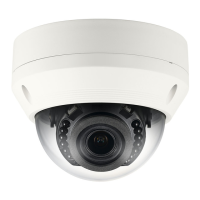
Samsung SND-6084R - User Manual

Samsung SND-6084R
178 pages
Print Icon
To Next Page IconTo Next Page
Loading...
NETWORK CAMERA
User Manual
SND-6084R/
SNO-6084R/SNV-6084R

Table of Contents

Other manuals for Samsung SND-6084R

Questions and Answers

  • K
    Kristina BurkeAug 20, 2025
    What to do if my Samsung SND-6084R connected to the network is not detected in the IP installer program?
    • B
      Beth WyattAug 20, 2025
      Turn off the firewall settings on your PC and then search for the Samsung Security Camera again.
  • J
    Jeremy OrozcoAug 22, 2025
    What to do if Samsung SND-6084R Security Camera reports that NAS setting has failed?
    • M
      mckenzie68Aug 22, 2025
      First, confirm that the IP address and ID/password of the NAS are valid. Also, confirm that you can access the default folder using the NAS ID and that the NAS SMB/CIFS items are unchecked. Ensure the NAS IP address and the camera IP address are in the same format. Finally, check whether you tried to access as another user without formatting the default folder and confirm that you used recommended NAS equipment.
  • G
    gomeznicholasAug 25, 2025
    What to do if I cannot connect to the Samsung Security Camera system using a tab browser of Internet Explorer 7.0?
    • L
      leahwilliamsAug 25, 2025
      An error may be generated when connecting with a new window or tab since the cookie data are shared. Do not use a new window or tab; instead, select 'File ? New session'.
  • S
    Steven OsborneAug 26, 2025
    Why does my Samsung SND-6084R Security Camera viewer disconnect during monitoring?
    • J
      Joshua RobertsAug 26, 2025
      If you're experiencing viewer disconnection during monitoring with your Samsung Security Camera, it could be due to changes in the camera or network configurations which cause connected viewers to disconnect. Ensure to check all network connections. Also, if the camera is connected over a PPPoE network, viewer disconnection can occur under poor network conditions.
  • G
    Gregory WilliamsAug 28, 2025
    Why does my Samsung Security Camera have no image?
    • K
      Kaitlin Rollins MDAug 28, 2025
      If your Samsung Security Camera shows no image, check if the transmission method is set to multicast. If it is, verify that there is a router that supports multicast in the LAN the camera is connected to.
  • J
    joseph29Aug 30, 2025
    How to access Samsung SND-6084R if I can’t access it from a web browser?
    • L
      larry51Aug 30, 2025
      First, ensure the camera’s Network settings are correct. Then, check that all network cables are properly connected. If using DHCP, verify the camera can obtain dynamic IP addresses. If connected to a Broadband Router, confirm port forwarding is correctly configured.
  • S
    Sabrina RoblesSep 1, 2025
    Why do images overlap on my Samsung SND-6084R?
    • M
      Matthew HillSep 1, 2025
      If a single address is used for multiple cameras, the images may overlap. Check whether two or more cameras are set to a single multicast address instead of different addresses.
  • E
    Emily ParkerSep 3, 2025
    What to do if Micro SD memory card is inserted but the Samsung SND-6084R does not operate properly?
    • C
      chelsea83Sep 3, 2025
      Operation of a memory card that is formatted by other devices is not guaranteed with this camera unit. Check if the memory card is inserted in the proper direction. Also, format the memory card again in the ? ? menu.
  • B
    Brandi ArnoldSep 5, 2025
    What to do if of is set to , but no notification e-mail reaches me even when an analysis event had occurred with my Samsung Security Camera?
    • C
      Connie CarterSep 5, 2025
      Verify the settings in the following sequence: 1. Check settings. 2. The should be set to . 3. Check if the option of the menu is checked to use.
  • H
    hryanSep 7, 2025
    What to do if Samsung Security Camera is not detected in IP installer?
    • G
      Gary HarrisSep 7, 2025
      If your Samsung Security Camera is not detected by the IP installer program, try turning off the firewall settings on your PC and then search for the camera again.

Summary

Network Camera User Manual

Copyright and Trademark Information

Details copyright, trademark usage, and restrictions for the manual.

Disclaimer and Warnings

Disclaimers regarding document integrity and safety warnings.

Overview and Safety

Important Safety Instructions

Crucial safety precautions for using the apparatus.

General Warnings and Cautions

Safety warnings and cautionary advice to reduce risks.

Class I Construction and Battery Safety

Requirements for Class I construction and battery handling.

Contents and Product Features

Manual Contents Overview

Provides an overview of the manual's sections.

Product Features

Details the key features and capabilities of the camera.

Recommended PC Specifications

Lists the required specifications for the user's PC.

Memory Card and NAS Specifications

Recommendations for memory cards and NAS devices.

Whats Included in the Package

Lists all items included in the product package.

Camera Components and Installation

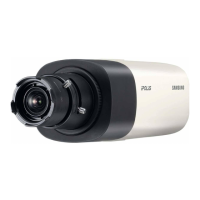
SND-6084 R Camera Overview

Visual identification of SND-6084R camera components.

Camera Component Details

Detailed description of each camera component.

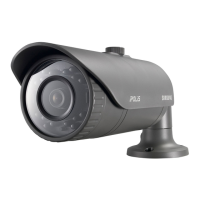
SNO-6084 R Camera Overview

Visual identification of SNO-6084R camera components.

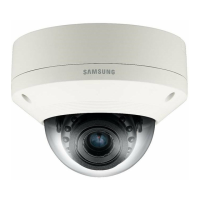
SNV-6084 R Camera Overview

Visual identification of SNV-6084R camera components.

Installation Precautions

Important instructions before installing the camera.

Camera Disassembly and Installation Steps

Procedures for disassembling and installing the camera.

Connecting Cables and Accessories

Steps for connecting power, LAN, and alarm cables.

Optional Installation Accessories

Details on optional mounting accessories.

Adjusting Camera Monitoring Direction

Guide on adjusting camera pan, tilt, and rotation.

Micro SD Memory Card Handling

Instructions for inserting and removing the Micro SD card.

Memory Card Information

Guidance on selecting and using memory cards.

Device Connection Diagrams

Diagrams illustrating connections to external devices.

Power and Network Cable Specifications

Specifications for power and network cables.

Audio Input;Output Configuration

Steps for connecting and configuring audio.

Connecting to I;O Port Box

Instructions for connecting to the I/O port box.

Network Connection and Setup

Connecting to Local Area Network

Steps to connect the camera to a local PC and network.

DHCP Based DSL;Cable Modem Setup

Configuration steps for connecting via DHCP modem.

PPPoE Modem Connection Setup

Configuration steps for connecting via PPPoE modem.

Broadband Router Network Configuration

Configuring PC network settings for broadband router.

IP Installer Tool Usage

Explanation of buttons and functions within the IP Installer.

Static IP Address Setup

Manual guide for setting static IP addresses.

Dynamic IP Address Setup

Steps to check and configure dynamic IP settings.

Port Range Forwarding (Port Mapping)

Instructions for setting up port forwarding on routers.

Web Viewer Usage

Connecting to the Camera via Web Viewer

Steps to connect to the camera using its IP address or URL.

Connecting via UPnP and Bonjour

Methods for connecting using UPnP and Bonjour protocols.

DDNS Address Checking

Guidance on checking and registering DDNS addresses.

Password Setting and Login

Instructions for setting the password and logging in.

Installing STW WebViewer Plugin

Procedure for installing the required WebViewer plugin.

Using the Live Screen Interface

Overview and functions of the live viewing screen.

Capturing Snapshots and Recording Video

How to capture snapshots and record videos manually.

Audio and Microphone Usage

Instructions for using audio and microphone features.

Playing Recorded Video

Guide to searching and playing recorded video content.

Playing AVI Files from Storage

Instructions for playing AVI files from Micro SD or NAS.

Setup Screen Configuration

Basic Setup Procedures

Configuration of basic camera settings like video profiles.

Video Profile Management

Steps to add, change, and manage video profiles.

Camera Setup Options

Adjusting camera settings like presets, sensor, and white balance.

Exposure and Day;Night Settings

Configuration of camera exposure and day/night modes.

Special Image Adjustments

Settings for DIS, sharpness, gamma, color, defog, and OSD.

Smart Codec and ROI Configuration

Setting up smart codec, Region of Interest, and face detection.

Focus and Zoom Adjustment

Procedures for adjusting camera focus and zoom.

Network Setup: DDNS Configuration

Steps for configuring DDNS services.

IP Filtering and SSL Configuration

Setting up IP filtering rules and SSL secure connections.

802.1 x Authentication Setup

Configuring 802.1x network authentication.

QoS and SNMP Configuration

Setting up Quality of Service and SNMP.

Auto IP Configuration and Discovery

Automating IP configuration and camera discovery.

Event Setup: FTP;Email and Storage

Configuring event notifications and storage settings.

Recording to Micro SD or NAS

Instructions for setting up recording to storage devices.

Alarm Input and Output Configuration

Setting up alarm input and output functionalities.

Time Schedule and Tampering Detection

Scheduling events and configuring tampering detection.

Motion Detection and Video Analytics

Configuring motion detection and video analytics.

Face Detection Setup

Steps for configuring face detection.

Audio Detection Setup

Steps for configuring audio detection.

System Setup: Product Information and Upgrade

Viewing product info and performing system upgrades/reboots.

Log Management

Viewing and backing up system and event logs.

Open SDK Application Management

Installing and managing applications via Open SDK.

Viewing Profile Information

Accessing and checking camera profile information.

Specifications and Troubleshooting

Detailed Camera Specifications

Specifications for video, lens, and mechanical aspects.

Operational and Network Specifications

Specifications for operational, network, and connectivity features.

Environmental and Electrical Specifications

Specifications for operating environment and electrical requirements.

Product Overview Diagrams

Dimensional overviews of camera models.

Troubleshooting Common Issues

Solutions for common problems accessing or operating the camera.

Open Source Licenses and Compliance

GPL;LGPL Software License

Information regarding GPL/LGPL software licenses.

GNU General Public License

Terms and conditions for the GNU General Public License.

OpenSSL Combined License

Details on the OpenSSL combined license terms.

BSD License Variations

Copyright notices and terms from various BSD licensed software.

MIT and Mozilla Public Licenses

Terms of the MIT and Mozilla Public Licenses.

Independent JPEG Group Software License

Legal issues and terms for the Independent JPEG Group software.

PHP 3.01 and zlib;libpng Licenses

Licenses for PHP and zlib/libpng software components.

Apache License 2.0

Terms and conditions for the Apache License 2.0.

BZip2 and NCSA Open Source Licenses

Licenses for BZip2 and NCSA open source software.

Environmental and Regulatory Compliance

Information on FCC compliance, Eco mark, and proper disposal.

Global Sales Network Information

Contact details for Samsung Techwin sales offices worldwide.

Samsung SND-6084R Specifications

General IconGeneral
Total megapixels2 MP
Maximum resolution1920 x 1080 pixels
Supported video modes1080p
Video formats supportedH.264
Video compression formatsH.264, M-JPEG
Supported graphics resolutions320 x 180, 640 x 360, 640 x 480 (VGA), 800 x 450, 800 x 600 (SVGA), 1024 x 768 (XGA), 1280 x 1024 (SXGA), 1280 x 720 (HD 720), 1280 x 960, 1920 x 1080 (HD 1080)
Sensor typeCMOS
Progressive scanYes
Optical sensor size1/2.8 \
White balanceATW, AWC
Minimum illumination0.0017 lx
Voice codecsG.711, G.726
Signal-to-Noise Ratio (SNR)50 dB
Focal length range3 - 8.5 mm
Maximum aperture number1.2
LED typeIR
TypeIP security camera
Placement supportedIndoor & outdoor
Connectivity technologyWired
Built-in HDDNo
Compatible memory cardsSD, SDHC, SDXC
Wi-Fi-
Number of users15 user(s)
Cabling technology10/100Base-T(X)
Ethernet interface typeGigabit Ethernet
Power source typePoE
Form factorDome
Mounting typeCeiling/Desk
Product colorWhite
Housing materialPolycarbonate (PC)
Number of cameras1
InterfaceRJ-45
Weight and Dimensions IconWeight and Dimensions
Height107.6 mm
Weight525 g
Diameter132.1 mm

Related product manuals