EasyManua.ls Logo

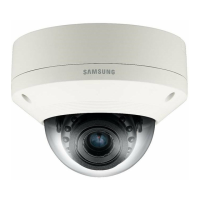
Samsung SND-3082 - User Manual

Samsung SND-3082
136 pages
Print Icon
To Next Page IconTo Next Page
Loading...
NETWORK CAMERA
User Manual
SND-3082/
SND-3082F/SNV-3082

Questions and Answers

  • K
    Kristin TorresSep 10, 2025
    What to do if viewer got disconnected during monitoring Samsung SND-3082 Security Camera?
    • I
      itoddSep 10, 2025
      If the viewer gets disconnected during monitoring, first check all network connections. This issue can occur if connected viewers disconnect when there are changes to the camera or network configurations. If the camera is connected over a PPPoE network, viewer disconnection can also happen under poor network conditions.
  • A
    Anne LewisAug 22, 2025
    How to fix Samsung SND-3082 Security Camera when I can't access it from a web browser?
    • M
      Monique WatsonAug 23, 2025
      If you are unable to access the Samsung Security Camera from a web browser, verify the camera's network settings are correct. Also, check that all network cables are properly connected. If you're using DHCP, ensure the camera can obtain dynamic IP addresses without issues. If the camera is connected to a router, confirm that port forwarding is correctly configured.
  • C
    Cynthia FitzgeraldAug 25, 2025
    What to do if Samsung Security Camera is not detected in the IP installer program?
    • B
      Brett ReedAug 25, 2025
      If the Samsung Security Camera connected to the network is not detected in the IP installer program, try turning off the firewall settings on your PC and then search for the camera again.
  • T
    tammythorntonAug 27, 2025
    Why does my Samsung Security Camera viewer get disconnected during monitoring?
    • M
      Michelle GordonAug 27, 2025
      If the viewer gets disconnected during monitoring with your Samsung Security Camera, it may be due to changes in the camera or network configurations, which can cause connected viewers to disconnect. Check all network connections. Also, if the camera is connected over a PPPoE network, viewer disconnection can occur under poor network conditions.
  • T
    Traci JonesAug 28, 2025
    What to do if Samsung Security Camera does not operate properly with SD memory card inserted?
    • V
      Victoria BennettAug 28, 2025
      If the SD memory card is inserted but the Samsung Security Camera does not operate properly: - First, check if the memory card is inserted in the proper direction. - Then, format the memory card again in the camera's menu under Setup > Event > Storage. Keep in mind that the camera might not work properly with memory cards formatted by other devices.
  • F
    fserranoAug 29, 2025
    Why do images overlap on my Samsung Security Camera?
    • J
      Joshua VegaAug 29, 2025
      If images overlap on your Samsung Security Camera, it might be because multiple cameras are set to a single multicast address. Check whether two or more cameras are set to a single multicast address instead of different addresses.
  • T
    Thomas PerkinsSep 18, 2025
    What to do if Samsung SND-3082 does not recognize SD memory card?
    • T
      Tracy SmithSep 18, 2025
      If the product doesn't recognize the SD memory card, first, make sure the memory card is inserted correctly. Also, if the memory card was formatted by another device, it might not be compatible. Try formatting the memory card again using the camera's menu: go to ? ? .
  • L
    Larry BrownSep 12, 2025
    What to do if Samsung SND-3082 connected to the network is not detected in the IP installer program?
    • S
      Scott LeeSep 12, 2025
      If the camera is connected to the network but not detected in the IP installer program, try turning off the firewall settings on your PC and then search for the camera again.
  • K
    Kevin HunterSep 8, 2025
    Why can't I access my Samsung SND-3082 Security Camera from a web browser?
    • G
      Gabriel PrestonSep 8, 2025
      If you're unable to access the camera via a web browser, verify the camera's network settings are correct. Also, ensure all network cables are properly connected. If using DHCP, confirm the camera obtains dynamic IP addresses without issues. For connections through a Broadband Router, check that port forwarding is configured correctly.
  • D
    Daniel WilliamsSep 5, 2025
    How to connect to Samsung SND-3082 system using Internet Explorer 7.0?
    • K
      Kenneth BeasleySep 5, 2025
      If you cannot connect to the Samsung Security Camera system using a tab browser of Internet Explorer 7.0, avoid using a new window or tab, and instead select “File ? New session”, because an error may be generated when connecting with a new window or tab since the cookie data are shared.

Samsung SND-3082 Specifications

General IconGeneral
BrandSamsung
ModelSND-3082
CategorySecurity Camera
LanguageEnglish

Related product manuals