EasyManua.ls Logo

Samsung SNK-D85121BF - User Manual

Samsung SNK-D85121BF
61 pages
Print Icon
To Next Page IconTo Next Page
Loading...
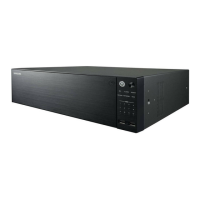
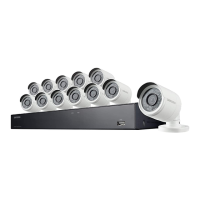
SNK-D85121BF
NETWORK VIDEO RECORDER
User Manual

Questions and Answers

  • D
    dalton29Aug 18, 2025
    How to prevent Samsung Network Hardware NVR from being influenced by heat?
    • J
      Jeffrey MillerAug 18, 2025
      To prevent your Samsung Network Hardware NVR from overheating, ensure it's placed in a location with good air circulation and away from any heat sources. This will help maintain the stability and extend the lifespan of your NVR.
  • C
    Catherine TurnerAug 20, 2025
    Why can’t I log in Samsung Network Hardware NVR client?
    • D
      Derek LesterAug 20, 2025
      If you can't log in to your Samsung Network Hardware NVR client, first verify that your network connection settings are correct and the RJ-45 port is properly connected. Also, double-check that you're entering the correct account and password.
  • A
    Ann ByrdAug 23, 2025
    What to do if Samsung Network Hardware system does not detect the HDD?
    • C
      crobersonAug 23, 2025
      If your Samsung Network Hardware system doesn't detect the HDD, check that the power supply is correctly connected, the data cord and power cables are securely attached, and there are no issues with the HDD interface. Also, verify that your HDD is supported by checking the specifications or descriptions.
  • T
    Tanner MurrayAug 26, 2025
    What to do if I see abnormal video signal by connecting the Samsung Network Hardware NVR and camera together?
    • S
      Stephen WilsonAug 26, 2025
      If you are experiencing abnormal or no video signal when connecting your Samsung Network Hardware NVR and camera, first check the network cable at the NVR side. Ensure it is firmly connected and not worn out; replace it if necessary.
  • S
    Samuel MartinAug 28, 2025
    Why can’t I find any records during playback on Samsung Network Hardware?
    • S
      samuel01Aug 28, 2025
      If you can't find any records during playback on your Samsung Network Hardware NVR, check if the data line connection for the HDD is okay and the system time is correctly set. Try restarting the system a few times. If the problem persists, the HDD might be broken.
  • W
    warneramandaAug 30, 2025
    What to do if the Samsung Network Hardware remote controller doesn’t work?
    • A
      Amy BakerAug 31, 2025
      If the remote controller for your Samsung Network Hardware isn't working, even though the monitor screen and panel keys are fine, try aiming the remote directly at the IR receiver on the front panel. If it still fails, check the batteries in the remote. If the batteries are not the issue, the remote controller may be broken.
  • T
    Tammy VargasSep 2, 2025
    Why does Samsung Network Hardware buzzer keep alarming?
    • T
      tuckeraimeeSep 2, 2025
      If the buzzer on your Samsung Network Hardware keeps alarming, review the alarm settings. Check if the motion detection function is enabled and constantly detecting motion. Also, check the HDD alarm settings.
  • J
    josephwallaceSep 5, 2025
    Can I playback while recording on Samsung Network Hardware?
    • J
      Jennifer EvansSep 5, 2025
      Yes, the Samsung Network Hardware system supports playing video while recording.
  • S
    smithdanielleSep 7, 2025
    Why doesn’t dynamic detection work on Samsung Network Hardware?
    • R
      reeselukeSep 7, 2025
      If dynamic detection isn’t working on your Samsung Network Hardware, check the motion detection alarm settings at the IPC side. Ensure that motion detection is enabled, the motion area is set up correctly, and the motion sensitivity level isn't too low.
  • C
    Cheryl JonesSep 9, 2025
    Can I install HDD from my PC in Samsung Network Hardware NVR?
    • J
      Joel MartinezSep 9, 2025
      Using HDDs supported by the system is allowed for Samsung Network Hardware NVR. However, remember that once the NVR is running, all data on the HDD will be lost.

Samsung SNK-D85121BF Specifications

General IconGeneral
BrandSamsung
ModelSNK-D85121BF
CategoryNetwork Hardware
LanguageEnglish

Related product manuals