Need help?
Do you have a question about the Samsung SRN-472S and is the answer not in the manual?
Crucial instructions for safe operation and handling of the unit.
Guidelines to protect the system and data from unauthorized access and threats.
Key capabilities and functionalities of the network video recorder.
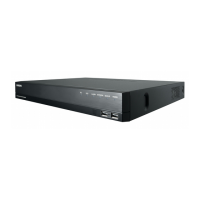
Identifies front panel components and their operational functions.
Factors to consider for optimal and safe product installation.
Procedures and precautions for installing or adding a Hard Disk Drive.
How to connect video and audio output devices to the NVR.
Guidance on establishing network connectivity via Ethernet or router.
Initial setup steps for powering on and configuring the system.
Process for accessing the NVR menu by logging in with user credentials.
Understanding and utilizing the icons and indicators on the live viewing screen.
How to control Pan, Tilt, and Zoom functions for compatible cameras.
Configuring system-wide settings like date, time, language, and user accounts.
Setting the system's date, time, time zone, and interface language.
Managing user accounts, permissions, and administrator settings.
Configuring connected devices, including cameras, storage, and monitors.
Registering, setting up, and managing network cameras connected to the NVR.
Managing storage devices like HDDs and USB drives, including formatting.
Setting up scheduled, event-based, and continuous recording parameters.
Configuring resolution, frame rates, and recording types for channels.
Configuring event detection like sensor triggers, camera events, and video loss.
Setting up network interfaces, protocols, DDNS, IP filtering, SSL, and security.
Configuring network connection types, IP addresses, and protocols.
Defining network port numbers and protocol types for communication.
Setting up the internal DHCP server to assign IP addresses to network cameras.
Finding recorded data by time, event, or backup criteria.
Searching for recorded video based on specific dates and times.
Playing back recorded video files stored on the HDD or backup devices.
Initiating playback of selected recorded video data.
Steps to connect to the NVR remotely using a web browser.
Overview of the Live Viewer interface and its menu options.
Controlling PTZ functions and camera settings remotely via Live Viewer.
Configuring camera preset positions for quick access and framing.
Interface overview for searching and playing recorded video remotely.
Using the calendar to select dates for searching recorded video.
Configuring NVR system settings, including date, time, language, and holidays.
Managing user access levels and permissions for NVR functions.
Managing connected devices like cameras, storage, and network interfaces.
Registering, setting up, and managing network cameras.
Checking and managing storage devices and their format status.
Setting up recording schedules, record types, and camera recording profiles.
Configuring event detection and alarm settings, including sensor, camera, and video loss events.
Configuring network settings, interfaces, ports, DDNS, IP filtering, SSL, and security protocols.
Setting up network connection types and IP addresses.
Configuring email notifications for events and setting up SMTP server details.
Playing back video files backed up in SEC format.
Technical specifications and details of the NVR hardware and software.
Information on factory default settings for various system and device configurations.
Solutions to common problems encountered during operation and setup.
 General
| Languages support | Multi |
|---|---|
| Maximum resolution | - pixels |
| Alarm input channels | 2 |
| Video input channels | 4 channels |
| Alarm output channels | 1 |
| Video formats supported | AVI, H.264, M-JPEG |
| USB 2.0 ports quantity | USB 2.0 ports have a data transmission speed of 480 Mbps, and are backwards compatible with USB 1.1 ports. You can connect all kinds of peripheral devices to them. |
| Power over Ethernet (PoE) | Yes |
| Supported network protocols | TCP/IP, UDP/IP, RTP (UDP), RTP (TCP), RTSP, NTP, HTTP, DHCP (Server, Client), PPPoE, SMTP, ICMP, IGMP, ARP, DNS, DDNS, uPnP, HTTPS, SNMP, ONVIF (Profile-S) |
| HDD interface | Serial ATA |
| Maximum storage capacity | 8 TB |
| Total installed storage capacity | 1000 GB |
| Browser supported | Microsoft Internet Explorer, Mozilla Firefox, Google Chrome, Apple Safari |
| Mac operating systems supported | Mac OS X 10.6 Snow Leopard, Mac OS X 10.7 Lion, Mac OS X 10.8 Mountain Lion, Mac OS X 10.9 Mavericks |
| Windows operating systems supported | Windows 7 Enterprise, Windows 7 Enterprise x64, Windows 7 Home Basic, Windows 7 Home Basic x64, Windows 7 Home Premium, Windows 7 Home Premium x64, Windows 7 Professional, Windows 7 Professional x64, Windows 7 Starter, Windows 7 Starter x64, Windows 7 Ultimate, Windows 7 Ultimate x64, Windows 8, Windows 8 Enterprise, Windows 8 Enterprise x64, Windows 8 Pro, Windows 8 Pro x64, Windows 8 x64, Windows Vista Business, Windows Vista Business x64, Windows Vista Enterprise, Windows Vista Enterprise x64, Windows Vista Home Basic, Windows Vista Home Basic x64, Windows Vista Home Premium, Windows Vista Home Premium x64, Windows Vista Ultimate, Windows Vista Ultimate x64, Windows XP Home, Windows XP Home x64, Windows XP Professional, Windows XP Professional x64 |
| AC input voltage | 100 - 240 V |
| AC input frequency | 50 - 60 Hz |
| Power consumption (typical) | 30 W |
| Operating temperature (T-T) | 0 - 40 °C |
| Operating relative humidity (H-H) | 20 - 85 % |
 Weight and Dimensions
| Depth | 320 mm |
|---|---|
| Width | 370 mm |
| Height | 44 mm |
| Weight | 2730 g |

 To Next Page