EasyManua.ls Logo

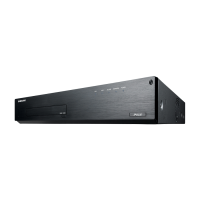
Samsung SRN-1000 - User Manual

Samsung SRN-1000
116 pages
Print Icon
To Next Page IconTo Next Page
Loading...
NETWORK VIDEO RECORDER
User Manual
SRN-1000

Other manuals for Samsung SRN-1000

Questions and Answers

Summary

Overview and Safety

Important Safety Instructions

Essential guidelines for safe operation and handling of the NVR.

Pre-Operation Precautions

Battery Safety Warnings

Critical warnings about battery handling and potential hazards.

System Operation and Security

Security Precautions

Recommendations for securing the NVR via password management.

Product Features

Key Features Overview

Lists the main functionalities and capabilities of the NVR.

Resolution and Protocol Support

Details supported resolutions and network protocols (ONVIF, RTSP).

Front Panel Components

Part Names and Functions (Front)

Identifies and describes the front panel controls and indicators.

Rear Panel Components

Part Names and Functions (Rear)

Identifies and describes rear panel ports (Ground, eSATA, Network, Alarm, Power).

Installation Guidelines

Installation Environment Check

Procedures for verifying the installation environment and temperature limits.

HDD Installation

Hard Disk Drive (HDD) Addition

Procedures and crucial cautions for installing additional HDDs.

HDD Installation Procedure

Installing HDDs

Step-by-step guide for installing multiple HDDs into the NVR.

External Device Connectivity

Connecting External eSATA HDD

Detailed guide for connecting an external eSATA HDD to the NVR.

Network Connectivity

Network Connection Overview

Guidance on establishing network connections via Ethernet and router.

IP Installer Network Configuration

Networking with IP Installer

Guide to using IP Installer for device discovery and network settings.

Static IP Configuration

Manual Network Setup (Static IP)

Step-by-step guide for manual static IP configuration.

Router and Remote Access Configuration

Port Range Forwarding Setup

Guide to configuring port range forwarding on a broadband router.

Web Viewer Introduction

What is Web Viewer?

Introduces the Web Viewer and its remote monitoring capabilities.

Connecting to Web Viewer

Connecting to Web Viewer

Steps for accessing the NVR through the Web Viewer interface.

Error Handling and Status Details

Additional Video Input Status and Error Information

Explains status icons and how to handle error messages.

Camera Registration

Registering Network Cameras

Detailed process for registering network cameras in the NVR.

Network Camera Control

Controlling Connected Network Cameras

General guide on managing connected network cameras.

PTZ Camera Control

Detailed instructions for controlling PTZ (Pan-Tilt-Zoom) features.

System Setup and Configuration

System Setup Options

Overview of system settings including Date/Time, Language, and Permissions.

Holiday and Permission Management

User Permission Management

Setting up user roles and access permissions for NVR functions.

User Group Management

Setting User Groups

Creating, managing, and assigning permissions to user groups.

User Account Management

Managing User Accounts

Adding new users and editing or deleting existing user information.

Software Upgrade and Settings Backup

Upgrading Current Software Version

Detailed steps for upgrading the NVR's software.

Event Log and Device Setup

Device Setup - Camera Registration

Procedures for registering network cameras to the NVR.

Automatic Camera Registration

Auto-Search and Register Network Camera

Step-by-step guide for automatically discovering and registering cameras.

Manual Camera Registration

Manual Network Camera Search and Registration

Detailed process for manually searching and registering cameras.

Camera Video Settings

Camera Settings Configuration

How to adjust video settings like resolution, quality, and bitrate for cameras.

HDD Alarm Settings

HDD Alarm Configuration

Set up alarms for HDD defects like check, replace, and duration.

Recording Settings

Setting the Recording Schedule

Configure scheduled recordings by selecting dates and times.

Recording Duration and Settings

NVR Recording Settings

Configure resolution, IPS, quality, and recording modes (Standard/Event).

Network Camera Recording Profiles

Setting Network Camera Recording Profiles

Configure video profiles for network cameras to make recordings.

Event Settings

Setting the Event Recording

Configure settings for event recordings, sensor, and camera events.

Network Camera and Event Configuration

Camera Event Settings

Set NVR response to camera events like motion detection and video analysis.

Network Configuration

Network Configuration Overview

Configure network settings for remote monitoring and event notifications.

Port Settings

Port Configuration

Details on setting protocol types, ports, and multicast options.

DDNS and Quick Connect

DDNS Setup for Remote Access

Configure Dynamic DNS settings for remote network access.

802.1 x Network Authentication

802.1 x Protocol Configuration

Details on using 802.1x for network authentication and certificate installation.

Live Streaming and Email Notifications

Live Streaming Configuration

Configure network profiles for transferring live video streams.

Network and Viewer Specifications

Network Interface and Protocol Specifications

Details on network interface, protocols, DDNS, and security features.

Default Settings

Default Settings Overview

Details on how to reset the system to its factory default configurations.

Troubleshooting Common Issues

Power, Video Input, and Recording Troubleshooting

Solutions for power, video display, recording, and cursor issues.

Alarm, PTZ, and Screen Brightness Troubleshooting

Steps to resolve issues with alarm stopping, PTZ control, and screen brightness.

Advanced Troubleshooting

HDD and Time Bar Troubleshooting

Addresses issues with HDD recognition and the search mode time bar.

Error Messages and Password Recovery

Solutions for error indicators (NO HDD, LEDs) and forgotten passwords.

Recording Troubleshooting

Recording Frame Rate and Quality Issues

Solutions for problems with recording frame rates and image quality.

Troubleshooting Recording Failures

Steps to diagnose and resolve issues where recording is not working.

Summary

Overview and Safety

Important Safety Instructions

Essential guidelines for safe operation and handling of the NVR.

Pre-Operation Precautions

Battery Safety Warnings

Critical warnings about battery handling and potential hazards.

System Operation and Security

Security Precautions

Recommendations for securing the NVR via password management.

Product Features

Key Features Overview

Lists the main functionalities and capabilities of the NVR.

Resolution and Protocol Support

Details supported resolutions and network protocols (ONVIF, RTSP).

Front Panel Components

Part Names and Functions (Front)

Identifies and describes the front panel controls and indicators.

Rear Panel Components

Part Names and Functions (Rear)

Identifies and describes rear panel ports (Ground, eSATA, Network, Alarm, Power).

Installation Guidelines

Installation Environment Check

Procedures for verifying the installation environment and temperature limits.

HDD Installation

Hard Disk Drive (HDD) Addition

Procedures and crucial cautions for installing additional HDDs.

HDD Installation Procedure

Installing HDDs

Step-by-step guide for installing multiple HDDs into the NVR.

External Device Connectivity

Connecting External eSATA HDD

Detailed guide for connecting an external eSATA HDD to the NVR.

Network Connectivity

Network Connection Overview

Guidance on establishing network connections via Ethernet and router.

IP Installer Network Configuration

Networking with IP Installer

Guide to using IP Installer for device discovery and network settings.

Static IP Configuration

Manual Network Setup (Static IP)

Step-by-step guide for manual static IP configuration.

Router and Remote Access Configuration

Port Range Forwarding Setup

Guide to configuring port range forwarding on a broadband router.

Web Viewer Introduction

What is Web Viewer?

Introduces the Web Viewer and its remote monitoring capabilities.

Connecting to Web Viewer

Connecting to Web Viewer

Steps for accessing the NVR through the Web Viewer interface.

Error Handling and Status Details

Additional Video Input Status and Error Information

Explains status icons and how to handle error messages.

Camera Registration

Registering Network Cameras

Detailed process for registering network cameras in the NVR.

Network Camera Control

Controlling Connected Network Cameras

General guide on managing connected network cameras.

PTZ Camera Control

Detailed instructions for controlling PTZ (Pan-Tilt-Zoom) features.

System Setup and Configuration

System Setup Options

Overview of system settings including Date/Time, Language, and Permissions.

Holiday and Permission Management

User Permission Management

Setting up user roles and access permissions for NVR functions.

User Group Management

Setting User Groups

Creating, managing, and assigning permissions to user groups.

User Account Management

Managing User Accounts

Adding new users and editing or deleting existing user information.

Software Upgrade and Settings Backup

Upgrading Current Software Version

Detailed steps for upgrading the NVR's software.

Event Log and Device Setup

Device Setup - Camera Registration

Procedures for registering network cameras to the NVR.

Automatic Camera Registration

Auto-Search and Register Network Camera

Step-by-step guide for automatically discovering and registering cameras.

Manual Camera Registration

Manual Network Camera Search and Registration

Detailed process for manually searching and registering cameras.

Camera Video Settings

Camera Settings Configuration

How to adjust video settings like resolution, quality, and bitrate for cameras.

HDD Alarm Settings

HDD Alarm Configuration

Set up alarms for HDD defects like check, replace, and duration.

Recording Settings

Setting the Recording Schedule

Configure scheduled recordings by selecting dates and times.

Recording Duration and Settings

NVR Recording Settings

Configure resolution, IPS, quality, and recording modes (Standard/Event).

Network Camera Recording Profiles

Setting Network Camera Recording Profiles

Configure video profiles for network cameras to make recordings.

Event Settings

Setting the Event Recording

Configure settings for event recordings, sensor, and camera events.

Network Camera and Event Configuration

Camera Event Settings

Set NVR response to camera events like motion detection and video analysis.

Network Configuration

Network Configuration Overview

Configure network settings for remote monitoring and event notifications.

Port Settings

Port Configuration

Details on setting protocol types, ports, and multicast options.

DDNS and Quick Connect

DDNS Setup for Remote Access

Configure Dynamic DNS settings for remote network access.

802.1 x Network Authentication

802.1 x Protocol Configuration

Details on using 802.1x for network authentication and certificate installation.

Live Streaming and Email Notifications

Live Streaming Configuration

Configure network profiles for transferring live video streams.

Network and Viewer Specifications

Network Interface and Protocol Specifications

Details on network interface, protocols, DDNS, and security features.

Default Settings

Default Settings Overview

Details on how to reset the system to its factory default configurations.

Troubleshooting Common Issues

Power, Video Input, and Recording Troubleshooting

Solutions for power, video display, recording, and cursor issues.

Alarm, PTZ, and Screen Brightness Troubleshooting

Steps to resolve issues with alarm stopping, PTZ control, and screen brightness.

Advanced Troubleshooting

HDD and Time Bar Troubleshooting

Addresses issues with HDD recognition and the search mode time bar.

Error Messages and Password Recovery

Solutions for error indicators (NO HDD, LEDs) and forgotten passwords.

Recording Troubleshooting

Recording Frame Rate and Quality Issues

Solutions for problems with recording frame rates and image quality.

Troubleshooting Recording Failures

Steps to diagnose and resolve issues where recording is not working.

Samsung SRN-1000 Specifications

General IconGeneral
Maximum Number of Cameras Supported16
USB Ports2 x USB 2.0
Operating SystemEmbedded Linux
ONVIF SupportYes
TypeNVR
Channels16
CompressionH.264, MJPEG
Video OutputHDMI, VGA
Audio Input/Output1/1
Network Interface1x RJ-45 (10/100/1000Mbps)
Power Consumption40W

Related product manuals