EasyManua.ls Logo

Samsung SNR-D5401 - User Manual

Samsung SNR-D5401
61 pages
Print Icon
To Next Page IconTo Next Page
Loading...
SNK-D85121BF
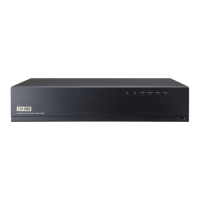
NETWORK VIDEO RECORDER
User Manual

Questions and Answers

Summary

Safety Instruction

Front Panel Overview

Back Panel Overview

Install Hard Drive

Hard Drive Installation Steps

Step-by-step guide for installing a hard drive into the NVR.

Connect External Equipment

NVR Boot Up and Initialization

Startup Wizard Setup

Guide through the NVR's startup wizard for initial configuration.

Startup Wizard: Network and IPC Setup

NVR Menu: Popup Menu Options

NVR Menu: Main Menu Guide

NVR Menu: Record Settings

NVR Menu: Network Configuration

NVR Menu: Alarm Settings

Motion Detection Configuration

Enabling motion detection, setting sensitivity, buzzer, and email alerts.

NVR Menu: Record Search and Playback

NVR Menu: HDD Management

NVR Menu: System Settings

NVR Menu: User Management

NVR Menu: Advanced Maintenance

Web Application Manager: Plugin Installation

Plugin Installation for Windows

Installing the web plugin on Windows 7 and Vista systems.

Web Application Manager: Login and Live Interface

Web Application Manager Login

Logging into the web application manager with user credentials.

Web Application Manager: Video Control and Playback

Web Application Manager: Record Configuration

Web Application Manager: System Management

Web Application Manager: Advanced Updates

Firmware Update Procedure

Remotely updating the NVR system firmware.

Mobile App: Android Setup

WiseView App Installation (Android)

Installing the WiseView application from the Play Store on Android devices.

Mobile App: iPhone;iPad Setup

WiseView App Installation (iOS)

Installing the WiseView application from the App Store on iPhone/iPad.

Appendix: Troubleshooting

Summary

Safety Instruction

Front Panel Overview

Back Panel Overview

Install Hard Drive

Hard Drive Installation Steps

Step-by-step guide for installing a hard drive into the NVR.

Connect External Equipment

NVR Boot Up and Initialization

Startup Wizard Setup

Guide through the NVR's startup wizard for initial configuration.

Startup Wizard: Network and IPC Setup

NVR Menu: Popup Menu Options

NVR Menu: Main Menu Guide

NVR Menu: Record Settings

NVR Menu: Network Configuration

NVR Menu: Alarm Settings

Motion Detection Configuration

Enabling motion detection, setting sensitivity, buzzer, and email alerts.

NVR Menu: Record Search and Playback

NVR Menu: HDD Management

NVR Menu: System Settings

NVR Menu: User Management

NVR Menu: Advanced Maintenance

Web Application Manager: Plugin Installation

Plugin Installation for Windows

Installing the web plugin on Windows 7 and Vista systems.

Web Application Manager: Login and Live Interface

Web Application Manager Login

Logging into the web application manager with user credentials.

Web Application Manager: Video Control and Playback

Web Application Manager: Record Configuration

Web Application Manager: System Management

Web Application Manager: Advanced Updates

Firmware Update Procedure

Remotely updating the NVR system firmware.

Mobile App: Android Setup

WiseView App Installation (Android)

Installing the WiseView application from the Play Store on Android devices.

Mobile App: iPhone;iPad Setup

WiseView App Installation (iOS)

Installing the WiseView application from the App Store on iPhone/iPad.

Appendix: Troubleshooting

Samsung SNR-D5401 Specifications

General IconGeneral
TypeNetwork Video Recorder
Internal HDD1TB
Input Voltage12V DC
Video CompressionH.264
Audio CompressionG.711
Camera Channels4
Ethernet10/100/1000
USB2.0
Video OutputHDMI, VGA
Resolution1280x720
Network InterfaceRJ45

Related product manuals