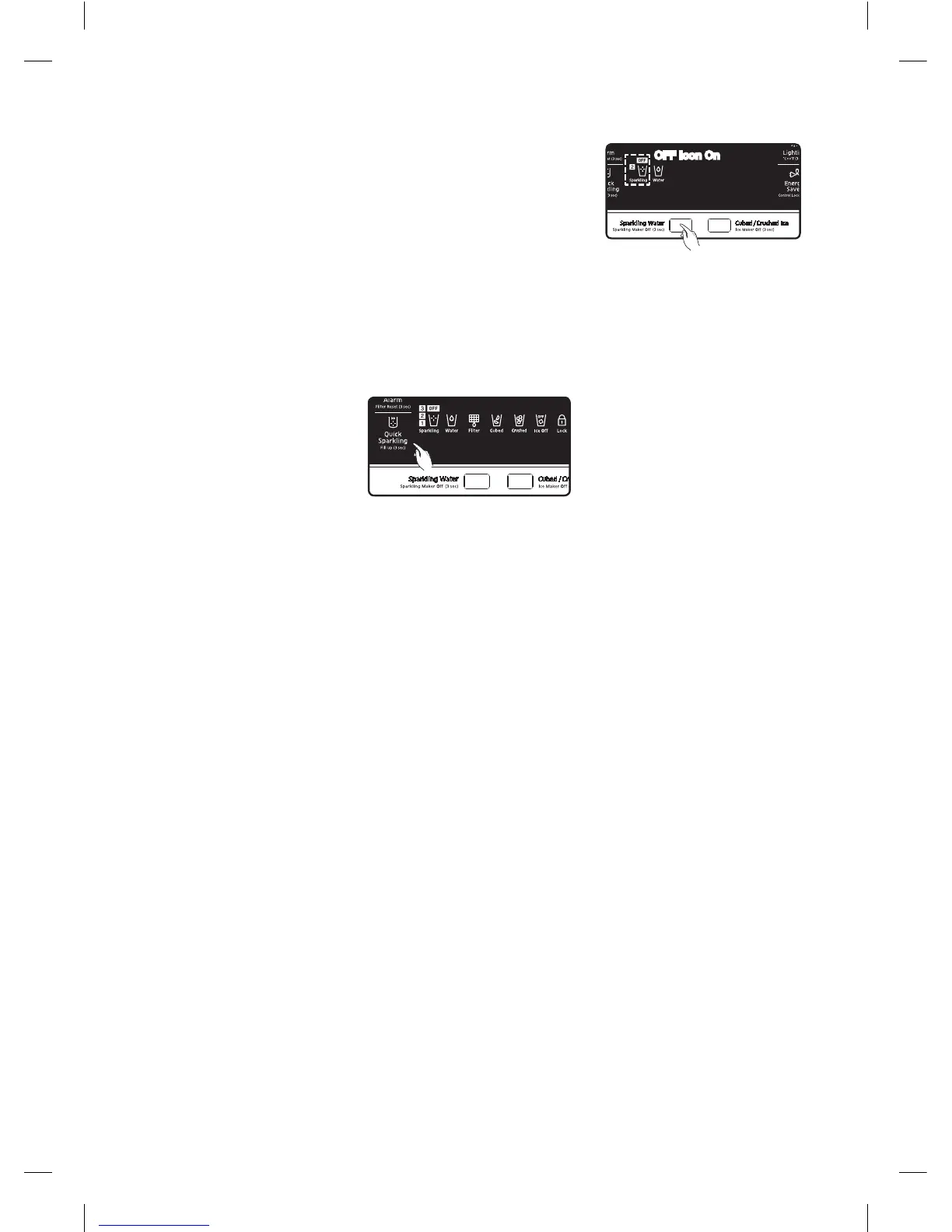
Turning O the Sparkling Water Function
To turn o the Sparkling Water function, press the Sparkling Water
button for 3 seconds.
Any sparkling water remaining in the Sparkling Water tank after you
have turned o the Sparkling Water function can still be dispensed.
If you turn o the function when the refrigerator is in the middle of
making sparkling water, it halts the function after finishing the current
operation.
OFF Icon On
Press for 3 seconds
How to set the Quick Sparkling option
Quick Sparkling reduces the processing time of making sparkling water.
1. Using Quick Sparkling can produce sparkling water with a high sparkling level in 3 minutes to 10
minutes, regardless of the selected concentration.
2. Press this button to turn the indicator on.
This option will reduce the processing time for the next cycle if producing sparkling water is not
activated. When complete, this option turns o automatically.
3. Press this button to turn the indicator on.
This option will reduce the processing time for the current cycle if producing sparkling water is
already activated. When complete, this option turns o automatically.
4. To cancel Quick Sparkling while sparkling water is being produced with this option, press the button
again within 10 seconds.
After 10 seconds, this options will remain active even if the corresponding indicator turns o.
5. This option repeats injecting and discharging the CO
2
gas, which makes a little working noise.
6. Quick Sparkling consumes approx. 35% more CO
2
gas compared to processing in sparkling level 3.
English - 44
DA68-03022B (EN)-04.indd 44 14. 6. 23. �� 2:47













 To Next Page