English 20
V - Chip
The Telecommunications Act of 1996 in USA requires that every television made, starting in
1998, must be equipped with the technological device named V - Chip. The V - Chip can block
certain rated television shows off television (if chosen) so children cannot watch programs
that their parents do not approve. With this device, program-rating information will be
transmitted along with the television signal, and be decoded by the chip in each television.
The chip will then compare the rating codes to values preset by the viewer, which is meant to
be the parents. If the rating codes are higher than the preset values, the television signal will
be blocked, and a blank screen will be displayed.
SyncMaster 150/170MP have this feature and you can adjust the V - Chip setting via OSD. Use
arrow keys on the remote controller or control buttons on the front cabinet of the monitor to
change the setting.
1. Select V - Chip on OSD, then enter 4 digits of pin number.
- Initial pin number is “0000”
- If you enter an incorrect pin number “Incorrect” message will be displayed for 3 seconds.
2. Use arrow keys to change or to activate the highlighted function.
3. Setting up
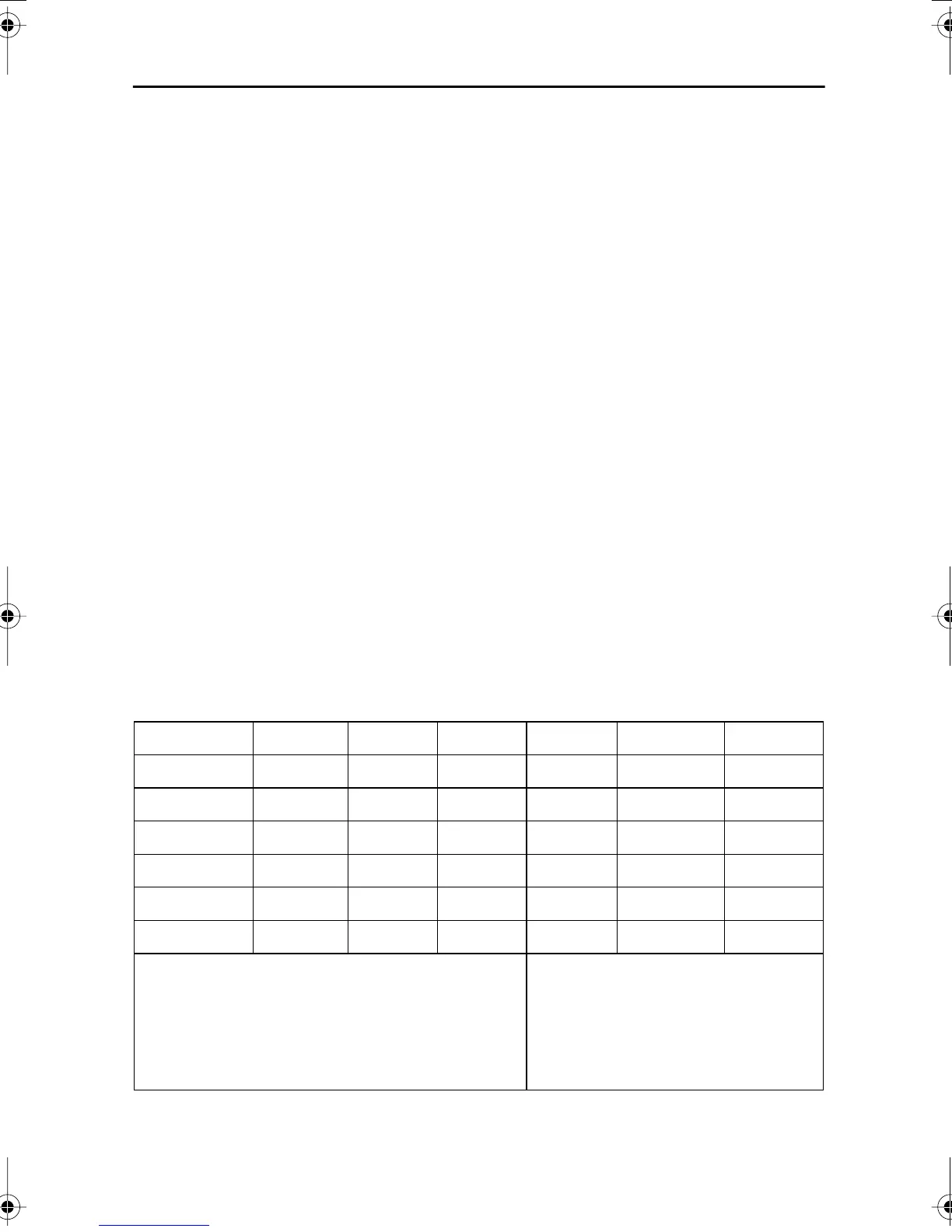
TV Guidelines
- Use Up/Down/Left/Right arrow buttons to move around the matrix and press
Menu
button to change the value from "U" to "B" or "B" to "U"
-
U
: Unblock
B
: Block
All FV V S L D
TV-Y
B
TV-Y7
BB
TV-G
U
TV-PG
UUUUU
TV-14
UUUU
TV-MA
UUUU
TV-Y : Young Children
TV-Y7 : Children 7 and over
TV-G : General Audience
TV-PG : Parent Guidance
TV-14 : Viewers 14 and over
TV-MA : Mature audience
FV : Fantasy Violence
V : Violence
S : Sexual Situation
L : Coarse Language
D : Suggestive Dialog
Appendix
body2.fm Page 20 Tuesday, August 29, 2000 2:21 PM








 To Next Page