Turn on your computer and monitor. If your monitor displays an image, installation is complete.
1. Connecting to a Computer
User's Manual - 14
Setup-Connecting to a Computer
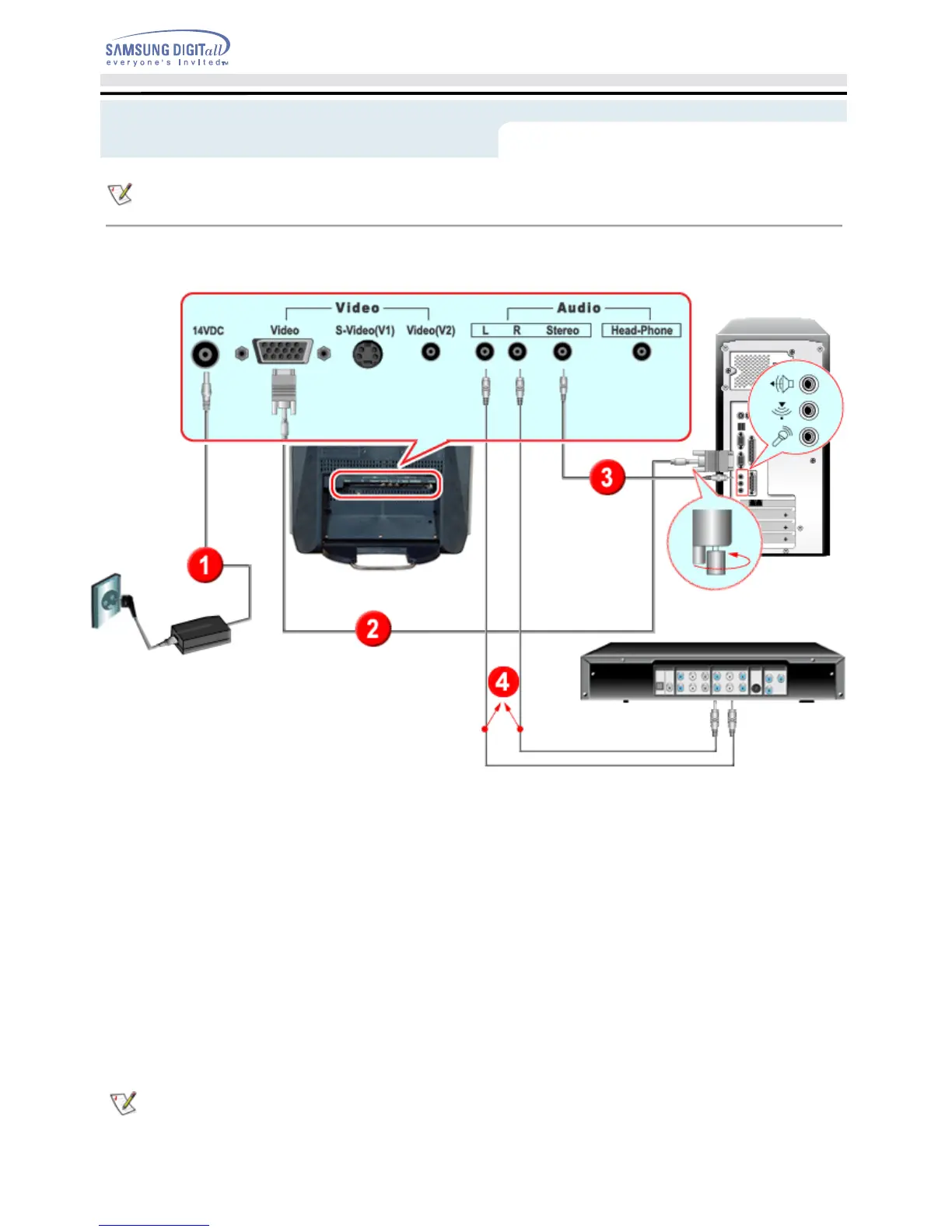
1. Connect the power cord to the DC adapter and connect the adapter jack to the DC14V power port
on the back of your monitor.
2. Connect the signal cable to the video port on your computer.
3. Connect the audio cable for your monitor to the audio port on the back of your computer.
4. Connect the Audio (L) and Audio (R) terminals of a DVD, VCR or Camcorders to the monitor's L
and R audio input terminals using audio cables.
5. Turn on both your computer and the monitor.
6. You may enjoy clear and quality sound from the computer sound card using the monitor speakers.
(You don't need to install any separate speakers for your computer.)
Contact a local Samsung Electronics service center to buy optional items.







 To Next Page