Features
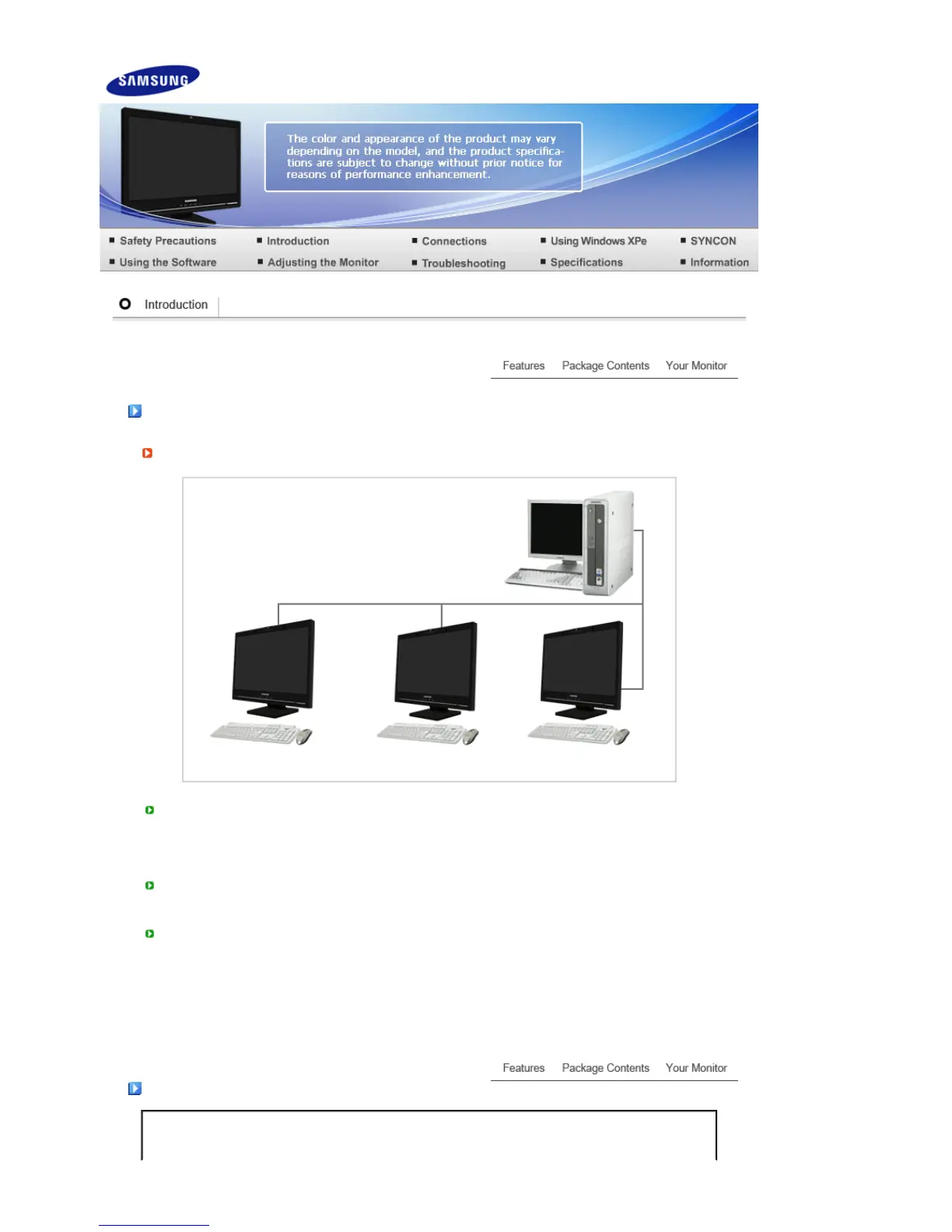
What is a network monitor?
A network monitor can be used for the same purposes as a common monitor. It also provides the
functionalities of most computers, such as an Internet connection, creating documents, editing
images, via a connection to the host PC over the LAN. In addition, it allows you to connect an
external device (DSC, MP3, external storage media) to the USB port and play music, movies and
games. It is a new concept monitor.
You also can share the screen being displayed on your network monitor with other users by
connecting a projector or other display device to its RGB OUT port. You can use this functionality for
video conferencing and a variety of shared tasks.
In addition, because Windows XP is installed on your network monitor, you can perform Internet
searches and USB memory searches independently of your host PC.
Packa
e Contents
Please make sure the following items are included with your monitor.
If any items are missing, contact your dealer.






 To Next Page