our Monitor
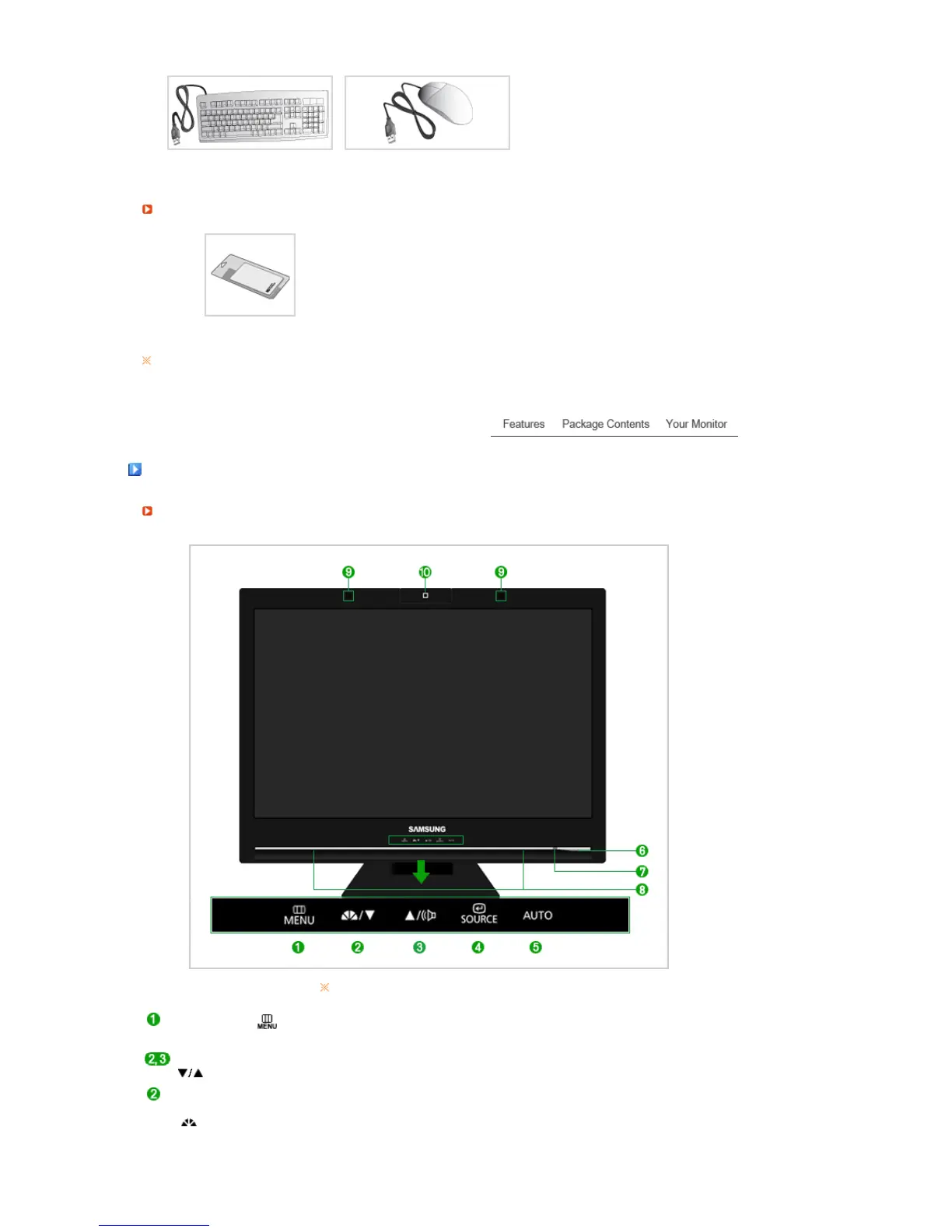
Front
Touch a button lightly with your finger.
MENU button [ ]
Opens the OSD menu.
Also use to exit the OSD menu or return to the previous menu.
Adjust buttons [
]
These buttons allow you to adjust items in the menu.
MagicBright™
button
[]
MagicBright™ is a new feature providing optimum viewing environment
depending on the contents of the image you are watching. Currently six
different modes are available: Custom, Text, Internet, Game, Sport and
Movie. Each mode has its own pre-configured brightness value. You can
easily select one of six settings by simply pressing MagicBright™ control






 To Next Page