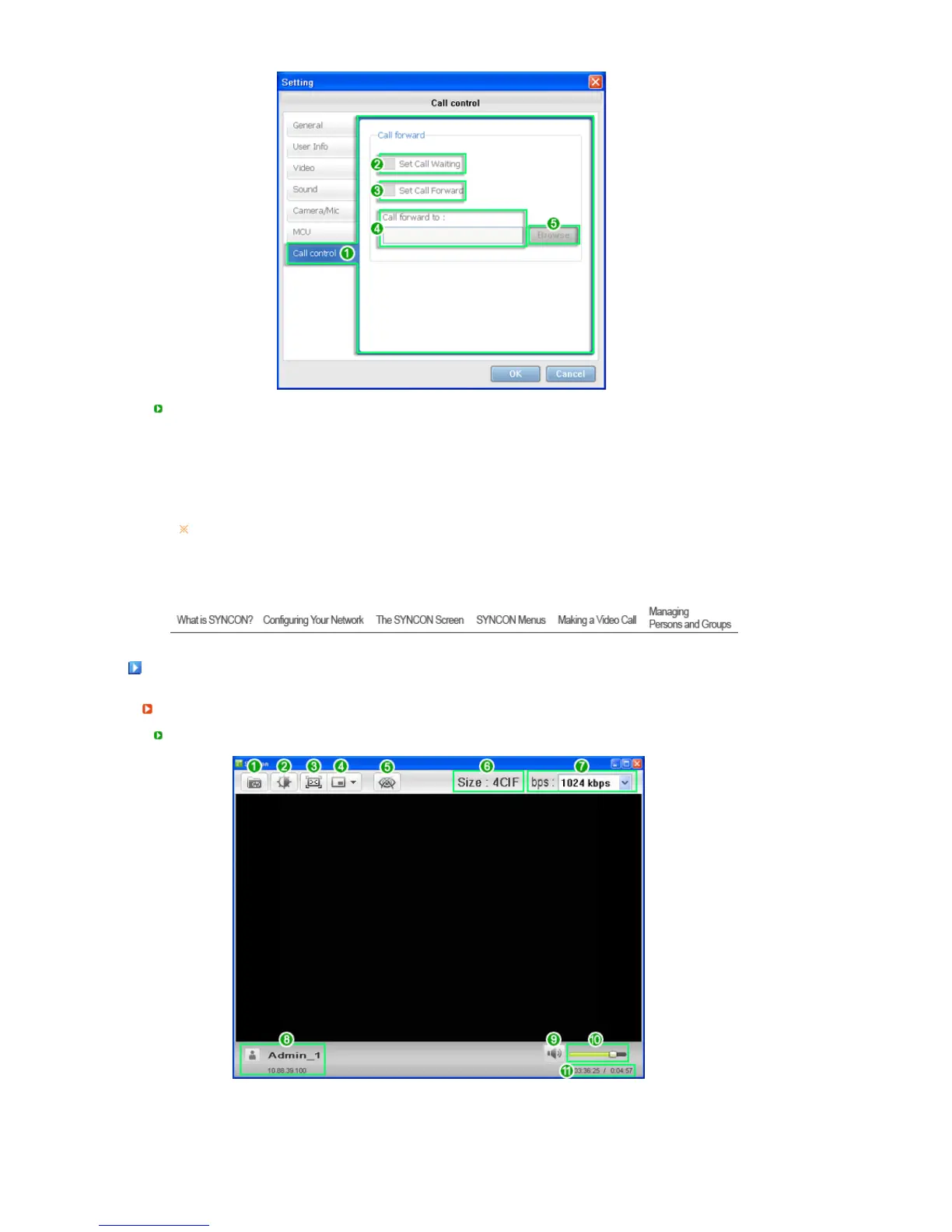
Call Control
1. Call Control Settings
2. When checked, call waiting is enabled.
3. When the person being called cannot answer the phone, it enables the call to be forwarded
to another user. If you click the checkbox, the Browse item will be activated.
4. The phone number for the Call Forward function is automatically determined and it cannot
be specified directly by a user.
5. If you click Browse, a dialog box is opened.
- Select a number and click OK. The selected number is displayed in input field 4.
Even if the Set Call Waiting /Set Call Forward of Settings > Call control is selected, the
function will not be available during a video conference.
(The call waiting and forwarding functions will not be supported for all video conference
participants including the host of the conference, during a video conference.)
Makin








 To Next Page