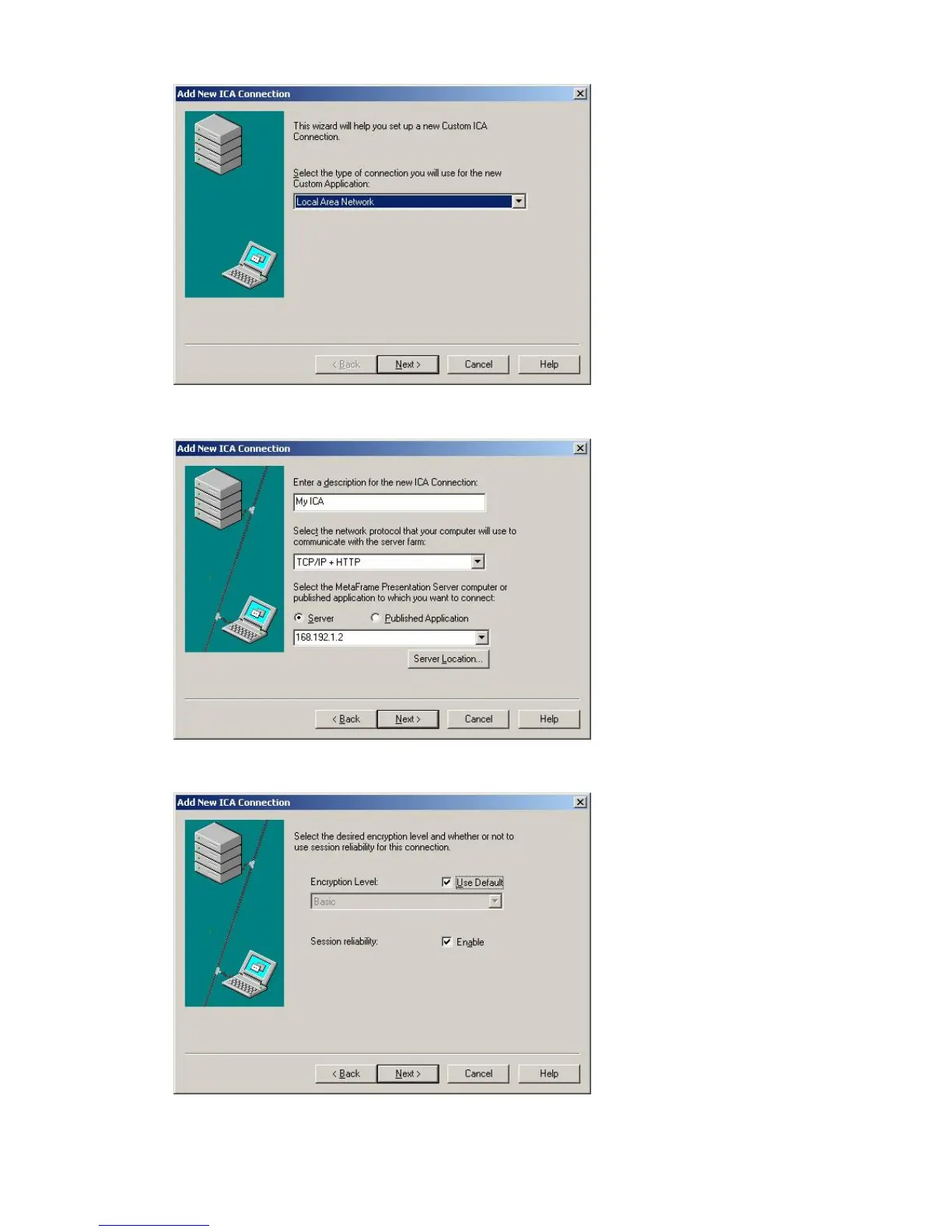
2. Type the connection name and the server name (IP address or DNS name).
3. Configure the degree of compression for the data to be sent and received, and the degree of
reliability for sessions.
4. To login to the server automatically, enter your username, password and domain. If you do not enter
them now, you will be prompted to enter them whenever you connect to the server.








 To Next Page