User Info
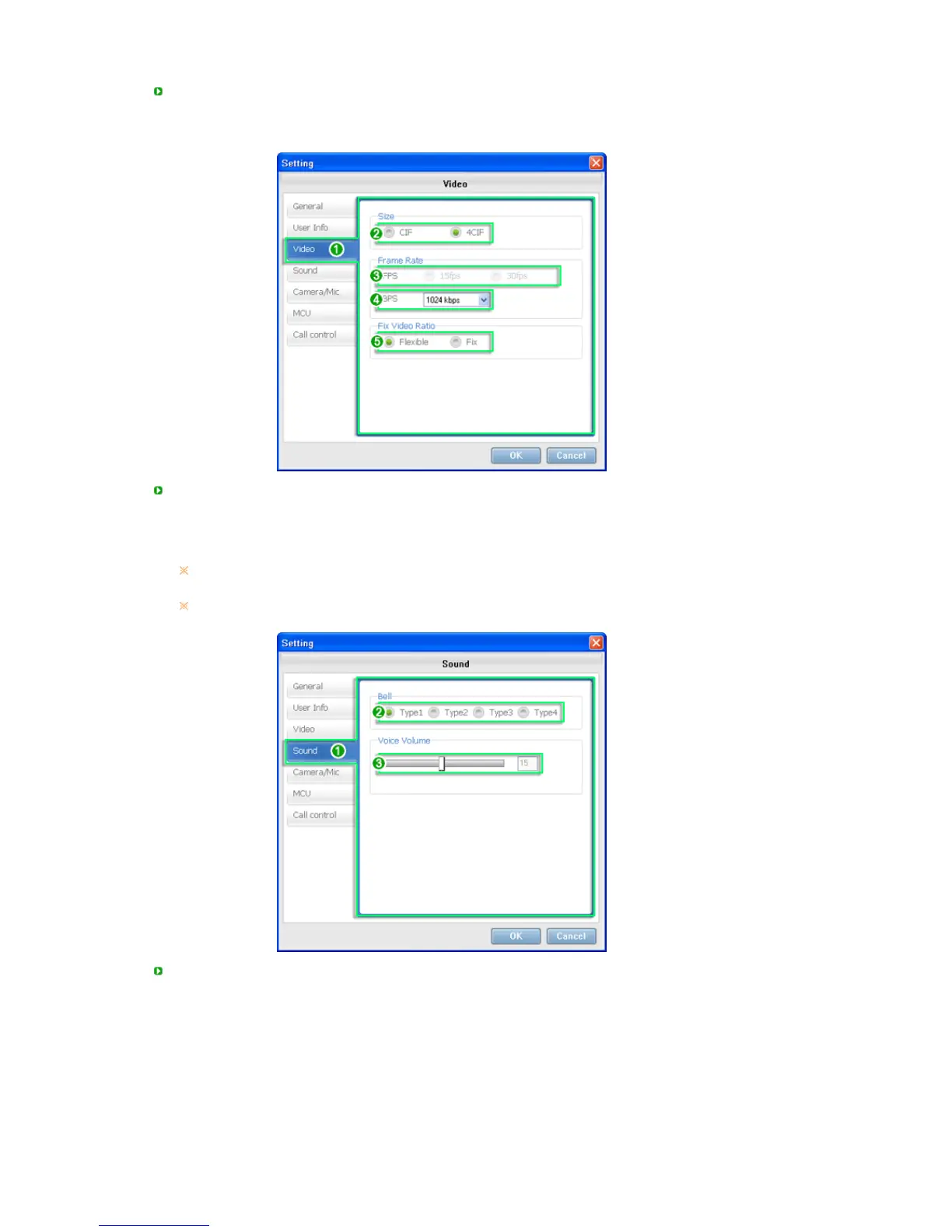
1. User Information Settings
2. This sets the name that appears when you are using the nstant Message or Call function.
3. You can check the IP address of your PC.
ideo
1. Video Settings
2. Set the video size.
3. Set the amount of video data transmitted per second.
4. Set the amount of multimedia data transmitted per second.
5. Set the video aspect ratio.
If you have changed the Size to CIF/4CIF, you have to exit and then restart the SYNCON
program. Otherwise the program may malfunction.
Some functions of the
Video Settings
may be restricted depending on whether the current
mode is
Serve






 To Next Page