2. On
Note
•
If Image Retention Free is selected, static may occur on the screen with small-sized text
and the picture brightness may be degraded.
• For more information, refer to the "Service and Miscellaneous Information" page.
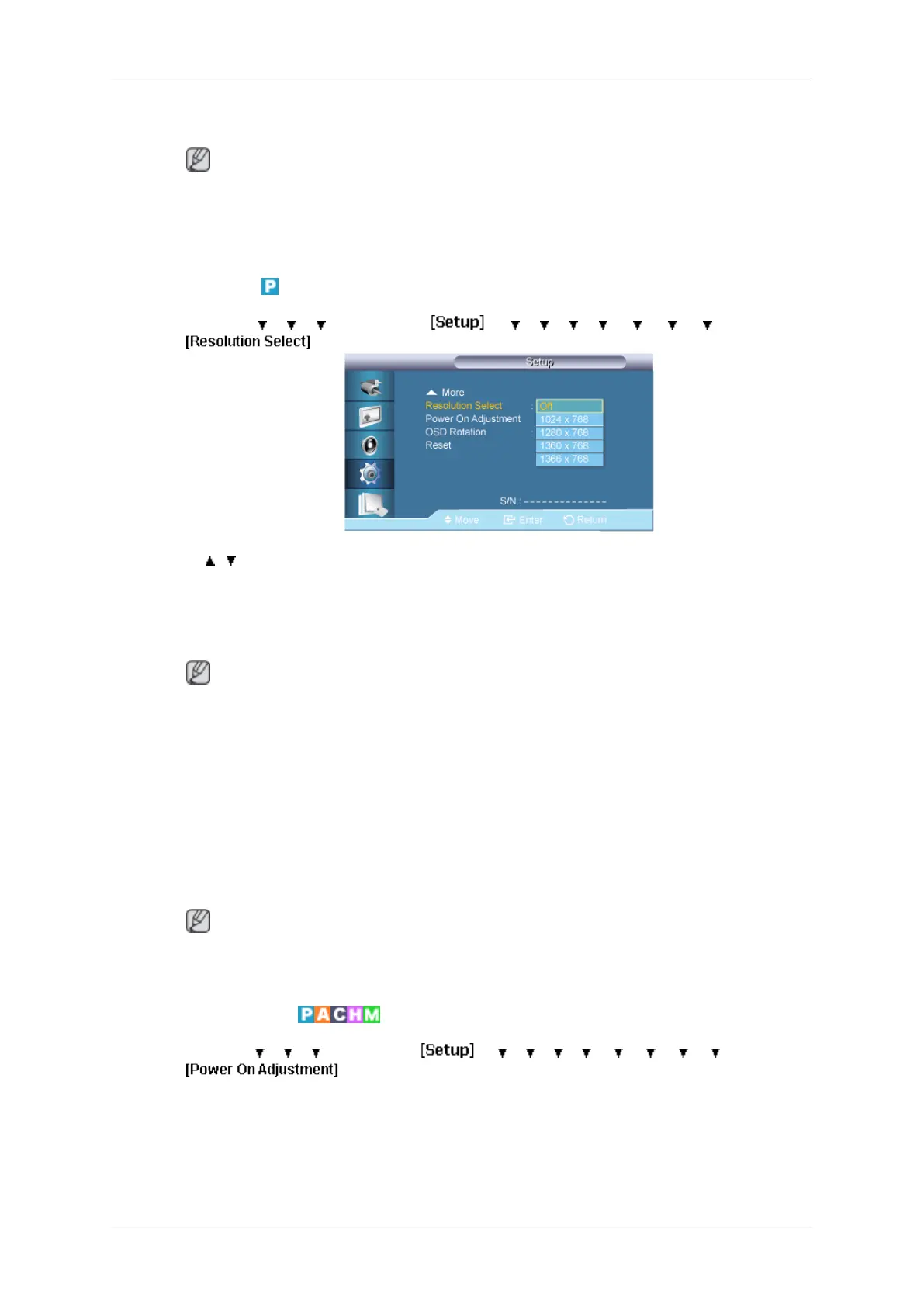
Resolution Select
MENU → → → → ENTER → → → → → → → → → ENTER →
→ , → ENTER
When
the picture is not displayed properly on the screen when setting the graphics card
resolution of the computer to 1024 x 768 @ 60Hz, 1280 x 768 @ 60Hz, 1360 x 768@ 60Hz
or 1366 x 768 @ 60Hz, by using this function(Resolution Select), you can have the picture
displayed on the screen in the specified resolution.
Note
Available in PC mode only.
1. Off
2. 1024 X 768
3. 1280 X 768
4. 1360 x 768
5. 1366 X 768
Note
Selecting
the menu is only allowed when the graphics resolution is set to 1024 x 768 @ 60Hz,
1280 x 768 @ 60Hz, 1360 x 768 @ 60Hz or 1366 x 768 @ 60Hz.
Power On Adjustment
MENU → → → → ENTER → → → → → → → → → →ENTER →
Adjusting the LCD Display
89







 To Next Page