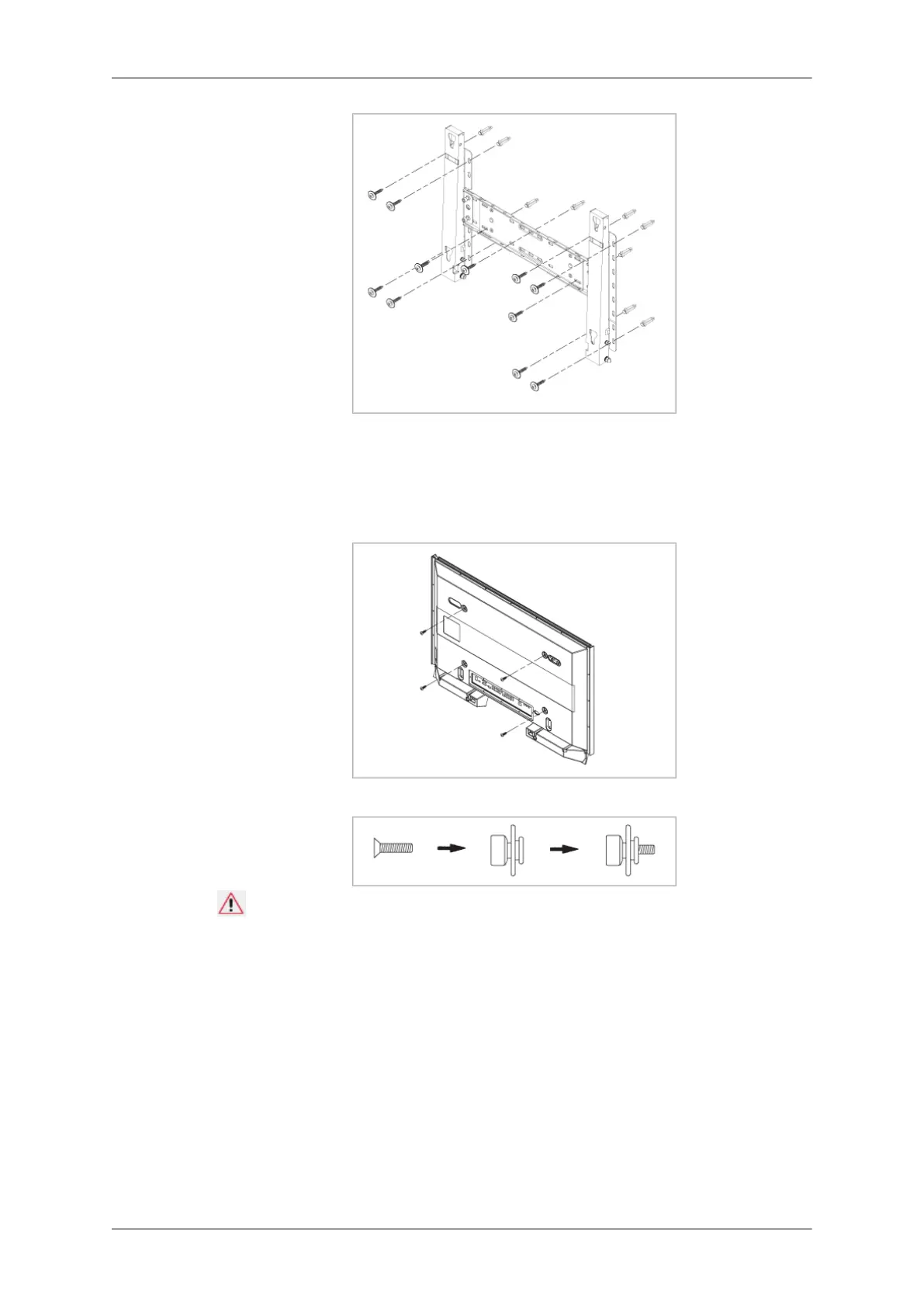
To mount the product on the wall bracket
The
shape of the product may vary depending on the model. (The assemblies of the plastic
hanger and the screw are the same)
1. Remove the 4 screws on the back of the product.
2. Insert the screw B into the plastic hanger.
Notice
• Mount
the product on the wall bracket and make sure it is properly fixed to the left
and right plastic hangers.
• Be careful when installing the product on the bracket as fingers can be caught in the
holes.
• Make sure the wall bracket is securely fixed to the wall, or the product may not stay
in place after installation.
3. Tighten the 4 screws in step 2 (plastic hanger + screw B)to the rear holes of the product.
Introduction
26







 To Next Page