Selects Custom if you want to adjust the settings according to your personal preferen-
ces.
Custom
The sound settings can be adjusted to suit your personal preferences.
MENU →
→ → ENTER → → → ENTER →
Note
• You can hear the sound even when sound value is set to 0.
• If you adjust sound using Custom
function, Mode will turn to Custom mode.
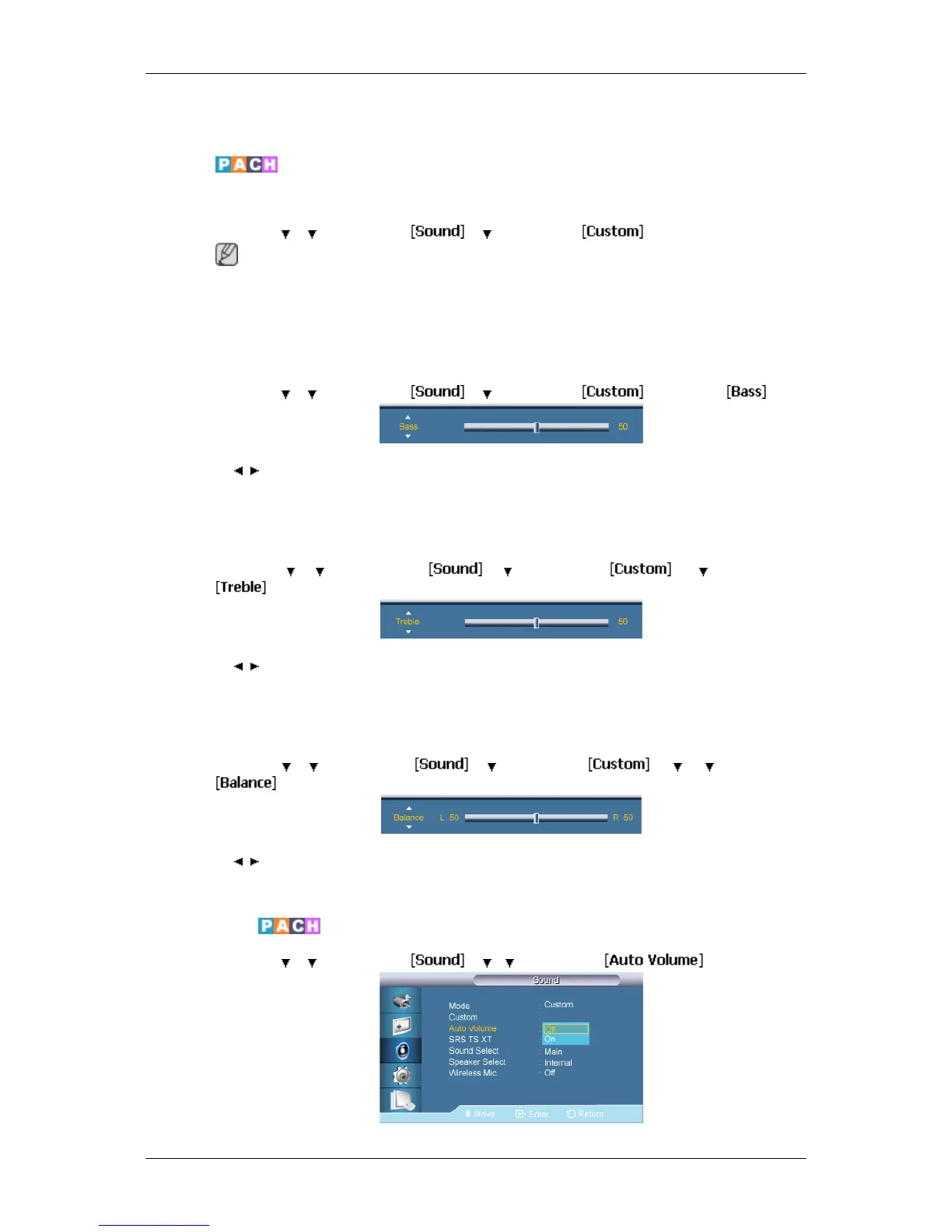
Bass
MENU →
→ → ENTER → → → ENTER → →ENTER→
→ , → ENTER
Emphasizes low frequency audio.
Treble
MENU → → → ENTER → → → ENTER → → → ENTER →
→ , → ENTER
Emphasizes high frequency audio.
Balance
MENU → → → ENTER → → → ENTER → → → → ENTER →
→ , → ENTER
Allows you to Adjusts the sound balance between the left and right speakers.
Auto Volume
MENU → → → ENTER → → → → ENTER →
Adjusting the LCD Display





 To Next Page