English - 8
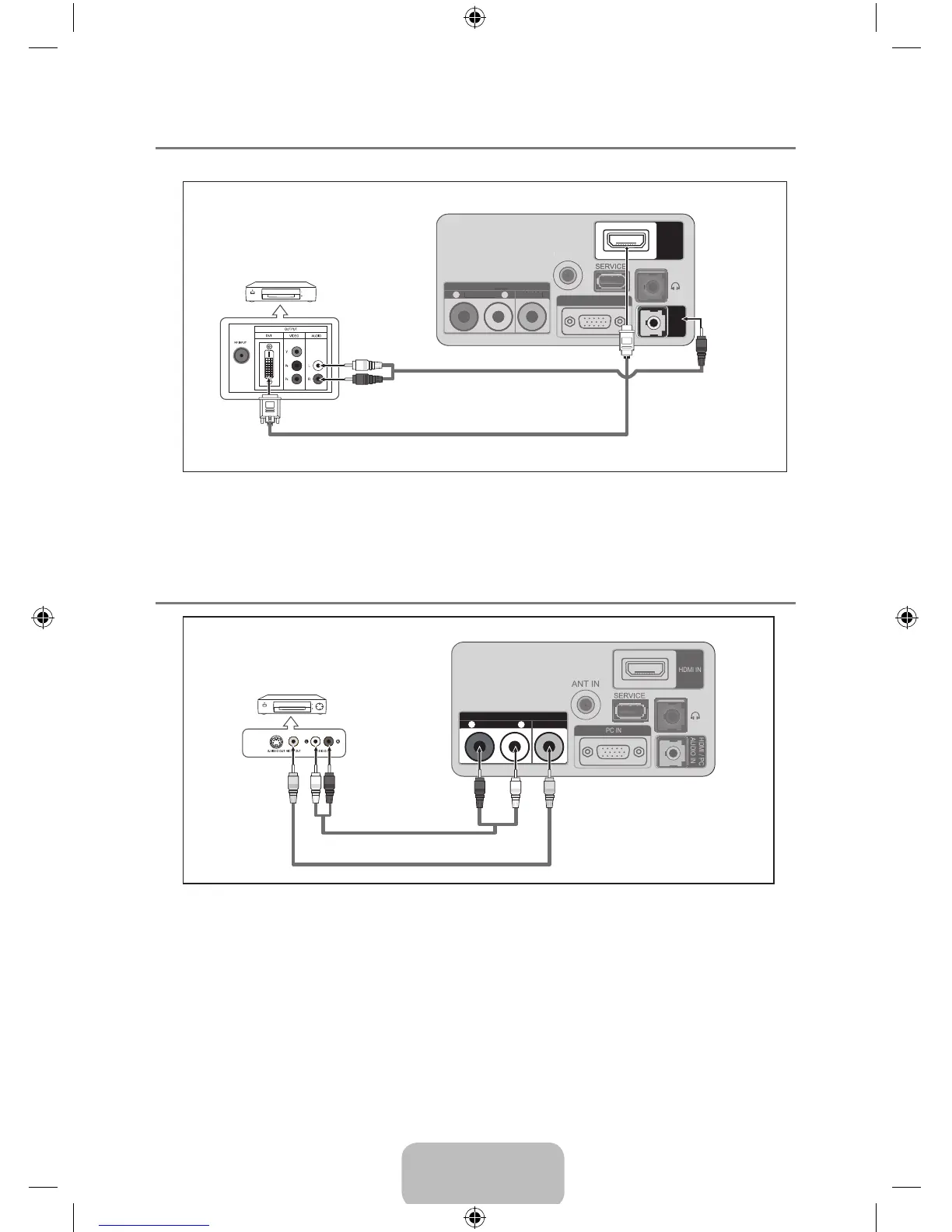
Connecting a DVD / Blu-Ray player / Satellite receiver (Set-Top Box) via DVI ¦
This connection can only be made if there is a DVI Output connector on the external device.
ANT IN
HDMI IN
AV IN
- AUDIO -
VIDEO
R
L
PC IN
HDMI / PC
AUDIO IN
1
DVI to HDMI Cable (Not supplied)
2
RCA to stereo Cable (Not supplied)
DVD / Blu-Ray player /
Satellite receiver
(Set-Top Box)
TV Rear Panel
Each DVD / Blu-Ray player / Satellite receiver (Set-Top Box) has a different back panel N
conguration.
When connecting a DVD / Blu-Ray player / Satellite receiver (Set-Top Box), match the N
color of the connection terminal to the cable.
Connecting a VCR ¦
ANT IN
HDMI IN
AV IN
- AUDIO -
VIDEO
R
L
PC IN
HDMI / PC
AUDIO IN
If you have a ‘mono’ (non-stereo) VCR, use a Y-connector (not supplied) to connect to the right N
and left audio input jacks of the TV. Alternatively, connect the cable to the ‘R’ jack. If your VCR is
stereo, you must connect two cables.
Each VCR has a different back panel conguration. N
When connecting a VCR, match the color of the connection terminal to the cable. N
1
Video Cable (Not supplied)
2
Audio Cable (Not
supplied)
VCR Rear Panel
TV Rear Panel
BN59-00905F_eng.indd 8 2009-11-10 9:30:39










 To Next Page