Your Monitor
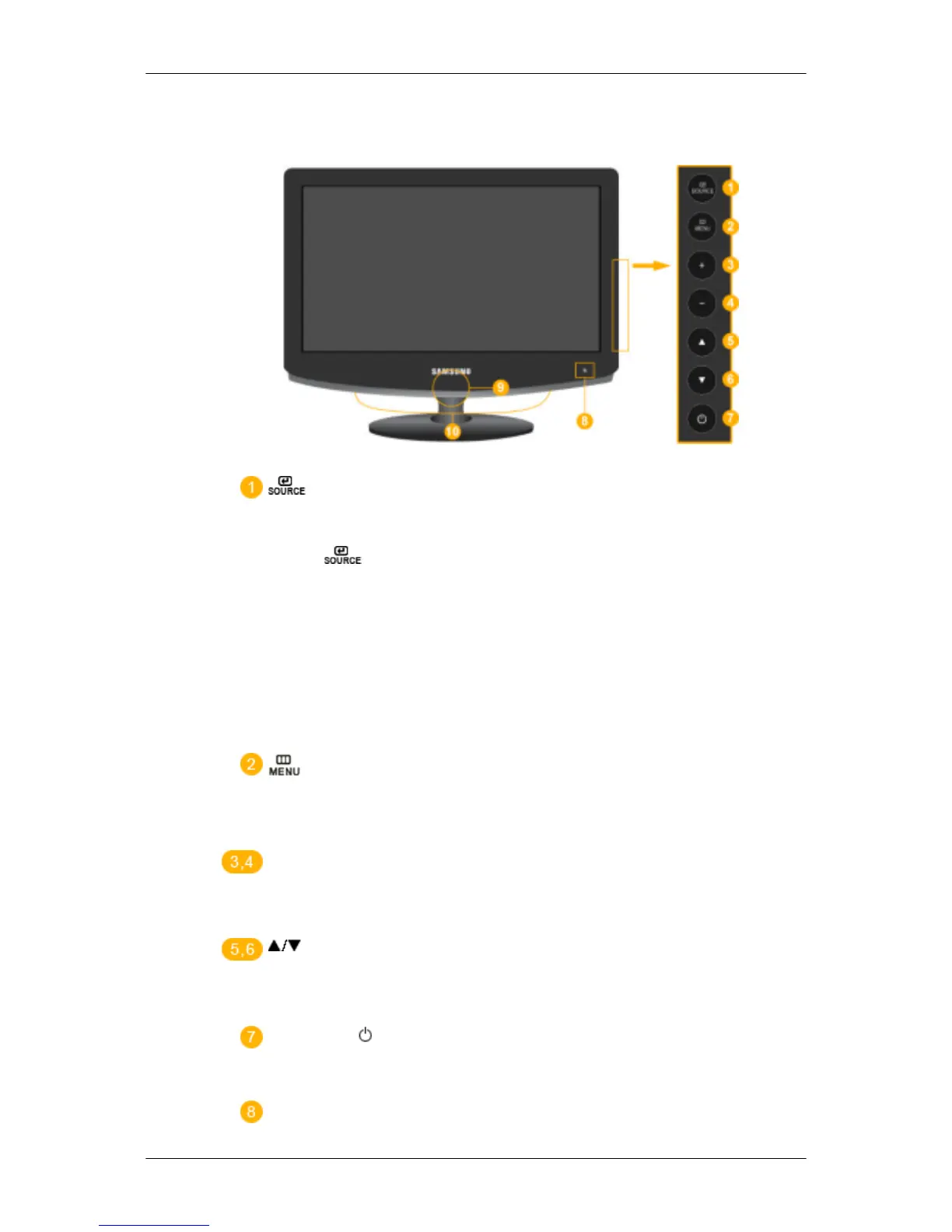
Front
Activates a highlighted menu item.
Push the ' ', button to change the input signal source.
Changing the source is only allowed for external devices connected to the product
at the time.
To switch Screen modes:
[PC] →[DVI] → [TV] → [Ext.] → [Component] → [HDMI1] → [HDMI2]
→ [DTV]
>> Click here to see an animation clip
Use this button to open the on-screen menu and to exit from the on-screen menu
or to close the screen adjustment menu.
+ / -
Moves from one menu item to another horizontally or adjusts selected menu val-
ues. Adjusts the audio volume.
Moves from one menu item to another vertically or adjusts selected menu values.
In TV/DTV mode, selects TV/DTV channels.
Power button [ ]
Use this button for turning the product on and off.
Remote Control Sensor
Introduction










 To Next Page