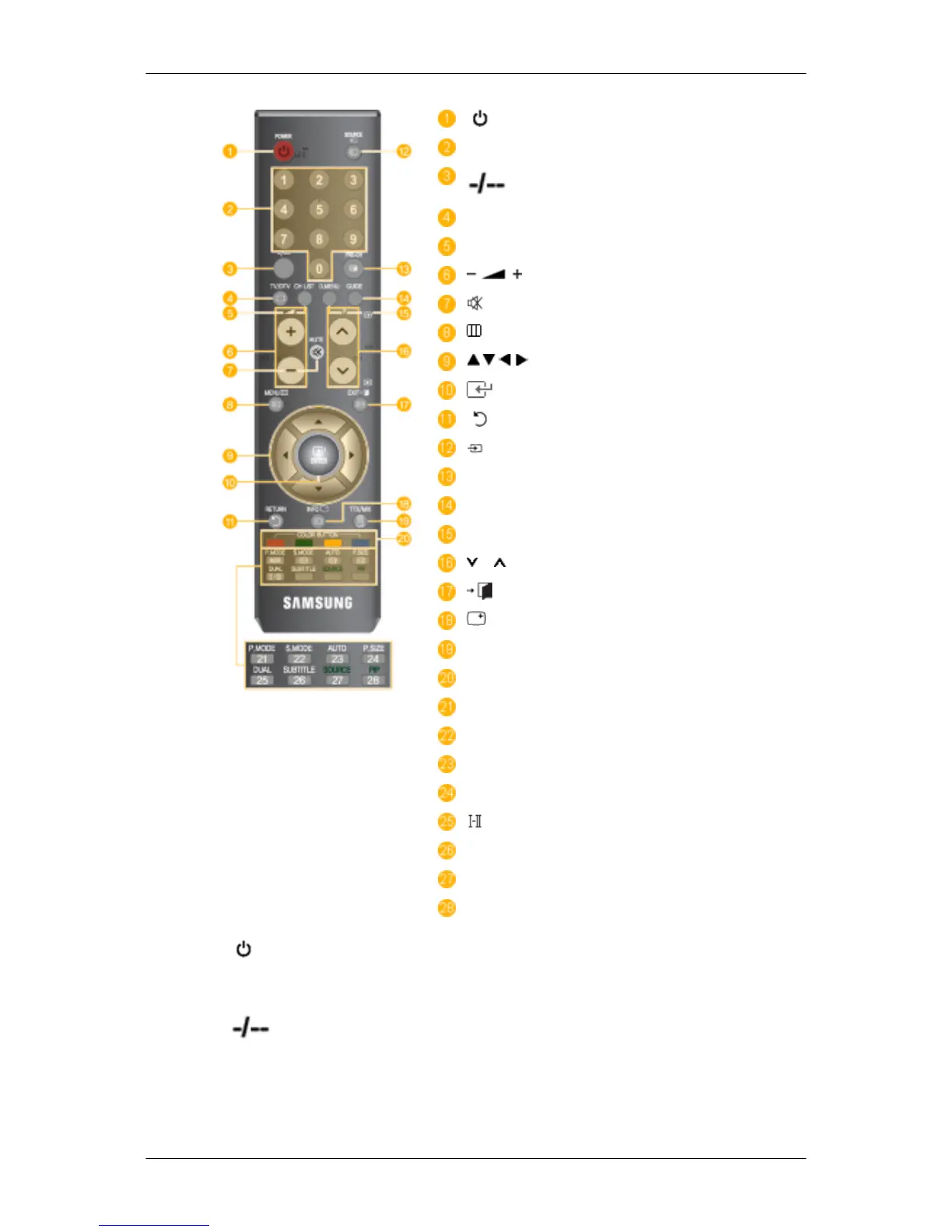
POWER
Number Button
TV/DTV
CH LIST
MUTE
MENU
Up-Down Left-Right buttons
ENTER
RETURN
SOURCE
PRE-CH
GUIDE
D.MENU
P
EXIT
INFO
TTX/MIX
COLOR BUTTON
P.MODE, M/B (MagicBright)
S.MODE
AUTO
P.SIZE
DUAL
SUBTITLE
SOURCE
PIP
1. POWER
Turns the product On/Off.
2. Number button Press to change the channel.
3.
(One/Two-Digit channel selection)
Use to select a channel numbered ten or over.
Press this button, and the "--" symbol is displayed.
Enter the two-digit channel number.
Introduction










 To Next Page