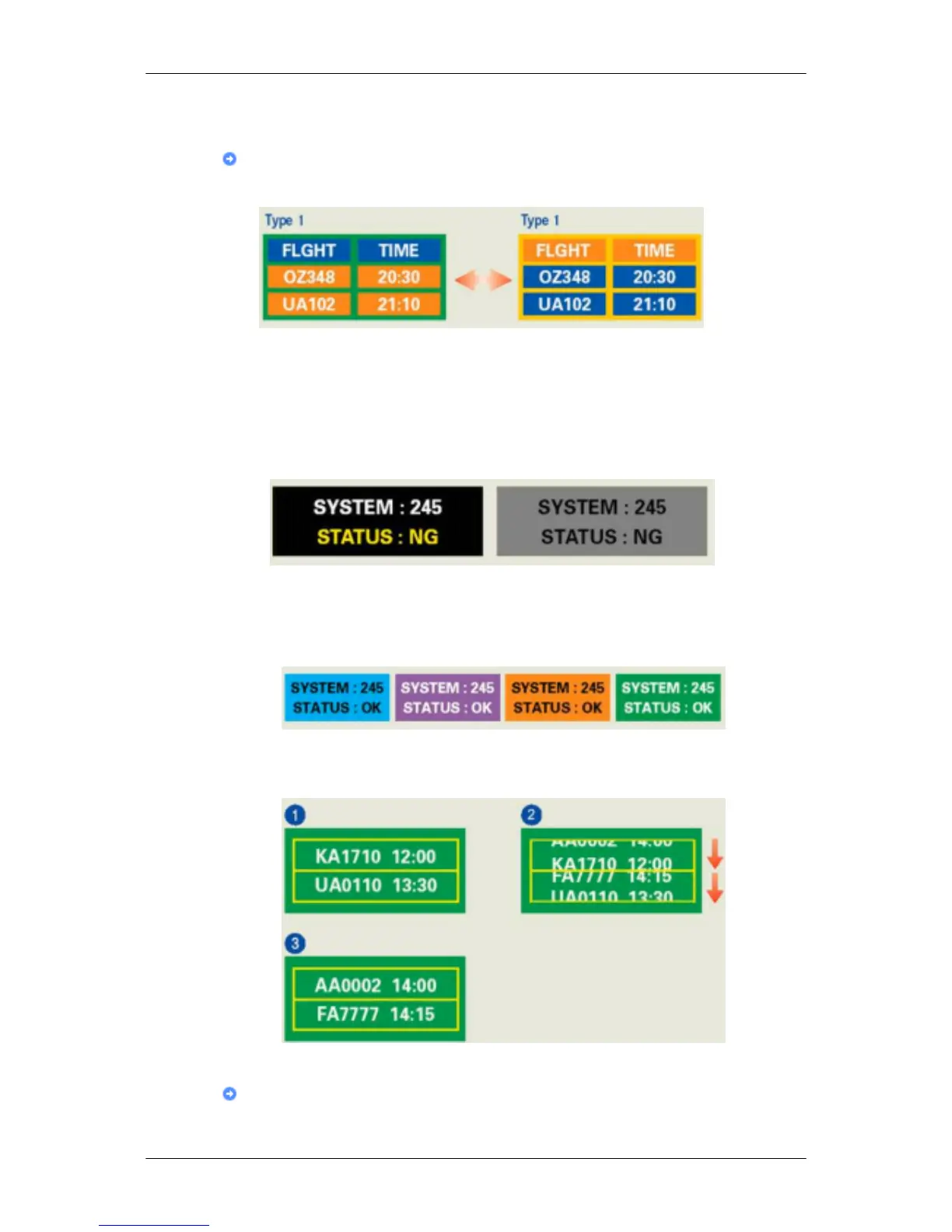
Ex) Cycle : Display Information for 1 hour followed by a Display Logo or moving image
for 1 minute.
Change the Color Information periodically (Use 2 different colors).
Ex) Rotate the Color Information with 2 colors every 30 minutes.
Avoid using a combination of characters and background color with large difference in
luminance.
Avoid using Grey colors, which can cause Image retention easily.
• Avoid: Colors with big difference in luminance (Black & White, Grey)
Ex)
• Recommended settings: Bright colors with little difference in luminance
• Change the characters color and background color every 30 minutes
Ex)
• Every 30 minutes, change the characters with movement.
Ex)
The best way to protect your monitor from Image retention is to set your PC or System
to operate a Screen Saver program when you are not using it.
Information










 To Next Page