3-2 Using the product
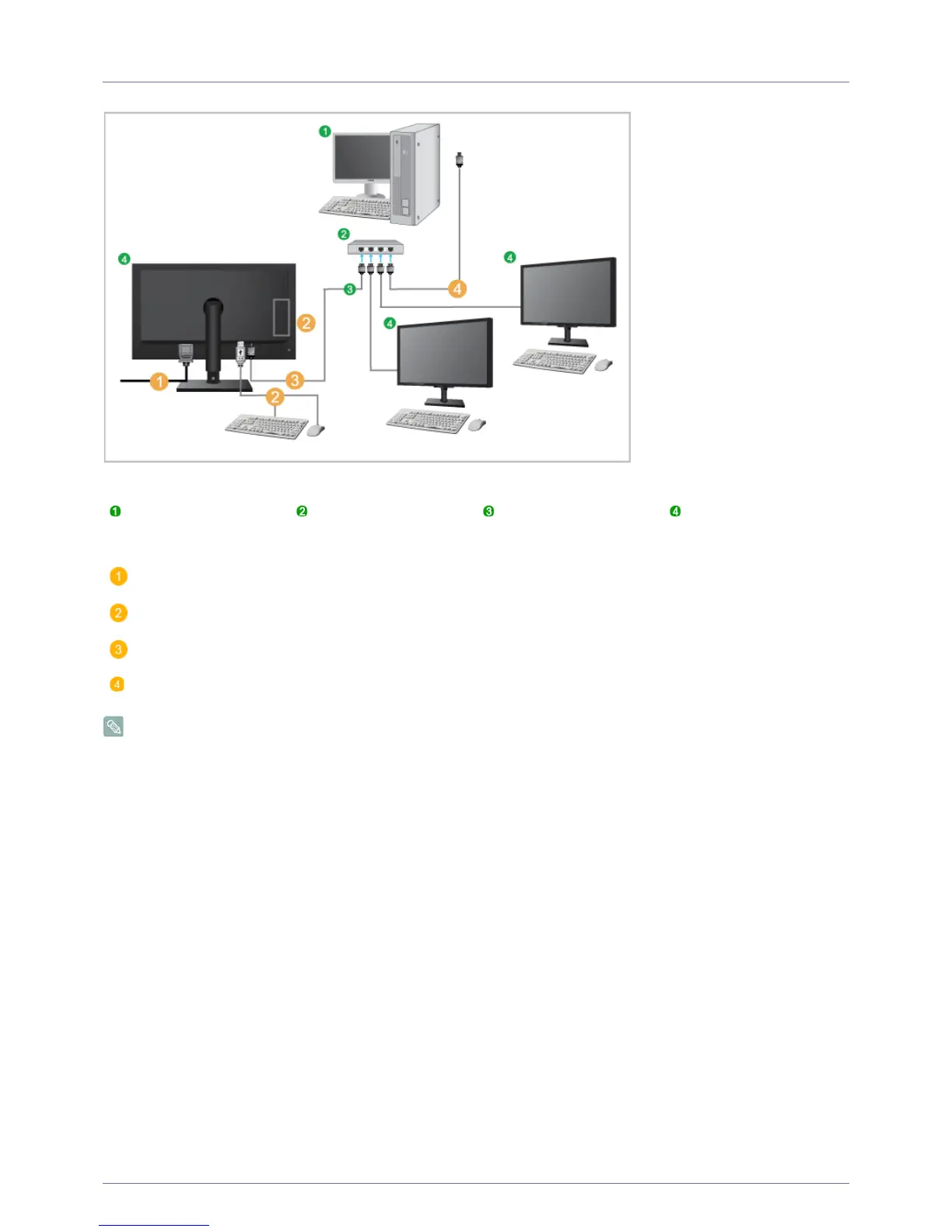
3-2 Connect to the host PC using a LAN cable
The host PC must have an IP address.
After connecting the LAN and setting the IP address, you can view the host PC screen on the monitor.
Use the USB port to connect an external storage device (DSC, MP3, external storage, etc.).
Connecting one Host PC to many client device is possible only when virtualization solution like vmware is installed in Host
PC.
Host PC Hub LAN Cable Monitor
Connect the power cord to the power terminal at the back of the monitor.
Connect the mouse and the keyboard to the USB ports.
Connect the LAN port on the back of the monitor and the hub.
Connect the hub and the LAN port of the host PC.













 To Next Page