Installing the Software 4-1
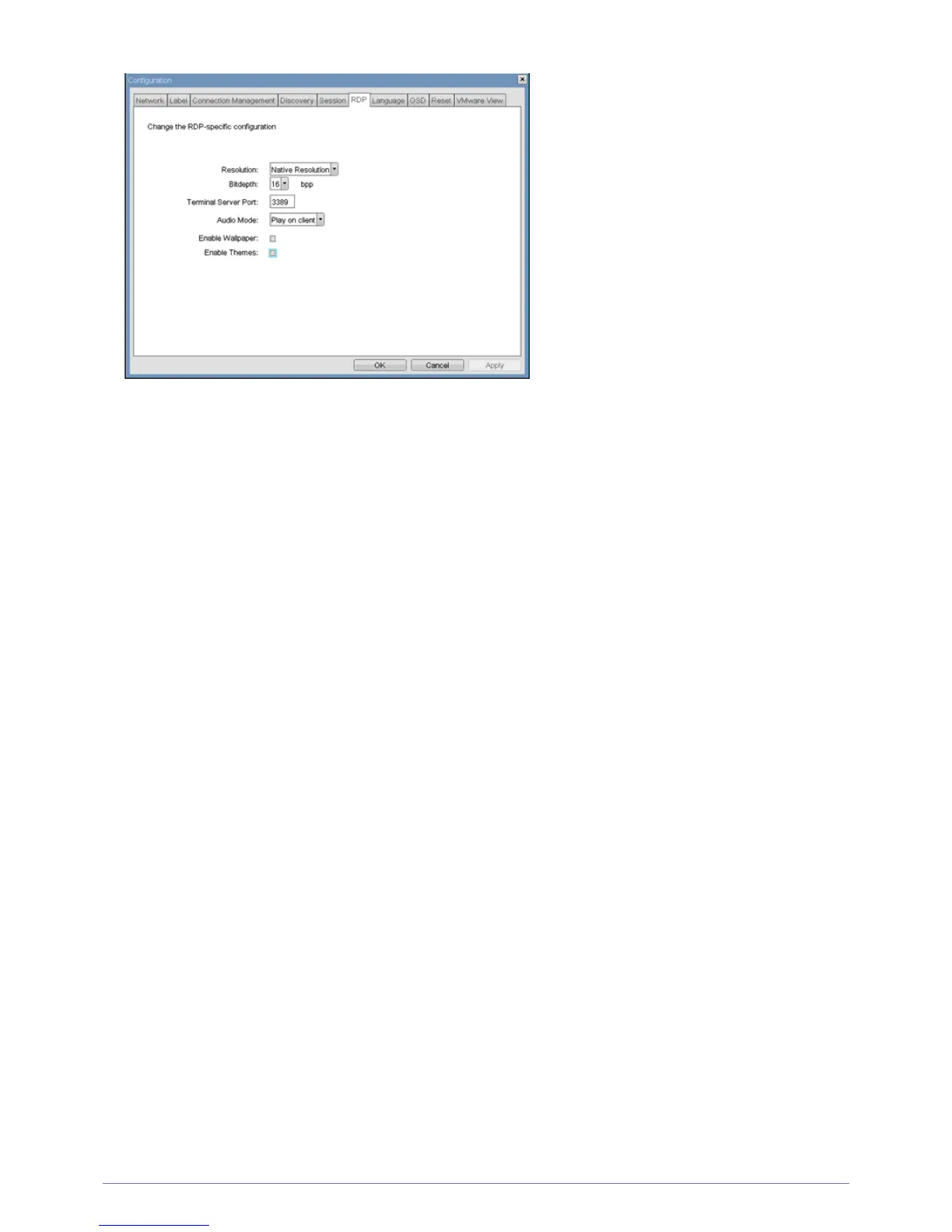
<Resolution>
The <Resolution> field is the <RDP> screen resolution setting. Possible values are:
• <Native Resolution>
• <800x600>
• <1024x768>
• <1280x768>
• <1280x1024>
• <1440x900>
• <1600x1200>
• <1680x1050>
• <1920x1080>
• <1920x1200>
<Bit Depth>
The <Bit Depth> is the <RDP> session colour bit depth. Possible values are:
• <8 bpp>(bits per pixel)
• <16 bpp>
• <24 bpp>
<Terminal Server Port>
The <Terminal Server Port> field sets the port number that the <RDP> client connects to.
<Audio Mode>
The <Audio Mode> field configures where the audio playback occurs for the <RDP> session. Possible options are:
• <None>
• <Play on client>
• <Play on host>
<Enable Wallpaper>
The <Enable Wallpaper> field enables the use of wallpaper with the <RDP> session.
<Enable Themes>
The <Enable Themes> field enables the use of desktop themes with the <RDP> session.
<Language> Tab
The <Language> field allows the administrator to configure the language of the OSD.













 To Next Page