Installing the Software 4-1
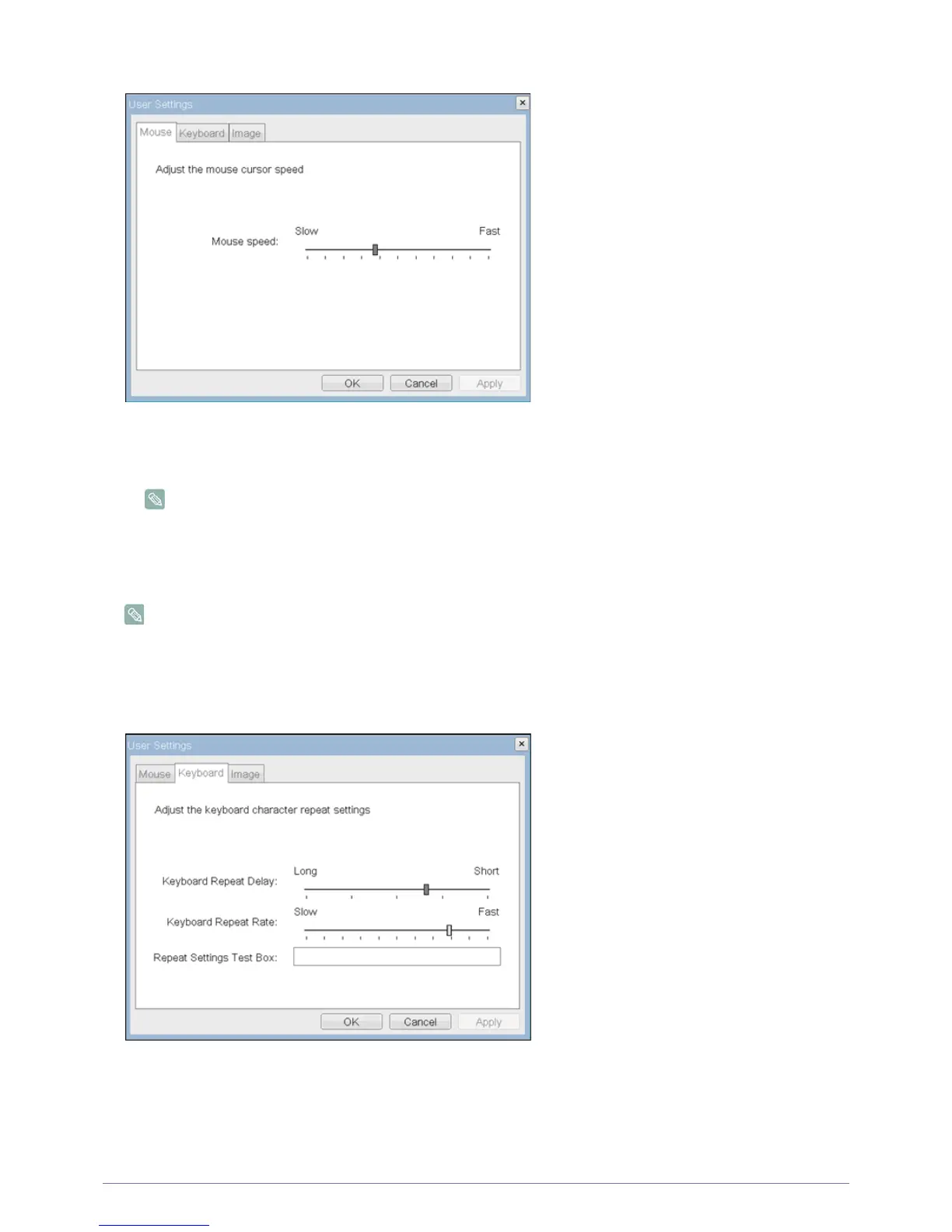
Figure : <Mouse>
• <Mouse Speed>
The <Mouse Speed> field allows the Portal mouse cursor speed to be configured.
The <Mouse Speed> can also be configured via the PCoIP Host Software. For more information on using the
PCoIP Host Software, refer to the PCoIP Host Software User Guide for more information.
<Keyboard> Tab
The <Keyboard> tab allows a user to change the keyboard repeat settings for the OSD and RDP sessions.
• The keyboard settings do not affect the keyboard settings when a PCoIP session is active unless the Local
Keyboard Host Driver function is being used (see PCoIP Host Software User Guide for more information).
•The <Keyboard> tab has no corresponding menu in the Webpage Administration Interface of Section 1.
Figure : <Keyboard>
• <Keyboard Repeat Delay >
The <Keyboard Repeat Delay> field allows a user to configure the Portal keyboard repeat delay.
• <Keyboard Repeat Rate>
The <Keyboard Repeat Rate> field allows a user to configure the Portal keyboard repeat rate.
2-19
2-20













 To Next Page