Installing the Product 2-4
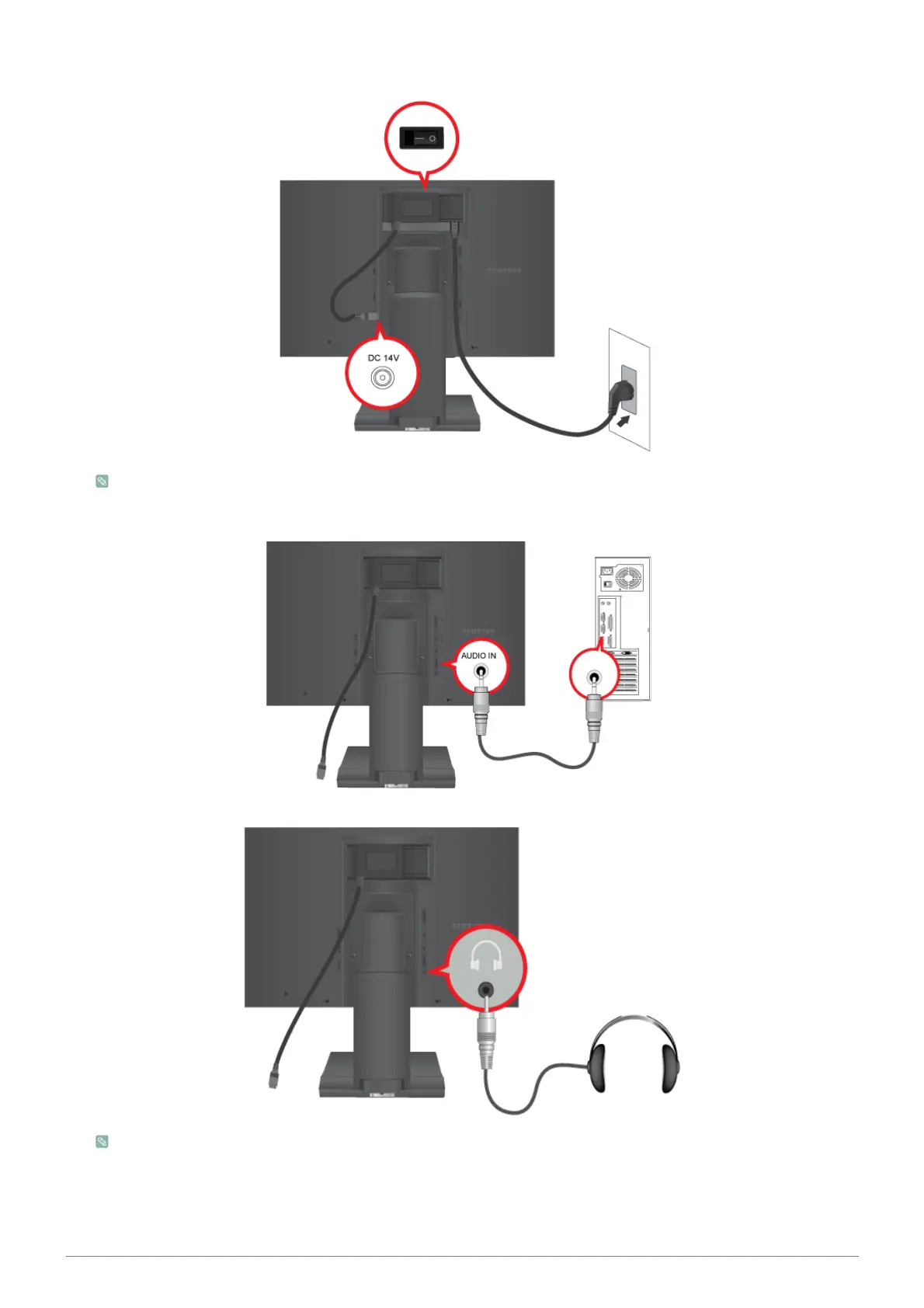
Switches the Power On/Off.
When the product is connected to a PC, you can turn the product on and use it.
3. Connect the [AUDIO IN] port on the rear side of the monitor to the sound card of the PC.
Connect your headphones to the Headphone connection terminal.
Applicable to the models that have speakers only.






 To Next Page