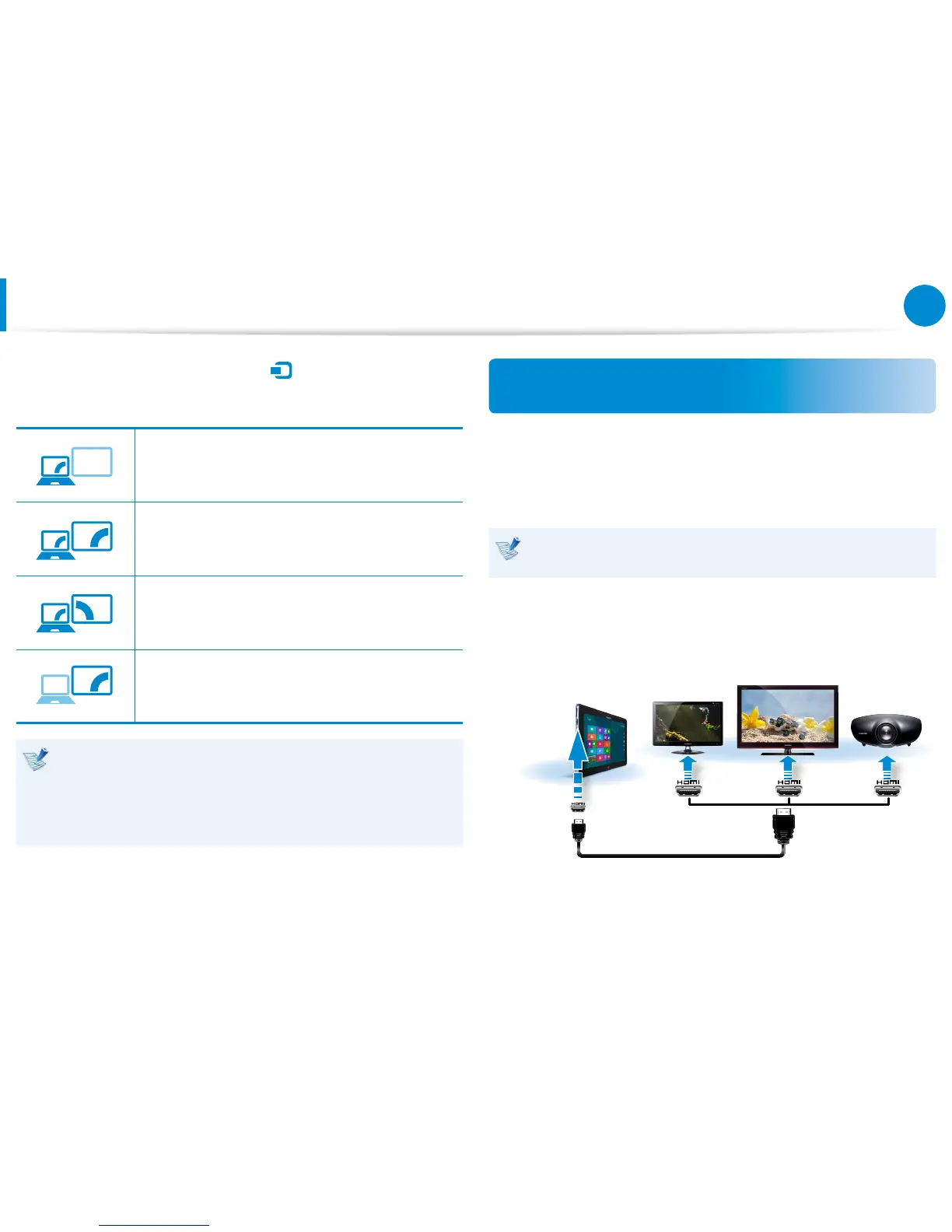
Second screen only
The contents are displayed only on the screen of
the external device.
Alternatively, to set up dual view:
Open the Display Settings window in the Control Panel,
select Monitor 2 and select the Expand to t to this
monitor checkbox to set dual view. For more detailed
information, refer to the Windows online help.
Connecting through the Micro HDMI port
(Optional)
By connecting the computer to a TV with a HDMI port, you can
enjoy both a high visual quality and a high sound quality.
After connecting a TV through HDMI, you have to congure the
screen and sound.
You have to additionally purchase the HDMI to micro HDMI
cable.
1
Connect the HDMI to micro HDMI cable to the HDMI port of
the TV.
External
Monitor
TV
Projector
HDMI to
micro HDMI
Connecting an External Display Device









 To Next Page