
 Need help?
Do you have a question about the Samsung The Premier LSP9T and is the answer not in the manual?
Provides guidelines for safe installation, including ventilation, placement near heat sources, and avoiding water.
Warns against disposing of batteries in fire, exposing them to heat, and using incorrect battery types for explosion prevention.
Advises against overloading outlets, pinching cords, touching internal parts, and handling wet cords.
Warns against blocking the laser beam, looking directly at it, or projecting it into eyes, and notes potential heat damage.
Provides instructions for supervising children regarding laser beam exposure and warns against using optical aids with the beam.
Advises against opening or disassembling the projector to prevent damage from laser radiation exposure.
Recommends securing wireless access points with strong passwords, encryption, and firewall settings for network protection.
Provides screw hole specifications (A*B), depth, standard screw type (M6), pitch, and quantity required for wall mounting.
Warns against installing while the projector is on, using incorrect screws, overtightening, and stresses the need for two people.
Offers solutions for common issues like the projector not turning on, no picture/sound, distorted video, or remote control problems.
Lists checks for power cord connection, wall outlet functionality, and using the rear power button to diagnose startup issues.
Suggests self-diagnosis, checking connections, rebooting devices, and running auto-program for signal reception problems.
Provides steps to troubleshoot the remote, including checking batteries, pointing direction, and pairing for Bluetooth remotes.
This document is a user manual for The Premiere LSP7T/LSP9T Laser Projector from Samsung. It provides comprehensive information on the product, covering its setup, operation, maintenance, and safety guidelines.
The manual begins by guiding the user on how to effectively use both the physical user manual and the embedded e-Manual. It highlights the e-Manual's assistance functions, such as Search, Index, Sitemap, and Recently Viewed Topics, to help users quickly find relevant information. It also explains the "Try Now" and "Link" buttons within the e-Manual, which allow users to access menu items directly or navigate to related topics.
A crucial section is dedicated to "Warning! Important Safety Instructions," which outlines various precautions to ensure safe operation and prevent damage to the projector or injury to users. This includes warnings about electric shock, proper ventilation, exposure to moisture, battery handling, and the safe use of the laser. The manual advises against blocking ventilation slots, exposing the projector to rain or extreme conditions, and warns about the dangers of excessive heat from the projector's parts after prolonged use. It also provides specific instructions for handling batteries, emphasizing the risk of explosion if the wrong type is used. For laser safety, it warns against blocking the lens, looking directly into the light, or projecting it into anyone's eyes, and provides a warning about mounting the projector above children's heads due to potential eye exposure at close distances. It also includes specific instructions for supervising children and avoiding optical aids when near the projector beam.
The "Installation" section details how to set up the projector, including connecting the power cord and performing the initial setup. It emphasizes placing the projector horizontally on a flat surface to prevent tilting and distortion of the projected image. Users are instructed to adjust the projector's position and the tilt-adjustment foot to achieve a rectangular screen. The manual also provides a table for image size and projection distance, helping users determine the optimal placement for their desired screen size. It explains how to adjust focus and screen alignment through the projector's settings.
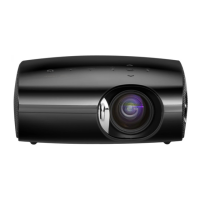
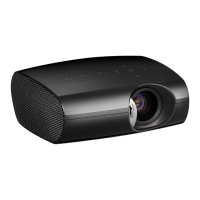
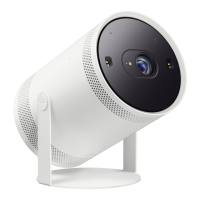
The "Product Overview" section provides a visual guide to the projector's components, including the lens, remote control sensor/LED indicators, speaker, ventilation, power button, and tilt-adjustment foot. It reminds users not to block the intake and exhaust vents and to maintain adequate clearance when operating the projector in an enclosed space.
The "Samsung Smart Remote" section describes the functions of each button on the remote control, such as Power, Number button, Voice Assistant, Select, Return, Play/pause, Smart Hub, Color buttons, Directional pad, Volume, and Channel. It also provides instructions on how to pair the remote with the projector and how to install batteries, recommending alkaline batteries for longer life.
For "Mounting the Projector on a wall," the manual advises consulting a professional service agency to prevent injury or damage. It provides screw hole specifications and warnings against using incorrect screws or fastening them too tightly. It also emphasizes that two people should always mount the projector.
The "Troubleshooting and Maintenance" section offers solutions to common issues, such as the projector not turning on, no picture/sound, or the remote control not working. It suggests performing a self-diagnosis, checking cable connections, rebooting external devices, and running Auto Program for channel searching. For remote control issues, it advises checking batteries and ensuring proper pairing.
"Internet security" is addressed with recommendations for safeguarding the projector and network. Samsung advises users to install software updates promptly, secure their wireless access point with unique passwords and encryption, use strong passwords for online accounts, and avoid suspicious websites or unauthorized programs.
Finally, the "Specifications and Other Information" section provides details on display resolution, image size, sound output, dimensions, and weight. It also includes "Environmental Considerations" such as operating and storage temperature and humidity ranges. The manual notes that design and specifications are subject to change and provides information on power consumption and licenses for technologies like Dolby Audio, QuickSet, and HEVC Advance. It also mentions the use of CAT 7 STP type cables for LAN connections. The manual concludes by advising users to unplug the power cord to decrease power consumption when the projector is not in use for extended periods.
 General
| Display Technology | DLP |
|---|---|
| Resolution | 4K UHD (3840 x 2160) |
| Brightness | 2800 ANSI Lumens |
| Contrast Ratio | 2, 000, 000:1 |
| Light Source | Laser |
| HDR | HDR10+ |
| Lamp Life | 20, 000 hours |
| Throw Ratio | 0.19:1 |
| Screen Size | 90" - 130" |
| Ports | HDMI, USB, Ethernet, Optical Audio Out |
| Audio | 40W 4.2ch |
| Smart TV | Tizen OS |
| Color Gamut | 106% BT.2020 |
| Input Lag | 53ms |
| Smart Features | Screen Mirroring |





 To Next Page