
 Need help?
Do you have a question about the Samsung Freestyle and is the answer not in the manual?
Guidance on safety symbols and essential warnings before operating the projector.
Instructions and warnings related to installing the projector safely, avoiding hazards like radiators and water.
Ensures optimal cooling by maintaining adequate distance and provides operation tips.
Instructions for cleaning the projector, handling batteries, and general safety warnings.
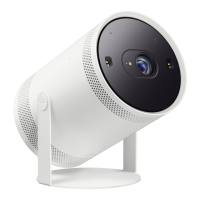
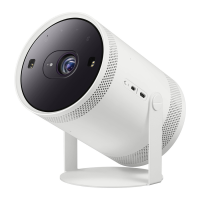
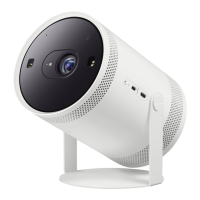
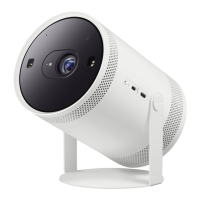
Detailed identification of the projector's physical parts and their functions.
Instructions for MIC switch, power supply, lens cap, and sensor maintenance.
Explains the usage of various buttons on the remote for controlling the projector and its content.
Details on using voice commands and accessing smart features via the remote.
Guides users through pairing the remote, its charging procedure, and operational distance.
Essential safety precautions for handling the remote, avoiding damage, and preventing injury.
Steps for configuring the projector's basic settings during the first-time power-on.
Steps to resolve common problems like the projector not turning on or the remote control not working.
Technical details including model name, resolution, dimensions, weight, and operating conditions.
Important notes regarding device classification, power information, and potential product variations.
Tips on reducing power usage by unplugging the projector when not in use for extended periods.
Information about audio and video technology licenses used in the product.
List of Samsung service centers and websites for various countries in South America and Central America.
Contact details for Samsung service centers in Jamaica, Nicaragua, Panama, Peru, Puerto Rico, Trinidad & Tobago, and Venezuela.
 General
| Resolution | 1920 x 1080 (Full HD) |
|---|---|
| Light Source | LED |
| Weight | 0.8 kg (1.76 lbs) |
| Display Technology | DLP |
| Contrast Ratio | 100, 000:1 |
| Focus | Auto Focus |
| Operating System | Tizen |
| HDR Support | HDR10 |
| Brightness | 550 LED lumens |
| Projection Size | 30 to 100 inches |
| Connectivity | Wi-Fi, Bluetooth, HDMI, USB-C |
| Audio | 5W Speaker |
| Lamp Life | 20, 000 hours (LED life) |
| 360-degree Projection | Yes |




 To Next Page