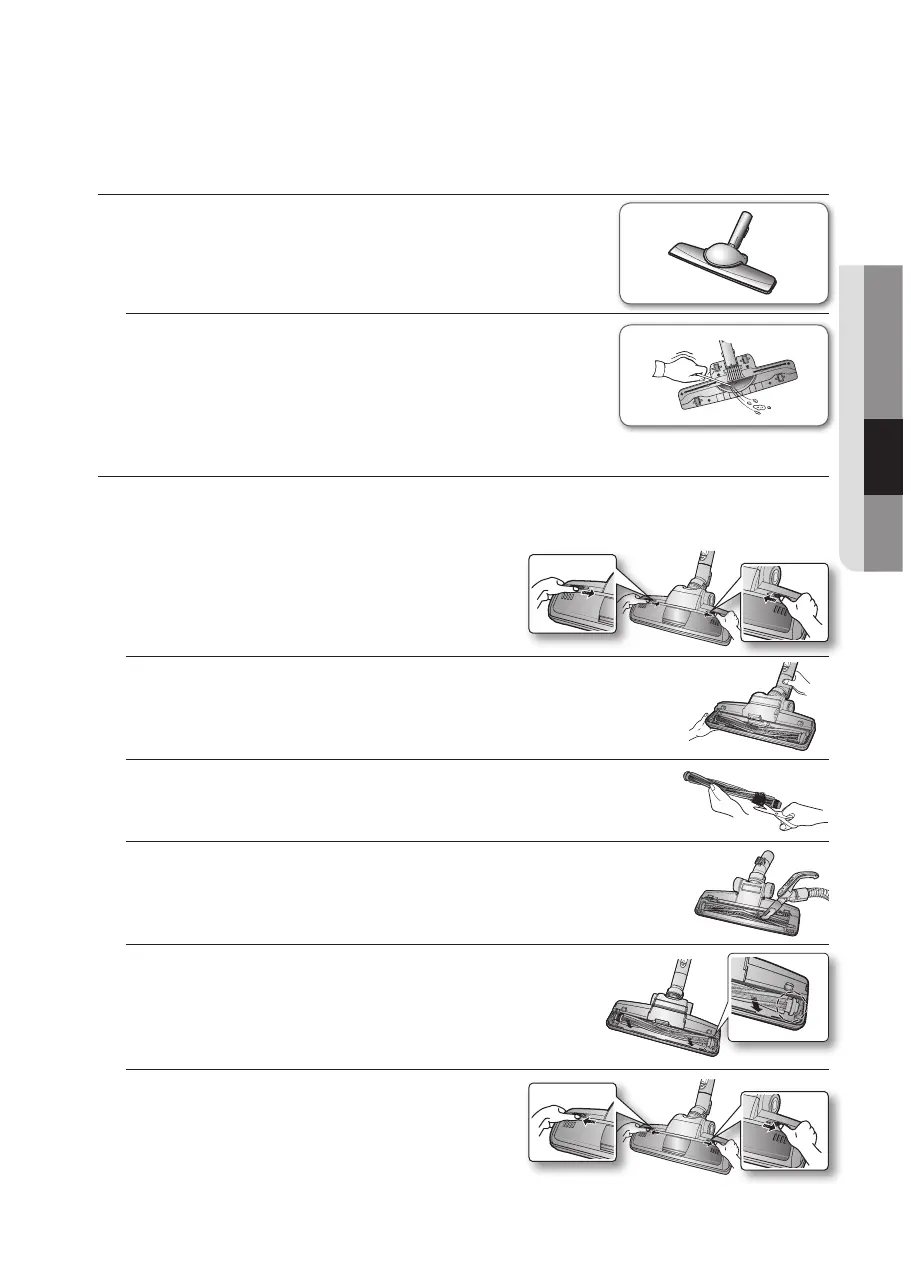
Parquet brush (Optional)
• Vacuum dust in wide area at once.
• Removewastemattercompletelyiftheinletisblocked.
Power turbo plus (Optional)
For improved pick-up of pet hair and fibre on carpets.
Frequent vacuuming of hair or pet fur may cause a falling-off of the rotation due to matters
tangled around the drum. In this case, clean the drum with care.
1. Push the Open button on the transparent
screen cover to separate the cover.
2. Remove the brushbar from the transparent screen.
3. Remove waste matter such as dust and hair tangled around the
brushbar using scissors.
4. Remove dust inside the brush housing using a dry duster or crevice
tool.
5. Insert brushbar into rotating belt and assemble.
6. Click the transparent screen cover back into
place to reassemble.






 To Next Page