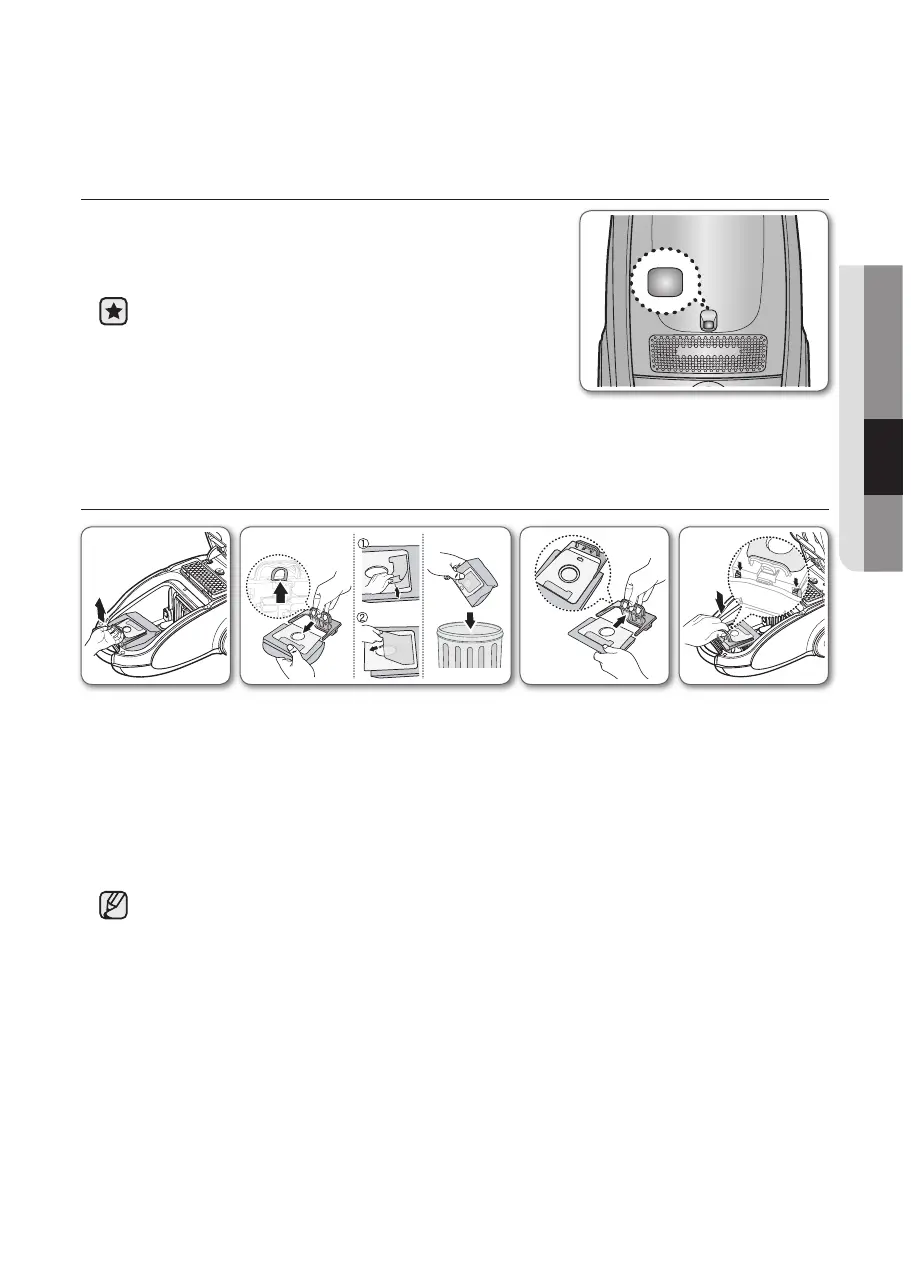
CHECK FILTER INDICATOR
• If the “Filter Check” indicator turns to red color while
you are cleaning, the dust bag requires replacement.
If the “Filter Check” indicator continues to display red
color even after having changed bag into new one,
turn the cleaner off and check if there is any clogging
in the hose,tube,floor nozzle,or on the inlet/outlet filter.
CHANGING THE DUST BAG
-OpTIONAL
• For Cloth Bag
After using, if the cloth bag is full of dust, clean the cloth bag and use it again.
You can purchase dust bags in the shops where you bought this vacuum cleaner.
Paper bag can be used as you prefer. (Paper-bag : VP-90)
1 2 3 4






 To Next Page