
 To Next Page

C
Chloe BrownAug 19, 2025
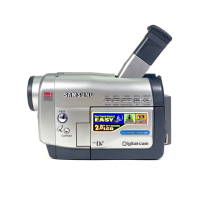
What to do if my Samsung VP-D70 Camcorder doesn't turn on?
- PpettyhaleyAug 19, 2025
If your Samsung Camcorder doesn't turn on, check the battery pack or the AC Power Adapter.

What to do if my Samsung VP-D70 Camcorder doesn't turn on?
If your Samsung Camcorder doesn't turn on, check the battery pack or the AC Power Adapter.
Why is the image in the viewfinder of my Samsung Camcorder blurred?
If the image in the viewfinder of your Samsung Camcorder is blurred, adjust the viewfinder control lever until the indicators displayed on the viewfinder come into sharp focus.
What to do if auto focus does not work on Samsung Camcorder?
If auto focus isn't working on your Samsung Camcorder, check the M.FOCUS menu. Auto focus does not work in the Manual Focus mode.
What to do if Samsung VP-D70 is slow due to mechanical fault?
If your Samsung Camcorder is running slow and you suspect a mechanical fault, follow these steps: 1. Eject the tape. 2. Set the camcorder to OFF. 3. Detach the battery. 4. Reattach the battery. If the problem persists, it indicates a more serious issue.
What to do if my Samsung VP-D70 Camcorder says 'TAPE END'?
If your Samsung Camcorder displays 'TAPE END', the tape has reached its end. Replace it with a new tape.
Why my Samsung Camcorder is fast slow?
If your Samsung Camcorder is running 'fast slow', it means the battery pack is fully discharged or the remaining time of the tape is about 3 minutes. Replace the discharged battery with a charged one and prepare a new battery.
What to do if Samsung VP-D70 is slow and there is no tape?
If your Samsung Camcorder is running slow, check if there is a tape inserted. If not, insert a tape.
Why does my Samsung VP-D70 battery pack drain so quickly?
Your Samsung Camcorder's battery might be draining quickly because the atmospheric temperature is too low, the battery pack has not been fully charged, or the battery pack is completely dead and cannot be recharged. Try using another battery pack.
What to do if the START/STOP button does not operate while recording on my Samsung VP-D70 Camcorder?
If the START/STOP button on your Samsung Camcorder isn't working during recording, ensure the POWER switch is set to CAMERA. Also, check if you've reached the end of the cassette or if the record protection tab on the cassette is enabled.
Why does my Samsung VP-D70 turn off automatically?
Your Samsung Camcorder might be turning off automatically because it has been left in STBY mode for more than 5 minutes without use, or because the battery pack is fully exhausted.
Guide for making your first recording and basic setup.
Using DIS, PIP, and DSE for enhanced recording quality.
Adjusting Program AE, Shutter, Iris, Focus, and White Balance.
Instructions for transferring data using IEEE 1394 and USB interfaces.
Using SmartMediaCard/memory for recording and managing still images.
Solutions for common problems, error indicators, and moisture condensation.
 General
| Type | MiniDV |
|---|---|
| Recording Media | Mini DV |
| Optical Zoom | 10x |
| LCD Screen Size | 2.5 inches |
| Viewfinder | Color |
| Still Image Resolution | 640 x 480 |
| Image Sensor | 1/6" CCD |
| Video Resolution | 720 x 480 |
| Interface | IEEE 1394 (FireWire) |