EasyManua.ls Logo

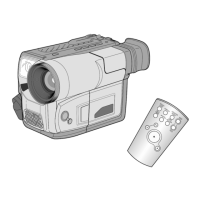
Samsung VP-L700 - User Manual

Samsung VP-L700
71 pages
Print Icon
To Next Page IconTo Next Page
Loading...
DEUTSCH
Video Camcorder
8mm
COLOUR LCD
VP-L700U/L700/L710/
L750/L750D/L770
Owner’s Instruction Book
Before operating the unit, please read this instruction book
thoroughly, and retain it for future reference.
VP-L700U
This product meets the intent of
Directive 89/336 CEE, 73/23 CEE, 93/68 CEE.
Camcorder
8mm
mit LCD-Farbmonitor
VP-L700U/L700/L710/
L750/L750D/L770
Bedienungsanleitung
Bitte lesen Sie die Bedienungsanleitung vor Inbetriebnahme des
Camcorders vollständig durch. Bewahren Sie die Anleitung für
den späteren Gebrauch auf.
VP-L700U
VP-L700/L710/L750
L750D/L770
Dieses Produkt entspricht den Vorgaben der folgenden
Richtlinien: 89/336 EWG, 73/23 EWG, 93/68 EWG.
ENGLISHENGLISH
AD68-00441K
VP-L700/L710/L750
L750D/L770

ELECTRONICS
Hi Hi
START/
STOP
SELF
TIMER
ZERO
RETURN
STILL
COUNTER
RESET
WIDE
TELE
DISPLAY

Table of Contents

Questions and Answers

  • L
    Lori WilliamsSep 10, 2025
    What to do if the battery of my Samsung VP-L700 Camcorder is almost discharged?
    • M
      Monica WashingtonSep 10, 2025
      If the battery pack of your Samsung Camcorder is almost discharged, replace it with a fully charged one to continue using the camcorder.
  • M
    Michelle PatrickAug 23, 2025
    What to do if my Samsung VP-L700 displays 'TAPE END!'?
    • T
      Timothy FreyAug 23, 2025
      If your Samsung Camcorder displays 'TAPE END!', it means the tape has reached its end. Replace it with a new one.
  • R
    Richard HarrisAug 25, 2025
    Why is my Samsung VP-L700 Camcorder display blinking fast?
    • K
      Kathy WilliamsAug 25, 2025
      If your Samsung Camcorder display is blinking fast, it means the battery pack is fully discharged. Replace it with a charged battery.
  • D
    Danielle WrightAug 27, 2025
    Why is my Samsung Camcorder display blinking slowly?
    • A
      Autumn PetersAug 27, 2025
      If your Samsung Camcorder display is blinking slowly, it indicates that the battery pack is almost discharged. Exchange it with a charged one.
  • S
    Steven ButlerAug 28, 2025
    What to do if my Samsung VP-L700 Camcorder displays 'TAPE END! slow'?
    • A
      Angela MooreAug 28, 2025
      If your Samsung Camcorder displays 'TAPE END! slow', it means the tape is almost at its end. Prepare a new tape to avoid interruption.
  • D
    Donna SweeneyAug 29, 2025
    What to do if my Samsung Camcorder displays 'PROTECTION! slow'?
    • S
      Scott StewartAug 29, 2025
      If your Samsung Camcorder displays 'PROTECTION! slow', it means the tape is protected from recording. Check that the red tab on the tape is not pushed over the hole.
  • G
    grahamjuliaSep 18, 2025
    Why is my Samsung VP-L700 Camcorder tape protected from recording?
    • J
      Jonathan JordanSep 18, 2025
      If the tape in your Samsung Camcorder is protected from recording, check that the red tab on the tape is not pushed over the hole. If it is, slide it back to allow recording.
  • E
    Eric FreemanSep 12, 2025
    How to replace the battery on a Samsung Camcorder when it's fully discharged?
    • T
      Tiffany HarveySep 12, 2025
      If the battery pack of your Samsung Camcorder is fully discharged, you should exchange it with a charged battery to resume operation.
  • A
    annehawkinsSep 8, 2025
    What to do if my Samsung VP-L700 has a mechanical fault?
    • K
      kpalmerSep 8, 2025
      If your Samsung Camcorder has a mechanical fault, try these steps: first, eject the tape. Second, set the camcorder to the OFF position. Third, detach the battery. Finally, reattach the battery. If the problem persists after these steps, it indicates a more serious issue.
  • M
    Mrs. Amber CruzSep 5, 2025
    What to do if my Samsung VP-L700 says 'PROTECTION! slow'?
    • F
      Faith PayneSep 5, 2025
      If your Samsung Camcorder displays 'PROTECTION! slow', the tape is protected from recording. Check that the red tab on the tape is not pushed over the hole.

Summary

Precautions and Safety Instructions

Getting to Know Your Camcorder

Overview of camcorder features, front/side/rear views, and supplied accessories.

Preparing Your Camcorder

Guides on installing the lithium battery and connecting to power sources.

Basic Shooting Operations

Steps for making the first recording and techniques for stable shooting.

Advanced Shooting Techniques

Image Control and Exposure

Covers focus, digital zoom, image stabilization, and exposure modes.

Recording Effects and Settings

Details special effects, date/time, titles, white balance, and demo functions.

Playback Operations and Maintenance

Covers tape playback, adjustments, camcorder care, and storage.

Troubleshooting, Connectivity, and Specifications

Lists common problems, solutions, USB connectivity, international use, and technical data.

Samsung VP-L700 Specifications

General IconGeneral
BrandSamsung
ModelVP-L700
CategoryCamcorder
LanguageEnglish

Related product manuals