VCR Setup
11
VCR Setup
10
To make all of the VCR’s features available, set the VCR functions before playing or recording a tape.
VCR Functions
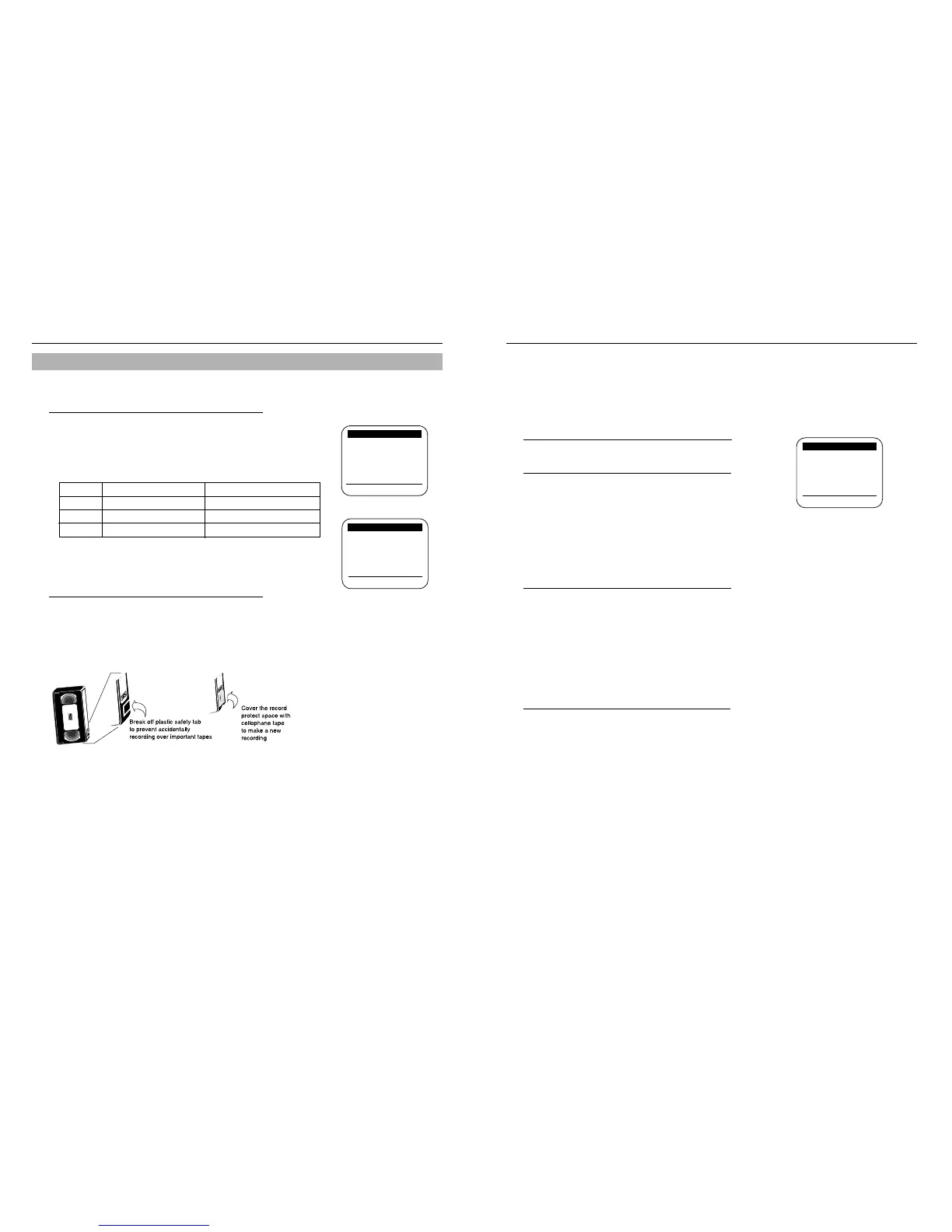
Record speed
1
The VCR can record at two tape speeds. The slower-
speed (SLP) allows the VCR to record more program
material on a tape. Tapes recorded at standard speed
(SP) provide a clearer picture. Press
❿
to select the
record speed. You can refer to the following table:
Record protect tab
Before recording on any video cassette, make sure the
record protect safety tab is in place. To prevent acciden-
tally recording over a program, remove the record protect
safety tab on the cassette case. To record on a tape with
its tab removed, cover the hole with adhesive tape.
TAPE SP (Standard Play) SLP (Super Long Play)
T-120 2 hrs 6 hrs
T-160 2 hrs 40 minutes 8 hrs
T-180 3 hrs 9 hrs
Stereo Programs
1
Select Audio output on the menu to select STEREO.
2
You can also select LEFT, RIGHT or MONO using
❿
button.
Note: When the stereo sound is poor, select MONO for sound without noise.
To Record SAP Programs
2
Press in the AUDIO output on the menu until “SAP”
is displayed on screen. “SAP” will be displayed on the
TV screen when a SAP broadcast is received. Press
the REC button for SAP recording.
*
When “MAIN” is displayed, stereo is selected.
Selecting Playback Sound with Hi-Fi Tapes
3
During playback, select AUDIO output to set the
Audio to Hi-Fi, LEFT, RIGHT or to MONO. When
playing a tape that is not Hi-Fi, the audio output
function will have no effect.
The VCR can record a program in stereo. It can also be set to record the Secondary Audio Program (SAP) of
any broadcast with second language audio. The VCR records the same audio on both the Hi-Fi and linear tracks
on the tape.
Audio Output (VR8260 only)
Record speed: [SP]
Audio output: [MAIN]
Tape length: [T120]
Auto play: [ON]
Auto repeat: [OFF]
Auto power off: [OFF]
VCR output CH: [3CH]
[
❷
%
/
❿
] [MENU/EXIT]
VCR FUNCTION SETUP
❿
Record speed: [SP]
Audio output: [MAIN]
Tape length: [T120]
Auto play: [ON]
Auto repeat: [OFF]
Auto power off: [OFF]
VCR output CH: [3CH]
[
❷
%
/
❿
] [MENU/EXIT]
VCR FUNCTION SETUP
❿
MAIN MENU
Timer recording
Clock set/adjust
Channel setup
❿
VCR function setup
Language/Lengua/Langue
[
❷
%
/
❿
] [MENU/EXIT]



 To Next Page