EasyManua.ls Logo

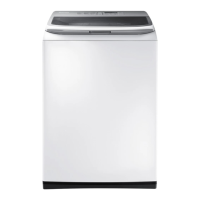
Samsung WA45K7600A series - User Manual

Samsung WA45K7600A series
70 pages
Print Icon
To Next Page IconTo Next Page
Loading...
Washer
User manual
WA45K7600A* / WA45K7100A*
SSEC SEC
WA7700K_WA45K-03520S-00_EN.indd 1 2015/12/16 19:08:23

Questions and Answers

  • B
    bwilsonAug 6, 2025
    What to do if my Samsung WA45K7600A does not start?
    • V
      Virginia MillerAug 6, 2025
      If your Samsung Washer doesn't start, there are several things to check: * Ensure the door is completely closed. * Verify that the water taps are open. * Press the Start/Pause button to initiate the washing machine. * Confirm that Child Lock is not activated. * If the door was opened during the spin cycle, close it and press Start/Pause. * The machine may be in Standby or a soaking cycle, so allow it to complete. * Also, verify the fuse or circuit breaker.
  • M
    michaelkimAug 11, 2025
    How to fix a Samsung Washer that does not turn on?
    • C
      Christina VelasquezAug 11, 2025
      If your Samsung Washer does not turn on, please check the following: * Ensure that you are using the correct rated power supply for the product. * Verify that the power cord is fully plugged into the outlet. * Check the fuse or reset the circuit breaker.
  • R
    romanjoelAug 16, 2025
    Why is water not being supplied to my Samsung WA45K7600A?
    • M
      Michael PatelAug 17, 2025
      If water is not being supplied to your Samsung Washer, consider the following: * Ensure you press the Start/Pause button after selecting the water supply. * Check that the water taps are fully open. * Inspect the filter net at the water supply hose connector for clogs; clean it with a toothbrush if necessary. * Verify that the water supply is not cut off. * Straighten any kinks in the water supply hoses. * Try opening and closing the door, then press Start/Pause. * Note that low water pressure can extend the wash start time. * Adjust the water level using the level selector if it seems too low.
  • J
    johnlopezAug 21, 2025
    What to do if detergent remains in dispenser of Samsung Washer?
    • K
      Kimberly OwensAug 22, 2025
      If detergent remains in the automatic dispenser of your Samsung Washer after a cycle: * Ensure the washing machine is running with sufficient water pressure. * Make sure the detergent drawer is properly inserted. * Try removing and cleaning the detergent drawer before trying again.
  • N
    Nicole RodriguezAug 27, 2025
    What to do if detergent remains in the dispenser of my Samsung WA45K7600A after a cycle?
    • M
      micheleritterAug 27, 2025
      If detergent remains in the automatic dispenser after a cycle, ensure the washing machine is running with sufficient water pressure. Check that the detergent drawer is properly inserted. If the issue persists, remove and clean the detergent drawer before trying again.
  • S
    Stanley ReyesAug 31, 2025
    What to do if detergent remains in the dispenser of my Samsung WA45K7600A?
    • M
      Mr. Joseph HallAug 31, 2025
      If detergent remains in the automatic dispenser of your Samsung Washer after a cycle, first ensure the washing machine is running with sufficient water pressure. Also, check that the detergent drawer is properly inserted. If the issue persists, remove and clean the detergent drawer before trying again.

Summary

Safety Information

Important safety precautions

Basic precautions to reduce risk of fire, electric shock, or injury, including reading instructions and not using flammable substances.

Critical installation warnings

Warnings related to electrical connections, grounding, and professional installation to prevent shock, fire, or explosion.

Critical usage warnings

Warnings for appliance flooding, unusual noises/smells, gas leaks, flammable substances, forcing the lid, and handling packaging.

Installation

Step-by-step installation

A guide covering selecting a location, connecting water/drain, adjusting feet, and powering the machine.

Washing a Load of Laundry

Control panel

Detailed explanation of each button and indicator on the washer's control panel.

Detergent use

Guidance on using high efficiency (HE) detergents for best results and avoiding regular detergents.

Troubleshooting

Checkpoints

Table of common problems, their causes, and suggested actions for resolution.

Information codes

List of error codes displayed by the washer, their meanings, and troubleshooting steps.

Warranty (CANADA)

LIMITED WARRANTY TO ORIGINAL PURCHASER

Details the limited warranty period, coverage, exclusions, and service procedures for the product in Canada.

Samsung WA45K7600A series Specifications

General IconGeneral
TypeTop Load Washer
Capacity4.5 cu. ft.
ColorWhite
Control TypeDigital
Energy Star CertifiedYes
SteamYes
VRT TechnologyYes
Wash Cycles12
Water Level Options5
Voltage120 V

Related product manuals