EasyManua.ls Logo

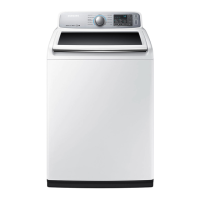
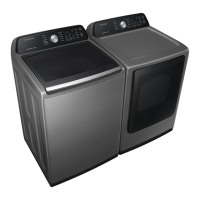
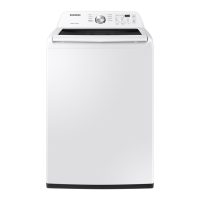
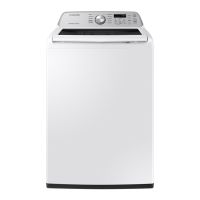
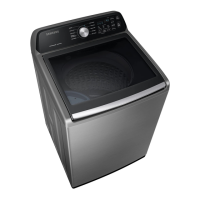
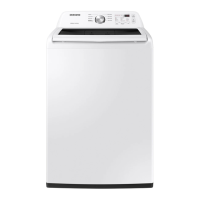
Samsung WA45M7050AW/A4 - User Manual

Samsung WA45M7050AW/A4
144 pages
Print Icon
To Next Page IconTo Next Page
Loading...
Washing Machine
user manual
WA50M7450A*
WA45M7050A*
WA50N7350A*
WA45N7150A*
imagine the possibilities
Thank you for purchasing this Samsung product.
WA7000M_DC68-03774A-10_EN.indd 1WA7000M_DC68-03774A-10_EN.indd 1 10/15/2020 6:29:56 PM10/15/2020 6:29:56 PM

Table of Contents

Questions and Answers

  • J
    Jacob CooperAug 9, 2025
    Why Samsung Washer will not start?
    • C
      Caleb SawyerAug 9, 2025
      Your Samsung Washer might not start due to several reasons. First, ensure the lid is completely closed. Make sure the washer is properly plugged into a working electrical outlet. Check that the water source faucets are fully open. You must press the Start/Pause button to initiate the wash cycle. Also, verify that the Child Lock feature is not activated. Before the washer fills, it will make clicking sounds to check the lid lock and perform a quick drain. Finally, inspect the fuse or reset the circuit breaker.
  • K
    Kimberly HillAug 15, 2025
    What to do if Samsung WA45M7050AW/A4 stops mid-cycle?
    • J
      Julie JenkinsAug 15, 2025
      If your Samsung washer stops, ensure the power cord is plugged into a working outlet and check the fuse or circuit breaker. Close the lid properly and press the Start/Pause button. Remember, the washer won't spin with an open lid for safety. It may make clicking noises and do a quick drain before filling. There might be a pause or soak period in the cycle, so allow it some time to continue. Also, inspect the inlet hose screens at the faucets for any obstructions and clean them regularly.
  • J
    John HobbsAug 21, 2025
    What to do if my Samsung Washer will not start?
    • L
      Laura MooreAug 21, 2025
      If your Samsung Washer won't start, ensure the lid is closed, the washer is plugged in, and the water source faucets are open. Also, press the Start/Pause button and make sure the Child Lock is not activated. Finally, check the fuse or reset the circuit breaker.
  • B
    Brandy FowlerAug 27, 2025
    Why Samsung Washer has no water or not enough water?
    • D
      Danielle ColemanAug 27, 2025
      If your Samsung Washer isn't filling with enough water, start by ensuring both water faucets are fully open. Check the water inlet hoses and straighten them if they are bent or kinked. Also, the hose filter screens may be clogged, so disconnect the hoses and clean the screens.
  • S
    samuelbarnesSep 2, 2025
    How to fix Samsung Washer that vibrates too much?
    • O
      osmithSep 2, 2025
      To reduce vibration and noise in your Samsung Washer, first, ensure it is placed on a level surface; adjust the washer's feet if needed. Make sure the washer isn't touching any surrounding objects. Also, ensure the laundry load inside the washer is balanced.

Summary

Safety Information

Understanding Safety Instructions

General guidance on safety instructions and user responsibility.

Key Safety Warnings

Critical warnings for installation, usage, and cleaning to prevent hazards.

Installation Guide

Unpacking and Location Setup

Guide on unpacking, checking items, and setting up the location requirements.

Connecting and Leveling

Steps for connecting hoses, leveling the washer, and installation notes.

Powering and Testing

Guide on powering the washer, running test cycles, and calibration.

Operating Your Washer

Loading and Starting

Guidelines for loading laundry and initial steps to start the washer.

Control Panel and Cycles

Explanation of control panel features and selecting wash cycles.

Special Functions and Detergent Use

Details on Mist Shower, Smart Care, Prewash, and proper detergent/additive usage.

Maintenance and Troubleshooting

Routine Maintenance Procedures

Instructions for cleaning exterior, interior, filters, dispensers, and self-cleaning.

Troubleshooting Common Issues

Solutions for operational problems and understanding error codes.

Appendix and Warranty

Fabric Care and Cycle Information

Garment care symbols, wash cycle guides, and environmental information.

Product Specifications and Warranty Details

Technical specifications, compliance, and warranty details for US and Canada.

Samsung WA45M7050AW/A4 Specifications

General IconGeneral
Styletop load
Colorwhite
Washer Capacity4.5 cubic feet
Max Spin Speed800 revolutions per minute
Spin Speeds4
Number of Cycles9
Cycle Selectionsnormal, rinse + spin, cycle time, heavy duty, spin only, deep clean, permanent press, water proof
Optionsextra rinse, smart care, delay end, self clean, child lock, swirl interior drum, sound on/ off, pre-soak
Temperature Settings5
Temperature Selectionshot, warm, cold, eco warm, cool
Soil Levelsheavy, normal, light
Internal Heaterno
Delay Start / Endyes
Child Lockyes
Cycle Signalyes
Interior Lightno
Steamno
Smart Homeno
Annual Energy Consumption125 kilowatt hours
Voltage120 volts
Current15 amperes
Weight and Dimensions IconWeight and Dimensions
Depth29 5/16 inches
Height45 inches
Width27 inches
Net Weight125.7 pounds

Related product manuals