EasyManua.ls Logo

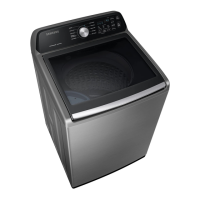
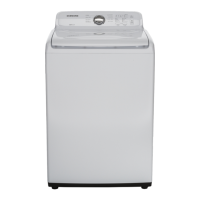
Samsung WA45M3100A Series - User Manual

Samsung WA45M3100A Series
68 pages
Print Icon
To Next Page IconTo Next Page
Loading...
Washer
User manual
WA45M3100A* / WA45N3050A*
WA3100M_DC68-03850A-02_EN.indd 1 2018-04-19  10:33:13

Other manuals for Samsung WA45M3100A Series

Questions and Answers

  • M
    Mrs. Michelle SimmonsSep 10, 2025
    How to deal with excessive suds in Samsung WA45M3100A?
    • M
      Mary TaylorSep 12, 2025
      To manage excessive suds in your Samsung washer, use high-efficiency (HE) detergent to prevent oversudsing. If you have soft water, small loads, or lightly soiled items, reduce the amount of detergent you use. It is not recommended to use non-HE detergent.
  • R
    Robert GibsonAug 22, 2025
    What to do if my Samsung WA45M3100A Washer is leaking water?
    • L
      Lisa BrownAug 23, 2025
      If your Samsung washer is leaking water, check that all hose connections are tight and that the water supply hose's rubber packing is correctly positioned and tightly screwed. Ensure the drain hose is correctly inserted and secured. Avoid overloading the machine and use high-efficiency (HE) detergent to prevent oversudsing. Also, make sure the water supply hose isn't kinked. If the water supply is too strong, close the tap a little. Finally, check for leaks from the water tap itself and repair if necessary.
  • E
    Edward PowellAug 25, 2025
    What to do if my Samsung Washer does not drain and/ or spin?
    • E
      emurphyAug 25, 2025
      If your Samsung washer isn't draining or spinning, first check the fuse or reset the circuit breaker. Ensure the electrical voltage is normal and the washer is properly plugged in. For natural drain models, the drain hose should point downward and not be clogged or kinked; straighten it if necessary. Close the door and press START/PAUSE to ensure the cycle can complete; the washer won't spin with an open door.
  • M
    Ms. Brittney Snyder MDAug 27, 2025
    Why Samsung Washer does not turn on?
    • R
      Rebecca LinAug 27, 2025
      If your Samsung washer isn't turning on, ensure it's connected to a power source with the correct voltage. Check that the power cord is fully plugged in. Also, inspect the fuse or reset the circuit breaker.
  • A
    Albert PorterAug 28, 2025
    How to fix a Samsung WA45M3100A that does not turn on?
    • L
      Lisa FernandezAug 28, 2025
      If your Samsung Washer doesn't turn on, ensure it is connected to a rated power source and the power cord is completely plugged in. Also, check the fuse or reset the circuit breaker.
  • R
    Richard CooperAug 29, 2025
    What to do if my Samsung WA45M3100A Washer does not start?
    • J
      jamieharrisAug 29, 2025
      If your Samsung Washer does not start, check the following: * Ensure the door is closed properly. * Make sure the water taps are open. * Press or tap START/PAUSE to initiate the wash cycle. * Verify that Child Lock is not activated. * Also, remember that the washer makes clicking sounds and does a quick drain before filling. * If the door was opened during spinning, close it and press START/PAUSE. * The machine might be in Standby or a soaking cycle, so wait. Finally, check the fuse or reset the circuit breaker.
  • V
    vduranSep 18, 2025
    How to remove stains on clothes washed in Samsung WA45M3100A?
    • J
      Joy BergerSep 18, 2025
      To address stains on clothes washed in your Samsung washer, select an appropriate cycle for the laundry, such as the Heavy Duty cycle for heavily stained items. Use the amount of detergent recommended by the detergent manufacturer. Regularly clean the magic filter (if your washer has one).
  • D
    David CoxSep 12, 2025
    What to do if my Samsung Washer has odours?
    • M
      morgan75Sep 12, 2025
      If your Samsung washer has unpleasant odors, it may be due to excessive suds collecting in recesses. Run cleansing cycles periodically to sanitize the machine. After each cycle, dry the interior of the washing machine.
  • A
    Andrew JonesSep 8, 2025
    What to do if detergent remains in the dispenser after a Samsung WA45M3100A cycle?
    • K
      Kelly OliverSep 8, 2025
      If detergent remains in the automatic dispenser of your Samsung Washer after a cycle, ensure the washing machine is running with sufficient water pressure. Also, make sure the detergent drawer is properly inserted. If the issue persists, remove and clean the detergent drawer before trying again.
  • C
    candersonSep 5, 2025
    Why is water not supplied to my Samsung WA45M3100A Washer?
    • T
      Terri HendersonSep 5, 2025
      If water is not being supplied to your Samsung washer, make sure you press START/PAUSE after selecting the water supply. Ensure the water taps are fully open. Check the filter net at the water supply hose connector for clogs and clean it with a toothbrush. Verify that the water supply isn't cut off. Straighten any kinks in the water supply hoses. Open and close the door, then press START/PAUSE. Note that low water pressure can extend the start time. If the water level seems incorrect, adjust it using the level selector.

Samsung WA45M3100A Series Specifications

General IconGeneral
TypeTop Load
Capacity4.5 cu. ft.
Energy Star CertifiedYes
Wash Cycles8
Spin Speed700 RPM
ColorWhite
SteamNo
SmartNo
Voltage120V

Related product manuals