EasyManua.ls Logo

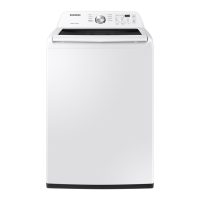
Samsung WA45T3200AW/A4 - User Manual

Samsung WA45T3200AW/A4
204 pages
Print Icon
To Next Page IconTo Next Page
Loading...
Washer
User manual
WA45T3200A*
WA3200T_DC68-03850D-00_EN.indd 1 5/13/2020 2:40:17 PM

Table of Contents

Other manuals for Samsung WA45T3200AW/A4

Questions and Answers

  • D
    Deanna FisherJul 29, 2025
    What to do if my Samsung Washer does not start?
    • K
      Kimberly LopezJul 29, 2025
      If your Samsung Washer does not start, ensure that the door is properly closed and the water taps are open. Press the START/PAUSE button to begin the cycle. Also, verify that the Child Lock feature is not activated. The machine might make clicking noises to check the door lock and perform a quick drain before filling. If the door was opened during the spin cycle, close it and press START/PAUSE to resume. The washer may also be in Standby or a soaking cycle, so allow it some time to proceed. As a last resort, check the fuse or reset the circuit breaker.
  • Y
    Yvette OlsenAug 6, 2025
    How to fix a Samsung Washer that does not turn on?
    • W
      William LeonardAug 6, 2025
      If your Samsung Washer does not turn on, ensure that you are using the correct rated power for the appliance. Verify that the power cord is fully plugged into the outlet. Additionally, check the fuse or reset the circuit breaker.
  • J
    juan69Aug 13, 2025
    What to do if water is not supplied to my Samsung WA45T3200AW/A4 Washer?
    • J
      James PattersonAug 13, 2025
      If water is not being supplied to your Samsung Washer, make sure you press the START/PAUSE button after selecting the water supply. Ensure that the water taps are fully open and that the water supply hoses are not kinked or bent. Check the filter net at the water supply hose connector for clogs; if clogged, clean it with a toothbrush. Also, verify that the water supply is not cut off. If the water pressure is low, the washing process may take longer to start. Adjust the water level using the level selector if the water level is lower than expected. Finally, try opening and closing the door before pressing START/PAUSE.
  • C
    christinemooreAug 20, 2025
    Why does detergent remain in the dispenser of my Samsung Washer after a cycle?
    • J
      Jeremiah PierceAug 20, 2025
      If detergent remains in the automatic dispenser of your Samsung Washer after a cycle, ensure the washing machine is running with sufficient water pressure. Check that the detergent drawer is correctly inserted. If the problem persists, remove and clean the detergent drawer before trying again.

Summary

Washer Safety Information

General Safety Instructions

Essential guidelines for safe operation, emphasizing manual review.

Critical Installation Safety

Essential safety measures for washer installation, covering electrical and grounding.

Critical Usage Safety

Key precautions for operating the washer to prevent accidents and damage.

Critical Cleaning Safety

Safety guidelines for cleaning the washer, including chemical and power warnings.

Washer Installation Guide

Step-by-Step Installation Process

Guides through connecting water, drain, leveling, and powering the washer.

Washer Troubleshooting

Common Problem Diagnosis

Table of common washer issues and recommended solutions.

Samsung WA45T3200AW/A4 Specifications

General IconGeneral
BrandSamsung
ModelWA45T3200AW/A4
TypeTop Load Washer
Capacity4.5 cu. ft.
ColorWhite
Steam FunctionNo
Maximum Spin Speed700 RPM
Water Level Options5
Energy Star CertifiedEnergy Star Certified
Control TypeElectronic

Related product manuals