EasyManua.ls Logo

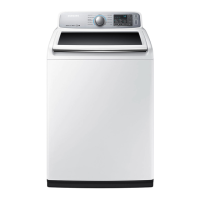
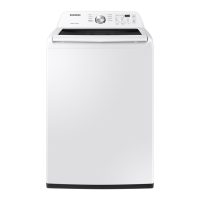
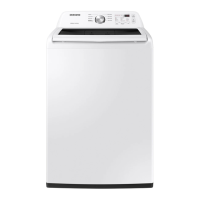
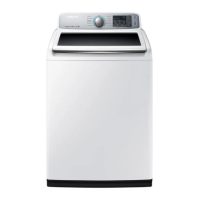
Samsung WA45n3050A Series - User Manual

Samsung WA45n3050A Series
68 pages
Print Icon
To Next Page IconTo Next Page
Loading...
Washer
User manual
WA45M3100A* / WA45N3050A*
WA3100M_DC68-03850A-02_EN.indd 1 2018-04-19  10:33:13

Other manuals for Samsung WA45n3050A Series

Questions and Answers

  • F
    Frederick CampbellSep 10, 2025
    How to deal with excessive suds in Samsung WA45n3050A?
    • M
      Margaret BrownSep 10, 2025
      To manage excessive suds in your Samsung washer, use high-efficiency (HE) detergent to prevent oversudsing. If you have soft water, small loads, or lightly soiled items, reduce the amount of detergent you use. It is not recommended to use non-HE detergent.
  • M
    Matthew LarsenAug 22, 2025
    What to do if my Samsung WA45n3050A is leaking water?
    • D
      Darius AndradeAug 22, 2025
      If your Samsung washer is leaking water, check that all hose connections are tight and that the water supply hose's rubber packing is correctly positioned and tightly screwed. Ensure the drain hose is correctly inserted and secured. Avoid overloading the machine and use high-efficiency (HE) detergent to prevent oversudsing. Also, make sure the water supply hose isn't kinked. If the water supply is too strong, close the tap a little. Finally, check for leaks from the water tap itself and repair if necessary.
  • A
    Amanda LambertAug 25, 2025
    What to do if my Samsung Washer does not drain and/ or spin?
    • J
      Jennifer SosaAug 25, 2025
      If your Samsung washer isn't draining or spinning, first check the fuse or reset the circuit breaker. Ensure the electrical voltage is normal and the washer is properly plugged in. For natural drain models, the drain hose should point downward and not be clogged or kinked; straighten it if necessary. Close the door and press START/PAUSE to ensure the cycle can complete; the washer won't spin with an open door.
  • J
    Justin MooreAug 26, 2025
    Why Samsung Washer does not turn on?
    • M
      Michelle LiuAug 26, 2025
      If your Samsung washer isn't turning on, ensure it's connected to a power source with the correct voltage. Check that the power cord is fully plugged in. Also, inspect the fuse or reset the circuit breaker.
  • B
    Brandon CoxAug 27, 2025
    How to fix a Samsung WA45n3050A Washer that does not turn on?
    • M
      Mrs. Tammy Barker MDAug 28, 2025
      If your Samsung Washer doesn't turn on, ensure it is connected to a rated power source and the power cord is completely plugged in. Also, check the fuse or reset the circuit breaker.
  • C
    Cheryl SmithAug 29, 2025
    What to do if my Samsung WA45n3050A Washer does not start?
    • E
      Erica HenryAug 29, 2025
      If your Samsung Washer does not start, check the following: * Ensure the door is closed properly. * Make sure the water taps are open. * Press or tap START/PAUSE to initiate the wash cycle. * Verify that Child Lock is not activated. * Also, remember that the washer makes clicking sounds and does a quick drain before filling. * If the door was opened during spinning, close it and press START/PAUSE. * The machine might be in Standby or a soaking cycle, so wait. Finally, check the fuse or reset the circuit breaker.
  • S
    seanmillerSep 18, 2025
    How to remove stains on clothes washed in Samsung Washer?
    • J
      Jose CarrollSep 18, 2025
      To address stains on clothes washed in your Samsung washer, select an appropriate cycle for the laundry, such as the Heavy Duty cycle for heavily stained items. Use the amount of detergent recommended by the detergent manufacturer. Regularly clean the magic filter (if your washer has one).
  • M
    Matthew RichardsonSep 12, 2025
    What to do if my Samsung WA45n3050A Washer has odours?
    • A
      Amy JohnsonSep 12, 2025
      If your Samsung washer has unpleasant odors, it may be due to excessive suds collecting in recesses. Run cleansing cycles periodically to sanitize the machine. After each cycle, dry the interior of the washing machine.
  • J
    John JohnsonSep 8, 2025
    What to do if detergent remains in the dispenser after a Samsung Washer cycle?
    • G
      garynguyenSep 8, 2025
      If detergent remains in the automatic dispenser of your Samsung Washer after a cycle, ensure the washing machine is running with sufficient water pressure. Also, make sure the detergent drawer is properly inserted. If the issue persists, remove and clean the detergent drawer before trying again.
  • M
    Melinda CollinsSep 5, 2025
    Why is water not supplied to my Samsung WA45n3050A?
    • R
      Randall HillSep 5, 2025
      If water is not being supplied to your Samsung washer, make sure you press START/PAUSE after selecting the water supply. Ensure the water taps are fully open. Check the filter net at the water supply hose connector for clogs and clean it with a toothbrush. Verify that the water supply isn't cut off. Straighten any kinks in the water supply hoses. Open and close the door, then press START/PAUSE. Note that low water pressure can extend the start time. If the water level seems incorrect, adjust it using the level selector.

Summary

Safety Information

Critical Installation Warnings

Warnings related to electrical connections and proper installation procedures for the washer.

Critical Usage Warnings

Warnings about operational hazards, flooding, gas leaks, and improper use of the appliance.

Installation

Step-by-Step Installation Guide

Comprehensive guide from selecting location to running a test cycle for correct setup.

Washing a Load of Laundry

Control Panel and Cycle Selection

Overview of controls, cycles, options, and how to select them for washing.

Troubleshooting

Common Problem Checklists

Quick checks and solutions for common operational issues like power, stops, and noise.

Water, Drain, and Spin Troubleshooting

Resolving issues with water supply, drainage, spinning, leaks, and frozen components.

Odor, Stain Resolution, and Error Codes

Addressing odors, stains, and interpreting information codes for washer errors.

Samsung WA45n3050A Series Specifications

General IconGeneral
BrandSamsung
ModelWA45n3050A Series
CategoryWasher
LanguageEnglish

Related product manuals