EasyManua.ls Logo

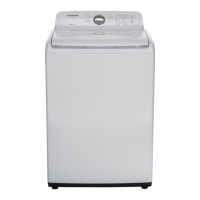
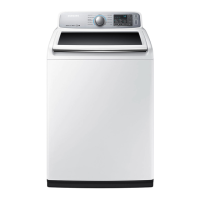
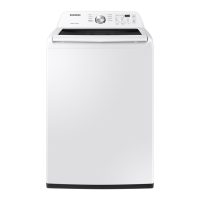
Samsung WA45N3050AW/A4 - User Manual

Samsung WA45N3050AW/A4
204 pages
Print Icon
To Next Page IconTo Next Page
Loading...
Washer
User manual
WA45M3100A* / WA45N3050A*
WA3100M_DC68-03850A-05_EN.indd 1 2019-02-14  6:21:43

Table of Contents

Other manuals for Samsung WA45N3050AW/A4

Questions and Answers

  • P
    Patrick RossAug 10, 2025
    What to do if my Samsung WA45N3050AW/A4 does not start?
    • D
      Danielle FlemingAug 10, 2025
      If your Samsung Washer isn't starting, here are a few things to check: * Ensure the door is fully closed. * Verify that the water taps are open. * Press the START/PAUSE button. * Confirm that Child Lock is deactivated. * Note that the washer may make clicking noises and do a quick drain before filling. * If the door was opened during spinning, close it and press START/PAUSE. * The machine might be in Standby or a soaking cycle, so allow it time to proceed. * Also, check the fuse or reset the circuit breaker.
  • K
    Katie GreenAug 17, 2025
    How to fix a Samsung Washer that does not turn on?
    • J
      jruizAug 17, 2025
      If your Samsung Washer isn't turning on, please verify the following: * Ensure you are using the correct rated power for the appliance. * Make sure the power cord is completely plugged into the outlet. * Check the fuse or reset the circuit breaker.
  • R
    Ryan AlexanderAug 25, 2025
    Why is no water being supplied to my Samsung WA45N3050AW/A4 Washer?
    • G
      gknappAug 25, 2025
      If water is not being supplied to your Samsung Washer, consider these possible solutions: * Press START/PAUSE after selecting the water supply. * Ensure that the water taps are fully open. * If the filter net at the water supply hose connector is clogged, clean it with a toothbrush. * If the water supply is cut off, close the tap and power off the machine. * Make sure the water supply hoses are straightened. * Try opening and closing the door, then press START/PAUSE. * Note that low water pressure can cause delays. * Adjust the water level using the level selector if it's too low.
  • L
    Lisa GutierrezSep 2, 2025
    What to do if detergent remains in the dispenser after a Samsung Washer cycle?
    • L
      Lynn Robinson PhDSep 2, 2025
      If detergent remains in the automatic dispenser of your Samsung Washer after a cycle, try the following: * Ensure the washing machine is running with sufficient water pressure. * Make sure the detergent drawer is properly inserted. * Remove and clean the detergent drawer before trying again.

Summary

Safety Information

What you need to know about the safety instructions

Guidance on understanding and following safety instructions for the washer.

Important safety symbols

Explanation of icons used in the user manual to denote hazards and precautions.

Installation

Unpacking your washer

Instructions for safely removing the washer from its packaging and checking for damage.

Operating instructions

Loading your washer

Guidance on how to properly load the washing machine for optimal performance.

Washing a load of laundry

Control panel

Description and function of the washer's control panel buttons and display.

Maintaining your washer

Cleaning the exterior

Instructions for cleaning the outer surfaces of the washing machine.

Cleaning the interior

Procedure for cleaning the inside of the washer tub to prevent odors and residue.

Storing your washer

Steps to prepare the washer for storage, including draining and protection.

Troubleshooting

Checkpoints

A table listing common washer problems and their suggested solutions.

Specifications

Fabric care chart

Guide to laundry symbols for garment care, including washing and drying.

Warranty (CANADA)

LIMITED WARRANTY TO ORIGINAL PURCHASER

Details of the warranty terms and conditions for Samsung washers purchased in Canada.

Samsung WA45N3050AW/A4 Specifications

General IconGeneral
Styletop load
Colorwhite
Washer Capacity4.5 cubic feet
Max Spin Speed700 revolutions per minute
Spin Speeds5
Number of Cycles8
Temperature Settings5
Control Paneldial, button
Delay Start / Endyes
Child Lockyes
Cycle Signalyes
Steamno
Dispensersingle load
Smart Homeno
Annual Energy Consumption240 kilowatt hours
Voltage120 volts
Current15 amperes
Weight and Dimensions IconWeight and Dimensions
Depth29 5/16 inches
Height44 inches
Width27 inches
Net Weight125.7 pounds

Related product manuals