EasyManua.ls Logo

Samsung WA45T3400AP - User Manual

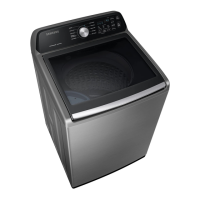
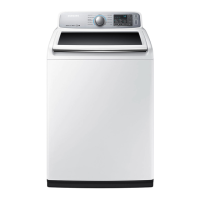
Samsung WA45T3400AP
204 pages
Print Icon
To Next Page IconTo Next Page
Loading...
Washer
User manual
WA45T3400**
WA3400T_DC68-03850E-01_EN.indd 1 2020-07-07 PM 4:15:49

Table of Contents

Questions and Answers

  • D
    darrellshawAug 6, 2025
    What to do if my Samsung WA45T3400AP does not start?
    • A
      Austin FigueroaAug 6, 2025
      If your Samsung Washer isn't starting, there are several things to check: * Ensure the door is fully closed. * Verify that the water taps are open. * Press the START/PAUSE button to initiate the wash cycle. * Confirm that the Child Lock feature is deactivated. * If the door was opened mid-cycle, close it and press START/PAUSE to resume. * Also, the machine might be in Standby or a soaking cycle, so allow it some time. * Finally, check the fuse or reset the circuit breaker.
  • T
    Teresa CaseyAug 14, 2025
    How to fix a Samsung Washer that does not turn on?
    • V
      vcampbellAug 14, 2025
      If your Samsung Washer isn't turning on, try the following: * Ensure the product is connected to a power source with the correct voltage. * Make sure the power cord is fully plugged into the outlet. * Check the fuse or reset the circuit breaker.
  • R
    Robert HamptonAug 21, 2025
    Why is water not being supplied to my Samsung WA45T3400AP?
    • D
      Dr. Kathleen White DDSAug 21, 2025
      If water isn't being supplied to your Samsung Washer, consider these possible solutions: * Be sure to press the START/PAUSE button after selecting the water supply. * Check that the water taps are fully open. * Inspect the filter net at the water supply hose connector for clogs; clean it with a toothbrush if necessary. * Ensure that the water supply isn't cut off. * Straighten any kinks or bends in the water supply hoses. * Try opening and closing the door, then press START/PAUSE. * Keep in mind that low water pressure can extend the wash start time. * If the water level seems inadequate, use the level selector to adjust it.
  • J
    Jeffery ClarkeAug 28, 2025
    What to do if detergent remains in the dispenser of my Samsung Washer after a cycle?
    • S
      Sara AndersonAug 28, 2025
      If detergent remains in the automatic dispenser of your Samsung Washer after a cycle, consider the following: * Ensure the washing machine is operating with sufficient water pressure. * Verify that the detergent drawer is correctly inserted. * Try removing and cleaning the detergent drawer before trying again.

Summary

Safety Information

Essential Safety Guidelines

Key safety instructions, symbols, and general precautions for safe operation of the washer.

Critical Safety Warnings and Cautions

Covers Proposition 65, installation, usage, cleaning, and critical warnings for safe operation.

Installation Guide

Preparation and Location Requirements

Details on unpacking, parts, tools, location requirements, clearances, and flooring for washer installation.

Step-by-Step Installation Procedures

Comprehensive guide for connecting water, drain, leveling, powering, testing, and calibrating the washer.

Operating Your Washer

Loading and Starting a Wash Cycle

Instructions on how to load laundry, start the machine, and understand basic operation and controls.

Control Panel and Cycle Functions

Overview of wash cycles, options like Child Lock, and special features such as ATC and Active Waterjet.

Detergent and Additive Usage

Guidance on using detergents, bleach, fabric softener, and managing the automatic dispenser for optimal results.

Washer Maintenance

Routine Cleaning and Preservation

Procedures for cleaning the washer's exterior, interior, dispensers, mesh filter, and preserving surfaces.

Storage and Self-Clean Cycle

Instructions for storing the washer and performing the Self Clean cycle for hygiene and maintenance.

Troubleshooting Washer Issues

Problem Checkpoints and Solutions

A table listing common washer problems, their potential causes, and recommended troubleshooting actions.

Information Codes and Error Resolution

Explanation of washer information codes, their meanings, and steps for resolving displayed errors.

Specifications and Care

Fabric Care, Settings, and Symbols

Guide to garment care symbols, wash/water temperatures, heat settings, and special instruction symbols.

Technical Specifications and Cycle Chart

Details on washer dimensions, weight, power, specification sheet, environmental notes, and cycle chart.

Product Warranty

U.S.A. Limited Warranty

Outlines the limited warranty coverage, exclusions, limitations, and claims process for the U.S. market.

Canada Limited Warranty

Details the limited warranty coverage, exclusions, limitations, and claims process for the Canadian market.

Samsung WA45T3400AP Specifications

General IconGeneral
Styletop load
Colorplatinum
Washer Capacity4.5 cu. ft.
Max Spin Speed700
Number of Cycles10
Number of Options6
Temperature Settings5
Internal Heaterno
Control Paneldigital and knobs
Steamno
Add Washyes
Soak Settingsyes
Remote Controlno
Wi-Fino
Voltage120v / 60hz
Current15 amps
Weight and Dimensions IconWeight and Dimensions
Depth29 5/16 inch
Height44 inch
Width27 inch
Net Weight134.5 lbs

Related product manuals