This document provides fast track troubleshooting information for the Samsung WA45M7050 washing machine, intended for technicians with electrical, electronic, and mechanical experience. It includes support contact information, details on smart install mode, test modes, manual mode, error codes, system errors, and component checks.
Function Description:
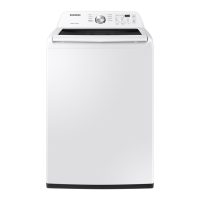
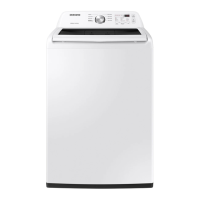
The Samsung WA45M7050 is a washing machine designed for various laundry needs, offering multiple wash cycles, temperature settings, spin options, and soil levels. It features a control panel with touch-sensitive buttons and a digital display for selecting programs and monitoring progress. Key functions include:
- Wash Cycles: Hot, Warm, Eco Warm, Cool, Cold, Rinse, Spin.
- Soil Levels: Light, Normal, Heavy.
- Spin Options: High, Medium, Low, No Spin.
- Special Features: Pre Soak, Extra Rinse (*Sound), Delay End, Self Clean, Child Lock.
- Smart Install Mode: An automatic mode that starts all operation modes of Smart Install, performing component checks in approximately 2-3 minutes.
- Test Modes: Include Smart Install, Automatic Check Mode, Manual Check Mode, S/W Version Check, and Diagnostic Code Check, allowing technicians to diagnose specific issues.
- Manual Mode: Allows for the activation of one function at a time, useful for troubleshooting specific component failures.
- Diagnostic Mode: Displays up to 7 stored error/check codes, which can be accessed and reviewed to identify problems.
Important Technical Specifications:
While specific detailed technical specifications like dimensions, weight, and power consumption are not provided in this document, the troubleshooting guide implies certain electrical and operational characteristics:
- Voltage: AC 120V for drain pump, water valves, and clutch motor operation. AC 110-120V for pump. DC 6.5V for door lock. DC 0.6V for Hall Sensor checks.
- Motor Windings Resistance: Approximately 11.6 ohms (at ±7% 20°C/68°F) for pins 1&3 and 1&2, and 2&3.
- Water Valve Coil Resistance: Approximately 1.18K ohms.
- Resistance Pins: 1 & 2, 1 & 3, 2 & 3 between 10 to 12 ohms (likely referring to motor or other component windings).
- Door Lock Switch Resistance: Approximately 0.2 ohm between the terminal of contact (white-Red wire or white-blue wire).
- PCB Connectors: CN1 (AC1, AC2, AC2-1), CN3 (Motor_U, Motor_V, Motor_W), CN4 (Bleach Valve, Rinse Valve, Hot Valve, Cold Valve, Pump, N.C, Mist Valve, Clutch), CN5 (Water Level, Standby, TX, RX, Sub Reset, 5V, GND, 12V, Power On), CN8 (DoorLock Motor, DoorLock Motor, GND, Unlock Contact, Lock Contact, Reed Switch, 5V_1), CN9 (5V, Hall_A, Hall_B, GND), CN501 (NC, NC, NC, NC, NC, NC, GND, WATER_THERM, CLUTCH_SEN, WATER_SEN1, WATER_SEN2, 5V, CLUTCH, GND), CN802 (CLUTCH, WL_MAIN, STANDBY, TX, RX, RESET, 5V, GND, 12V, POWER ON).
Usage Features:
- Control Panel: Features a clear digital display and intuitive buttons for Wash, Rinse, Spin, Temp, Soil Level, Delay End, Pre Soak, Extra Rinse, Self Clean, Start/Pause, and Power.
- Child Lock: A safety feature that can be activated to prevent unintended operation.
- Automatic Mode of Smart Install: Simplifies initial setup by automatically running all operation modes.
- Manual Mode: Provides granular control for technicians to test individual components.
- Error Code Display: The machine displays specific error codes (e.g., 1E, 3E, 4C, 5C, DC, LC, OC, UB, 8C, TC, AC, SF) to indicate various malfunctions, aiding in quick diagnosis.
- Diagnostic Code Check: Allows users to view up to 7 stored error/check codes by turning the Jog Dial.
Maintenance Features:
The document primarily focuses on troubleshooting and diagnostic procedures for technicians, which are integral to maintenance.
- Component Checks: Detailed instructions are provided for checking various components:
- Hall Sensor Check: Involves checking voltage at specific pins of CN9.
- Motor Check: Implied through motor winding resistance checks and error codes (3E/3C).
- Drain Motor Pump Check: Involves checking voltage at CN1 and CN4 pins when the pump operates.
- Water Valves/Check: Involves checking voltage at CN1 and CN4 pins when valves operate.
- Clutch-Motor Check: Involves checking voltage at CN1 and CN4 pins when valves operate.
- AC Power Check: Involves checking voltage at CN1 pins.
- Door Lock Check: Involves checking voltage at CN3 and CN8 pins.
- Main PCB: Implied as a potential cause for many errors and a component to be replaced if other checks fail.
- Troubleshooting Guide: A comprehensive guide for common problems like "Will Not Start," "Leaking," "Will Not Spin," "No Water Fill," "Tub Full of Suds," "Wet Clothes," "Will Not Lock," "No Key Operation," "Will Not Drain," "Wrong Water Temperature," "Noisy and/or Vibration/Walking," and "Buttons do not Respond." Each problem lists potential causes and corrective actions, such as checking connections, replacing parts, or adjusting usage.
- Error Code Explanations: Each error code is linked to specific causes, guiding technicians to the root of the problem (e.g., water level sensor defect for 1E/1C, washing motor fault for 3E/3C, water supply valve defect for 4C/4E).
- System Error Corrective Actions: For system errors like AC (communication errors) and SF (Micro Controller Operation Fail), specific corrective actions are provided, including checking connector connections, removing modules, and replacing the Assy PCB.

 Need help?





 To Next Page
 General