EasyManua.ls Logo

Samsung WA70F5S2 - User Manual

Samsung WA70F5S2
48 pages
Print Icon
To Next Page IconTo Next Page
Loading...
Fully Automatic Washing
Machine
user manual
imagine the possibilities
Thank you for purchasing a Samsung
product.
To receive a more complete service, please
register your product at
www.samsung.com/register
WA70F5S2
WA80F5S2
This manual is made with 100% recycled paper.
F500S_W3050_WA10F5-03273E_EN.indd 1F500S_W3050_WA10F5-03273E_EN.indd 1 2013-04-09  4:06:162013-04-09  4:06:16

Questions and Answers

  • R
    Robert HillAug 13, 2025
    What to do if my Samsung Washer shows a Child Lock error?
    • D
      david37Aug 14, 2025
      If the Samsung Washer displays 'CL' after draining, it means a Child Lock error has occurred. To clear the display, close the washer door, turn the power off, and then turn it back on.
  • E
    Emily ClarkAug 17, 2025
    What to do if water does not drain from my Samsung Washer?
    • J
      Joshua SchneiderAug 17, 2025
      If your Samsung Washer isn't draining, here are a few things to check: * Make sure the drain hose is not down (for models without a pump). * Verify that the drain hose isn't frozen or clogged. * If the water still doesn’t drain after 30 minutes, the washer will beep, and the display will show '5E'.
  • C
    colleenbrockAug 21, 2025
    Why is my Samsung WA70F5S2 Washer not working?
    • K
      katkinsAug 21, 2025
      If your Samsung Washer isn’t working, please check the following: * Ensure the water tap is open. * Confirm the washer is properly plugged in. * Check for any power outages. * Verify that there is enough water supply.
  • J
    Jeanette BuckleyAug 25, 2025
    What to do if Samsung WA70F5S2 has a water leakage error?
    • B
      Bethany JonesAug 26, 2025
      If your Samsung Washer is showing a water leakage error, you can try: * Checking that the end of the drain hose is correctly positioned (it should be hung over the pump hose guide and not placed on the floor). * Inspecting the drain hose for any blockages caused by foreign objects. * If the problem continues after these checks, further assistance may be needed.
  • C
    Christine SotoAug 28, 2025
    Why is the spinning function not working on my Samsung Washer?
    • K
      Kenneth DeanAug 28, 2025
      If the spinning function isn't working on your Samsung Washer, try these: * Make sure the laundry is spread evenly inside the washer. * Ensure the washer is placed on a firm, level surface.
  • C
    Christopher Cannon DDSSep 1, 2025
    What to do if water is overflowed in Samsung Washer?
    • G
      Gerald HudsonSep 1, 2025
      To resolve the issue of water overflowing in your Samsung Washer, restart the machine after it has completed the spinning cycle. If the error persists, it is recommended to contact an authorized service center for assistance.
  • R
    Richard WeissSep 4, 2025
    What to do if my Samsung WA70F5S2 is not supplying water?
    • C
      carol17Sep 4, 2025
      If your Samsung Washer isn't filling with water, consider these points: * Check if the water tap is open. * Make sure there isn't a water outage. * Inspect the water supply hose and connections for clogs. * Ensure the water tap isn't frozen. Also, if the water supply isn't completed within 1 hour, or if there's no change in the water level after 5 minutes (10 minutes for some models), the machine will sound an alarm and display '4E'.
  • M
    Mary SullivanSep 8, 2025
    How to clear a Child Lock error on a Samsung WA70F5S2?
    • B
      Bridget EllisSep 8, 2025
      If your Samsung Washer displays a 'CL' or 'dE' error, indicating a Child Lock issue: * The error message will blink, and the water will drain with an alarm. * After draining, turn the power off and then on to resume normal operation. * To clear the 'CL' display, ensure the door is closed after draining, then turn the power off and on.

Summary

Washing Machine Features

Wobble Technology

Enhanced fabric protection via innovative water flow for gentle washing.

Digital Inverter Motor

Efficient energy and powerful washing performance for longer machine durability.

Diamond Drum Design

Minimizes fabric damage and enhances washing effectiveness with a unique drum shape.

Fuzzy Control System

Operates with best washing program using AI to sense washload.

Transparent Glass Window

Allows users to rely on and use the washing machine for extended periods.

Magic Filter for Cleanliness

Captures lint inside the tub for top-quality filtering and effective cleaning.

Child Lock Safety Feature

Prevents children from operating the washing machine, ensuring user safety.

Air Turbo Drying Option

Saves time by ensuring clothes dry faster than traditional line drying.

Eco Tub Clean Cycle

Removes dirt and biofilm from the washing tub without chemicals.

Energy Saving Wash Cycle

Allows users to save energy during washing machine operations.

User Convenience Features

Covers Dual Display and Last Setting Function for simplified operation.

Safety Instructions and Precautions

Important Safety Warnings

Essential precautions to reduce risk of fire, electric shock, or injury during use.

General Usage Cautions

Advice on installation, usage, and maintenance to prevent minor injuries or damage.

Setting Up and Operating Your Washer

Description of Washing Machine Parts

Identifies and explains the main components of the washing machine.

Pre-Wash Checks and Garment Care

Guidelines for inspecting clothes and pre-treating for optimal washing results.

Automatic Wash Cycle Operation

Explains how the machine senses load and adjusts settings for automatic washing.

Control Panel Functions Overview

Details the function and operation of each button on the control panel.

Installation and Maintenance Guide

Environment and Placement Guidelines

Guidelines for optimal machine placement and surrounding conditions.

Levelling and Hose Connections

Instructions for levelling the washer and connecting water/drain hoses.

Detergent and Softener Usage

Procedures for adding detergent and fabric softener to the correct compartments.

Filter and Compartment Cleaning

Steps for cleaning filters and the detergent dispenser for optimal performance.

Troubleshooting Common Issues

Machine Not Working or Draining Problems

Checks for power, drainage, and water supply issues.

Spin Cycle, Overflow, and Error Codes

Solutions for spinning malfunctions, water overflow, and error indicators.

Water Leakage Troubleshooting

Guidance on identifying and fixing water leaks from the washing machine.

Technical Specifications

Samsung WA70F5S2 Specifications

General IconGeneral
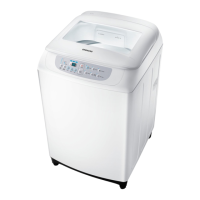
ModelWA70F5S2
TypeTop Load
Spin Speed700 RPM
Body ColorWhite
Water FallYes
Water Level5
Tempered Glass WindowYes
Fuzzy Logic ControlYes
Digital DisplayYes
Delay StartYes
Child LockYes
Magic FilterYes
Capacity7 kg
Air TurboNo

Related product manuals