EasyManua.ls Logo

Samsung WA7750M - User Manual

Samsung WA7750M
40 pages
Print Icon
To Next Page IconTo Next Page
Loading...
WASHING MACHINE (TOP-LOADING) CONTENTS
SERVICE
Manual
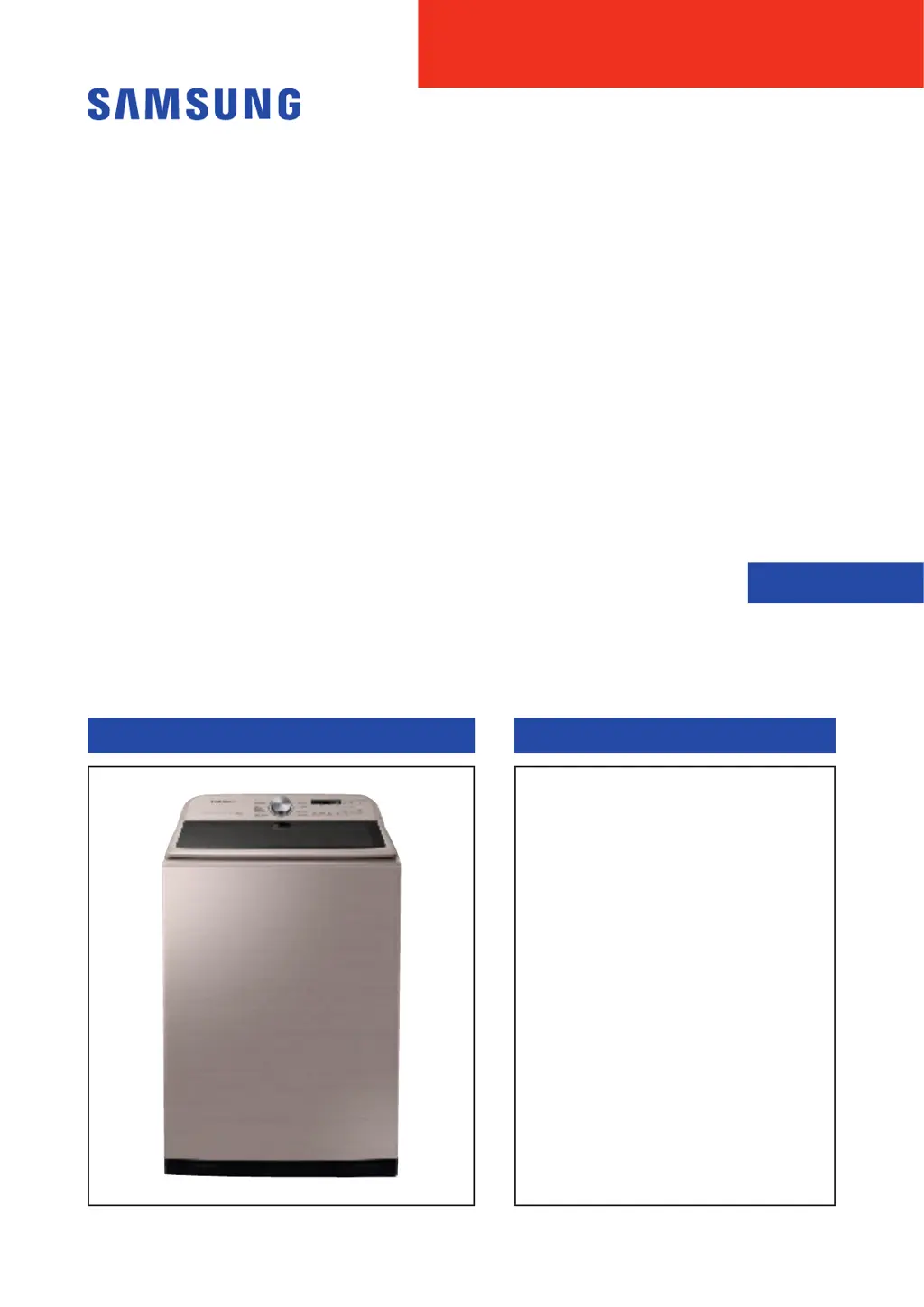
WASHING MACHINE
TOP-LOADING TYPE
Basic Name : WA7750M
Basic Code : WA52M7750AW/A4
Model Name : WA50R5400AV
(WA7000R)
Model Code : WA50R5400A*
WA50R5200A*
WA54R7600A*
WA54R7200A*
WA50T5300A*
1. Safety Instructions
2.FeaturesandSpecications
3. Disassembly and Reassembly
4. Troubleshooting
5. PCB Diagram
6. Wiring Diagram
7. Reference

Questions and Answers

  • M
    Michelle SimpsonAug 7, 2025
    What to do if my Samsung WA7750M is not draining?
    • L
      Latoya FrancisAug 7, 2025
      If your Samsung Washer isn't draining properly, start by checking the drain hose for any clogs. Also, inspect the water pump terminal for any disconnections or obstructions such as rubber bands, bills, cotton, hair pins or coins inside the drain pump assembly and remove any obstructions. If the pump motor impeller is damaged, it will need to be replaced. Ensure the correct voltage is being supplied to the parts. If freezing is the cause, allow the machine to thaw before attempting to use it.
  • A
    andersonjaredAug 14, 2025
    What to do if the Samsung WA7750M Washer has water supply issues?
    • M
      Mark DuranAug 14, 2025
      If you suspect a water supply issue with your Samsung Washer, start by checking the water supply valve for any obstructions. If clear, ensure the water supply valve terminal is securely connected. Also, verify that the warm water and rinse connectors are correctly connected. Additionally, a disconnected PCB terminal from the drain hose to the detergent drawer can cause water supply problems, so ensure it's properly connected. Check the transparent hose for folds or tears, and make sure the water supply hoses are not kinked. Confirm that the cold and warm water supply hoses are correctly engaged. Finally, if you're experiencing issues during a dry cycle, check the dry valve's temperature settings; and for Wool or Lingerie courses, ensure the water temperature is not exceeding 50 ?C.
  • B
    Bruce GoodmanAug 22, 2025
    What to do if Samsung Washer shows water level sensor issues?
    • C
      Christopher HarrisAug 22, 2025
      If you're encountering problems with the water level sensor in your Samsung Washer, check the hose for punctures and replace it if damaged. Clear the hose of any obstructions. Unfold the hose if it's folded. Remove excess lubricant from the air hose insertion part. Ensure the hose is properly engaged. Repair or replace any faulty parts, especially addressing faulty internal soldering. Reengage the water level sensor terminal. Inspect and replace the main PBA if needed.
  • M
    Mr. Brandon AlvarezAug 29, 2025
    How to troubleshoot motor driving issues in a Samsung WA7750M?
    • M
      Melissa AdamsAug 30, 2025
      If your Samsung Washer's motor isn't driving, make sure the PBA connector terminal is connected and that the motor spin net is engaged. If the motor’s internal coil is damaged, replace the motor. Remove any foreign material, like a screw, from the motor. Reduce the laundry load if the motor is overloaded. Check and replace the PBA if it is faulty. Inspect and repair the motor driving Check. Reconnect the IPM terminal of the main PBA. Reposition the DD motor cover. Reconnect the PCB housing terminal. Check and replace the DD motor if needed.

Summary

Safety Instructions

Safety Instructions for Service Engineers

Essential safety guidelines for technicians performing service on the washing machine.

Features and Specifications

Features

Details the key functionalities and unique features of the washing machine.

Specifications

Provides technical specifications including dimensions, weight, power, and capacity.

Detail Features

Offers a comparative overview of detailed features across different model grades.

Options Specifications

Lists optional items, their code numbers, and remarks for specific models.

Disassembly and Reassembly

Tools for Disassembly and Reassembly

Enlists the specific tools required for servicing and disassembly procedures.

Standard Disassembly Drawings

Illustrates step-by-step visual guides for disassembling various parts of the washing machine.

Troubleshooting

Information Modes

Explains integrated information modes and common causes for check codes.

Corrective Actions for Each Check Code

Provides detailed troubleshooting procedures and countermeasures for specific error check codes.

PCB Diagram

Assy PCB Main

Shows a detailed layout of the main Printed Circuit Board (PCB) with component references.

Circuit Diagrams of Main Parts for Assy PCB Main (Non-heater Model)

Illustrates circuit diagrams for main parts of the Non-heater Model PCB.

Assy Module (Touch)

Details the components and connections on the touch control module PCB.

Circuit Diagrams of Main Parts for Assy PCB Main (Heater Model)

Illustrates circuit diagrams for main parts of the Heater Model PCB.

Wiring Diagram

Wiring Diagram (General)

Presents the general wiring schematic for the touch module and main PCB.

Wiring Diagram (5.4 cu.ft Heater)

Provides the specific wiring schematic for the 5.4 cu.ft heater model.

Reference

Model Number Naming Rules

Explains the systematic naming convention used for model numbers.

Samsung WA7750M Specifications

General IconGeneral
ModelWA7750M
Capacity7.5 kg
ColorWhite
Spin Speed700 RPM
Digital Inverter MotorYes
Eco Bubble TechnologyYes

Related product manuals