EasyManua.ls Logo

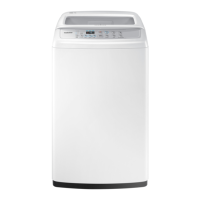
Samsung WA90F5S4 - User Manual

Samsung WA90F5S4
56 pages
Print Icon
To Next Page IconTo Next Page
Loading...
Washing Machine
user manual
imagine the possibilities
Thank you for purchasing a Samsung
product.
To receive a more complete service, please
register your product at
www.samsung.com/register
Code No. DC68-03272M_EN
WA90F5S4
WA11F5S4
WA13F5S4
This manual is made with 100% recycled paper.
F500S_W3050_WA11F5-03272M_EN.indd 1 2013-04-26 3:51:32

Questions and Answers

  • D
    David TranAug 1, 2025
    What to do if my Samsung Washer water does not drain?
    • P
      Phyllis WalkerAug 1, 2025
      If the water isn't draining from your Samsung Washer, check these items: * Make sure the drain hose is positioned down (for models without a pump). * Ensure the drain hose isn't frozen. * Check the drain hose for any clogs. Also, if the water doesn't drain within 30 minutes, a buzzer will sound, and the remaining time indicator will display “5E”.
  • R
    Ronald MarquezAug 7, 2025
    What to do if I see a water leakage error on my Samsung WA90F5S4 Washer?
    • U
      uthorntonAug 7, 2025
      If you're experiencing a water leakage error with your Samsung Washer: * Ensure the end of the drain hose is correctly placed above the pump-hose guide, not on the floor. * Inspect the drain hose for any blockages caused by foreign substances.
  • L
    Linda MeyerAug 13, 2025
    Why is the spinning function not working on my Samsung Washer?
    • H
      Helen HayesAug 13, 2025
      If the spinning function isn't working on your Samsung Washer: * Make sure the laundry is spread evenly inside the washer. * Confirm that the washer is placed on a sturdy, flat surface.
  • W
    William EvansAug 19, 2025
    Why is water not being supplied to my Samsung WA90F5S4?
    • J
      James RandallAug 19, 2025
      If water isn't being supplied to your Samsung Washer, consider the following: * Check if the water tap is open. * Ensure that the water supply hasn't been cut off. * Inspect the water supply hose and its connections for any clogs. * Verify the water tap isn't frozen. Also, if the water supply isn't finished within 1 hour, or if there's no change in the water level after 5 minutes (10 minutes for some models) once the water supply has started, the buzzer will ring and “4E” will be displayed on the remaining time indicator.
  • R
    Robert SosaAug 26, 2025
    How to clear a Child Lock error on my Samsung Washer?
    • J
      John MyersAug 26, 2025
      When a Child Lock error occurs on your Samsung Washer (displayed as “CL” or “dE”): * The error message will blink every second, and water will drain with an alarm. * After draining is complete, turn the power off and then on to operate the washing machine normally. * To clear the “CL” display, ensure the door is closed after draining, then turn the power off and on.

Summary

Setting Up Your Washer

Control Panel Overview

Details the functions of each button and display on the washing machine's control panel.

Installation & Maintenance

Connecting the Water Supply Hose

Step-by-step guide for securely attaching the water inlet hose.

Connecting the Drain Hose (Optional)

Guidance on correctly connecting the water drain hose for proper drainage.

Troubleshooting

Washing Machine Not Working

Common issues and checks when the washing machine fails to operate.

Water Not Draining

Solutions for when the machine fails to empty water after a cycle.

Water Not Supplied

Troubleshooting steps when the machine does not fill with water.

Spinning Cycle Not Working

Checks and fixes for when the spin cycle is not functioning.

Washing Machine Wont Work?

Power Supply Issues

Checks to perform if there is no power to the washing machine.

General Machine Non-Operation

Further checks for general washing machine non-operation issues.

Samsung WA90F5S4 Specifications

General IconGeneral
ModelWA90F5S4
TypeTop Load
Capacity9 kg
Spin Speed700 RPM
Body ColorWhite
Display TypeLED
PulsatorYes
Water FallYes
Water Level5 Levels
Child LockYes
Delay EndYes
Magic FilterYes

Related product manuals